Review AP staff concerns through the independent route
Written for: Authorised alternative provision independent reviewers and permission managers.
Find the concern you may review, read its original account and routing history and record a reasoned human assessment. It does not identify an uncertain adult automatically, decide whether harm occurred or make a referral to an outside organisation. Follow your provision’s approved procedure and urgent safeguarding arrangements alongside this record.
All screenshots use fictional people and circumstances. The example deliberately preserves an unverified adult identity and an Unclassified assessment.
Before you start
Section titled “Before you start”Use Staff concerns review with the provision you intend to review selected. Access depends on the approved independent route and your current permissions; a job title or ordinary pupil safeguarding access does not itself establish access here. Reading, recording an assessment, resolving identity and changing a route have separate controls. If access is unavailable, use your approved independent reporting arrangements rather than sharing the report through another account.
A. Find the report you are authorised to review
Section titled “A. Find the report you are authorised to review”- Open Staff concerns review and inspect Reports for review.
- Read the title, reported date and adult description before opening the report. An unverified description is not a confirmed staff identity.
- Select the report. If more queue results are available, use its pagination rather than treating the current page as the whole queue.
- If no reports are listed, check the selected provision and current route/access. An empty personal queue does not establish that no reports exist elsewhere.
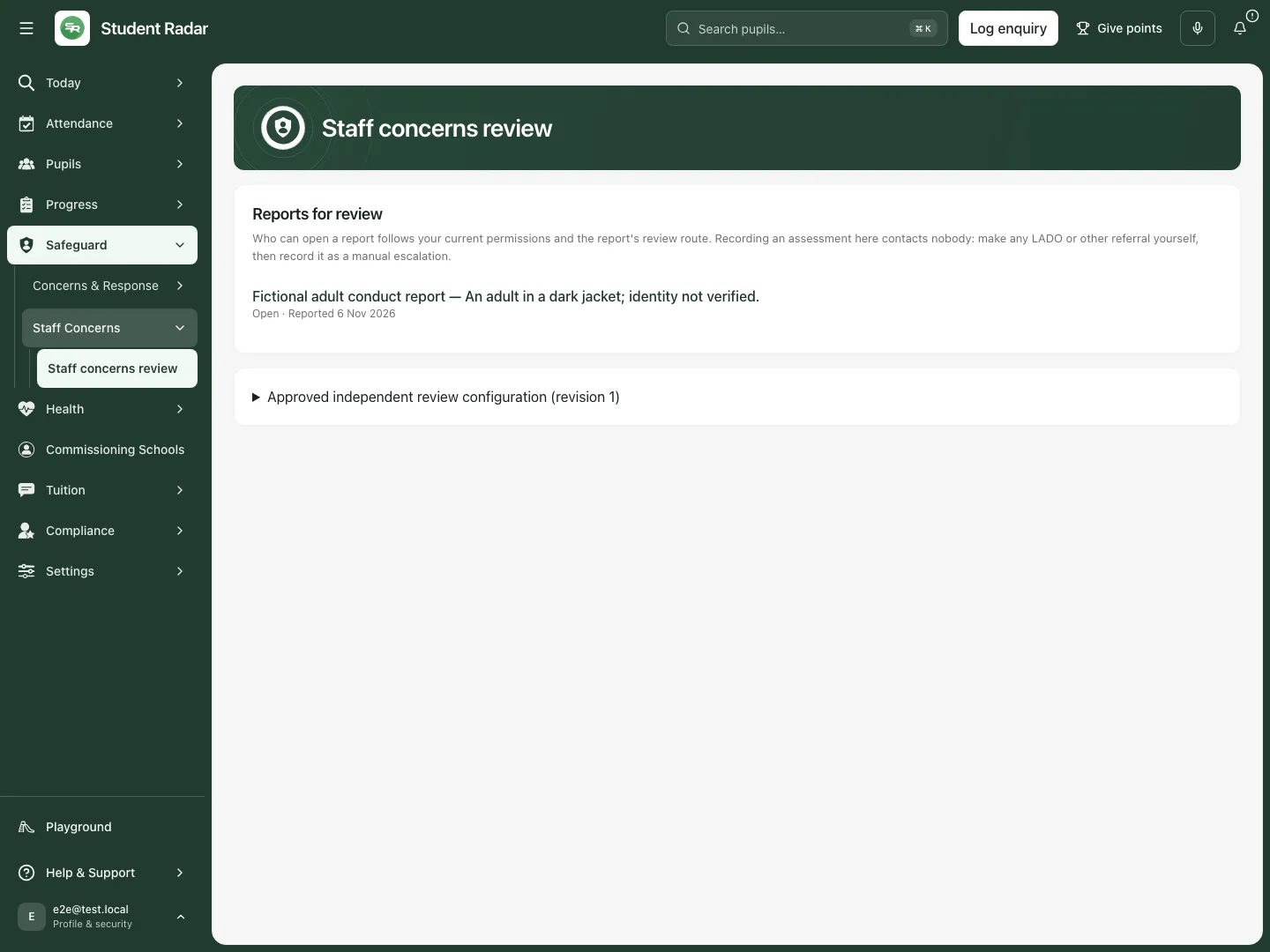
Fictional example: an unverified adult description remains visible in the reviewer’s queue.
B. Read the original account before making an assessment
Section titled “B. Read the original account before making an assessment”- Read Current adult report, the original description and reported date.
- Check Review route, route/policy revisions and the procedure reference. These tell you which approved review arrangement applies to this record.
- Expand the history sections needed for your review: Assessment history, Review routing history, Identity resolution history, Chronology and Attachment history. Each section shows its own end-of-history, more-results or unavailable state.
- Read the original account separately from subsequent interpretations. A later assessment or identity resolution adds to the record; it does not turn the original uncertain description into a verified identity.
- Where an attachment is available and you are authorised, select Open authorised attachment: [name]. Allow the new tab if your browser blocks it. Do not treat an unavailable attachment, an incomplete page or an unavailable original as reviewed evidence.
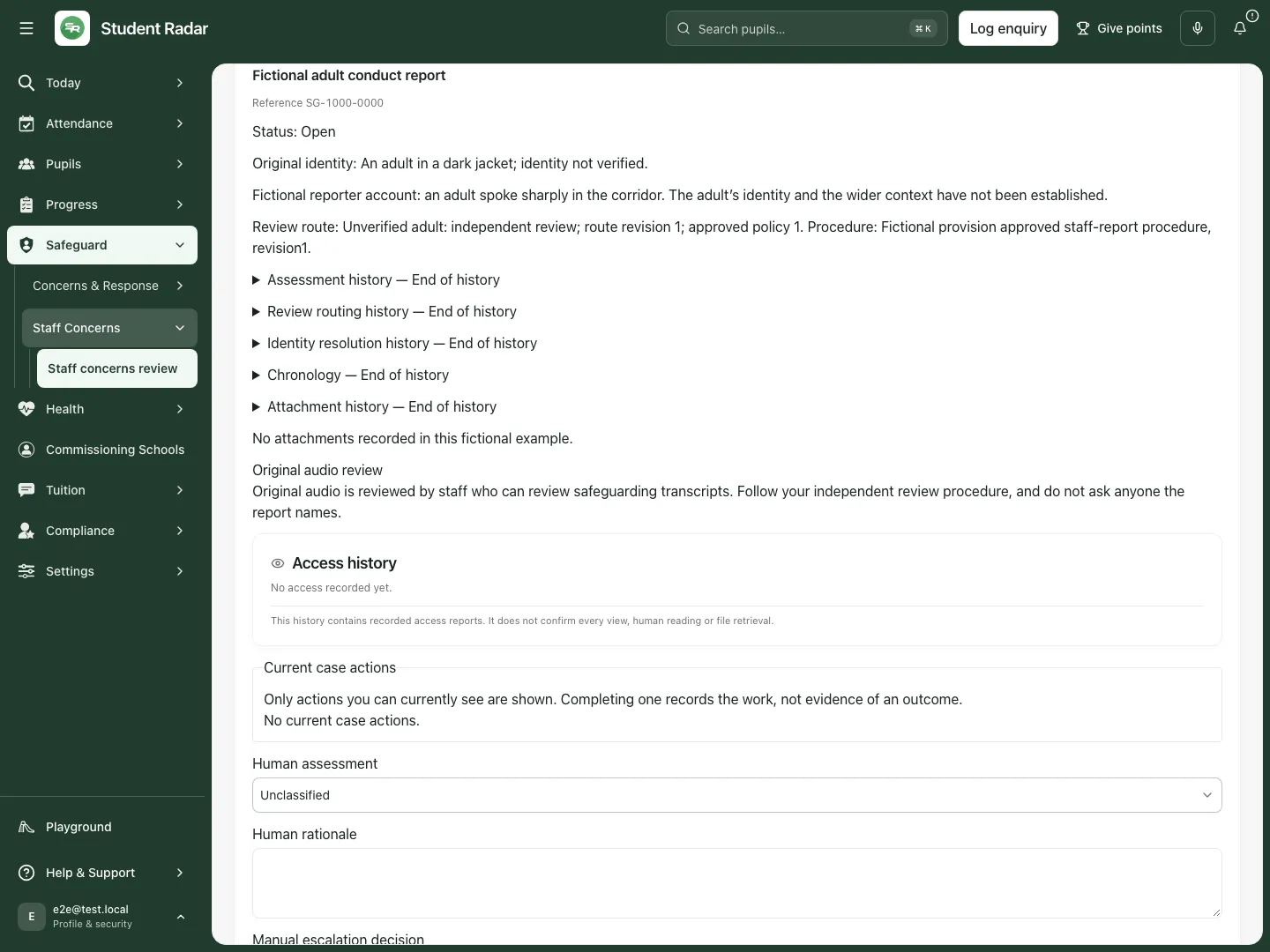
Fictional example: the account explicitly says the adult’s identity and wider context have not been established.
C. Record a human assessment
Section titled “C. Record a human assessment”- Select Human assessment: Unclassified, Low-level concern or Harm concern, according to your authorised judgement and procedure.
- Enter Human rationale. Explain the evidence, uncertainty and reason for your assessment, using 5–2,000 characters. Do not present an assumption as an established fact.
- Set Manual escalation decision to Not recorded, Manually recorded or Human decision: not required as appropriate.
- Use Manual escalation note for the actual decision or action. When choosing Manually recorded, state what was escalated, to whom and when; at least five characters are required. The note has a 2,000-character limit.
- Select Record human assessment and wait for Assessment recorded. before leaving.
- Reopen the report and expand Assessment history. Check the assessment, rationale, manual escalation decision, recorded time and route/policy revisions.
Recording an assessment contacts nobody. Make any required LADO or other external referral through your approved manual process, then accurately record what happened. Not recorded is not evidence that escalation was unnecessary or completed. Closed/resolved reports do not accept another assessment through this form.
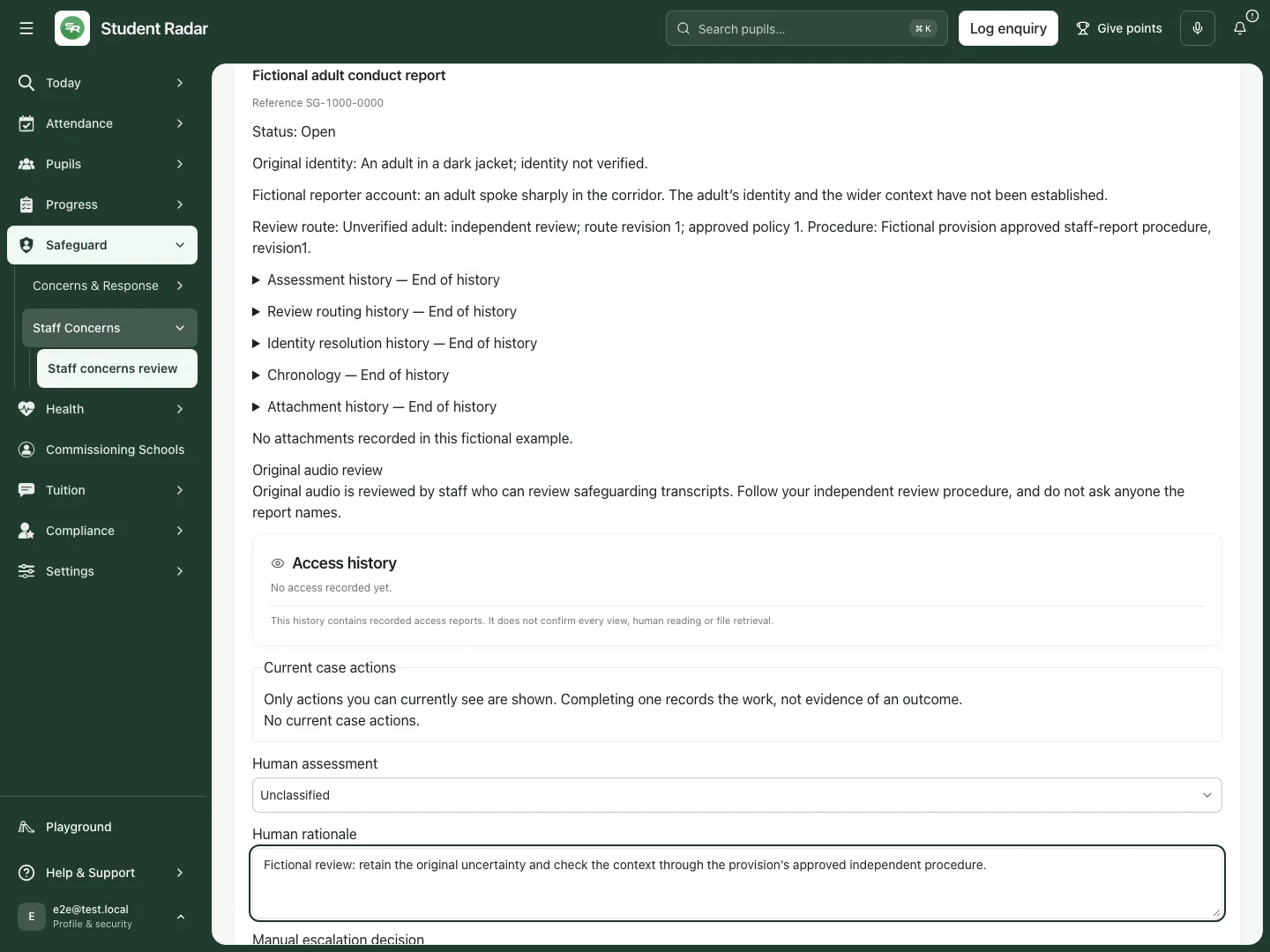
Fictional example: the reviewer retains Unclassified and records what remains uncertain.
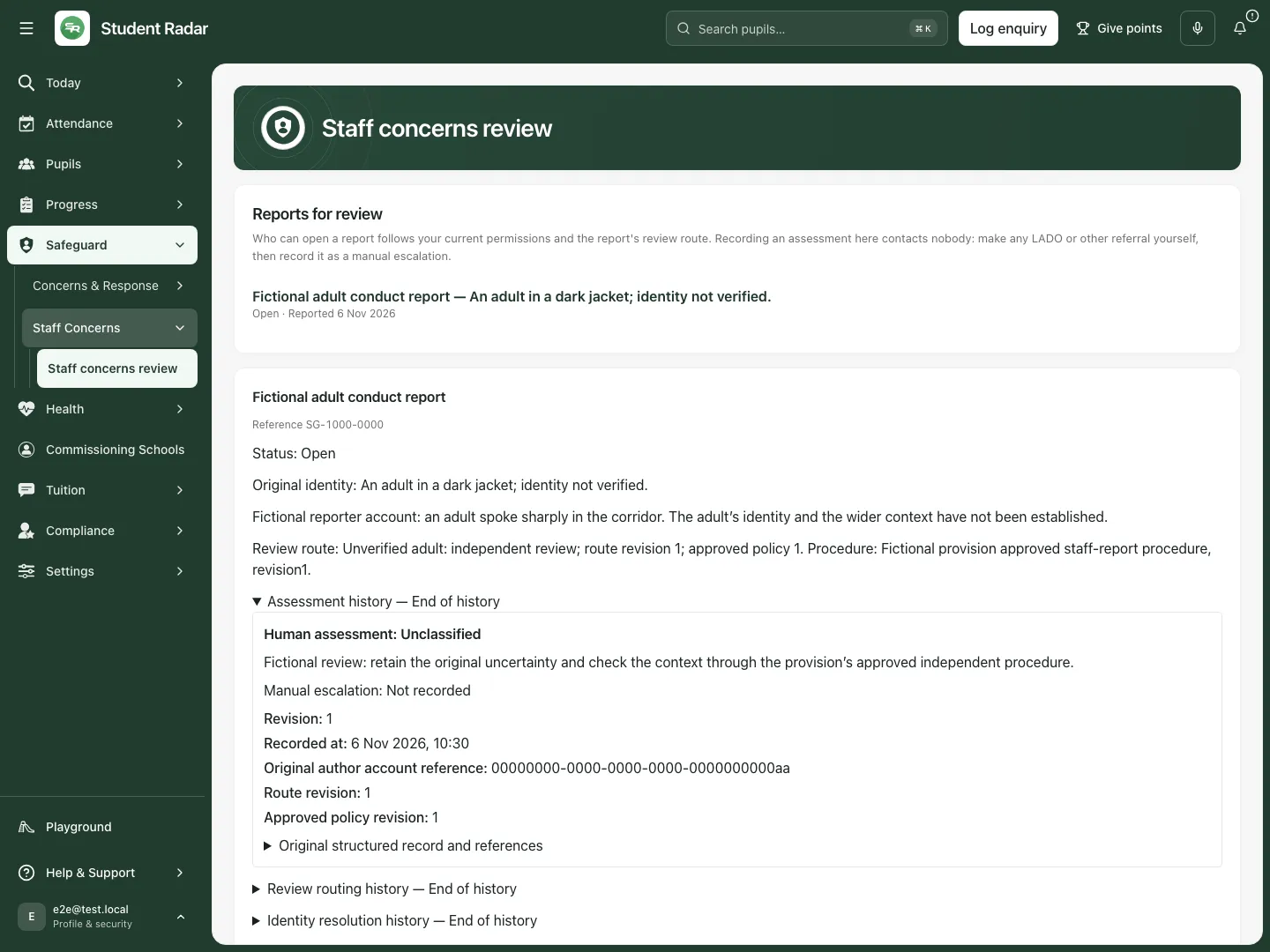
The reopened fictional report retains the recorded rationale and its revision information.
D. Resolve identity additively, only with authority
Section titled “D. Resolve identity additively, only with authority”- Check the original uncertainty and your provision’s verified staff reference outside this form.
- If your report exposes Verified provision staff ID, enter the verified staff account ID. Do not infer identity from a similar name or an uncertain description.
- Enter the human rationale explaining the verification.
- Select Record additive identity resolution.
- Reopen Identity resolution history and check the recorded resolution. Retain the original description alongside it.
This action requires separate authority. The configuration surface does not grant directory access, and a missing identity control is not permission to repurpose another account ID.
E. Inspect or explicitly change an independent route
Section titled “E. Inspect or explicitly change an independent route”- Expand Review routing history and check the procedure reference and revisions before considering a change.
- An authorised route manager must first have a newly approved policy revision. Enter its number in New approved policy revision.
- Enter the reason in the human rationale field; at least five characters are required.
- Select Explicitly reassign review route only when the approved change is intended for this particular report.
- Wait for Review route changed., then check the resulting route/history and permitted reviewers. Publishing configuration alone does not silently reroute existing reports.
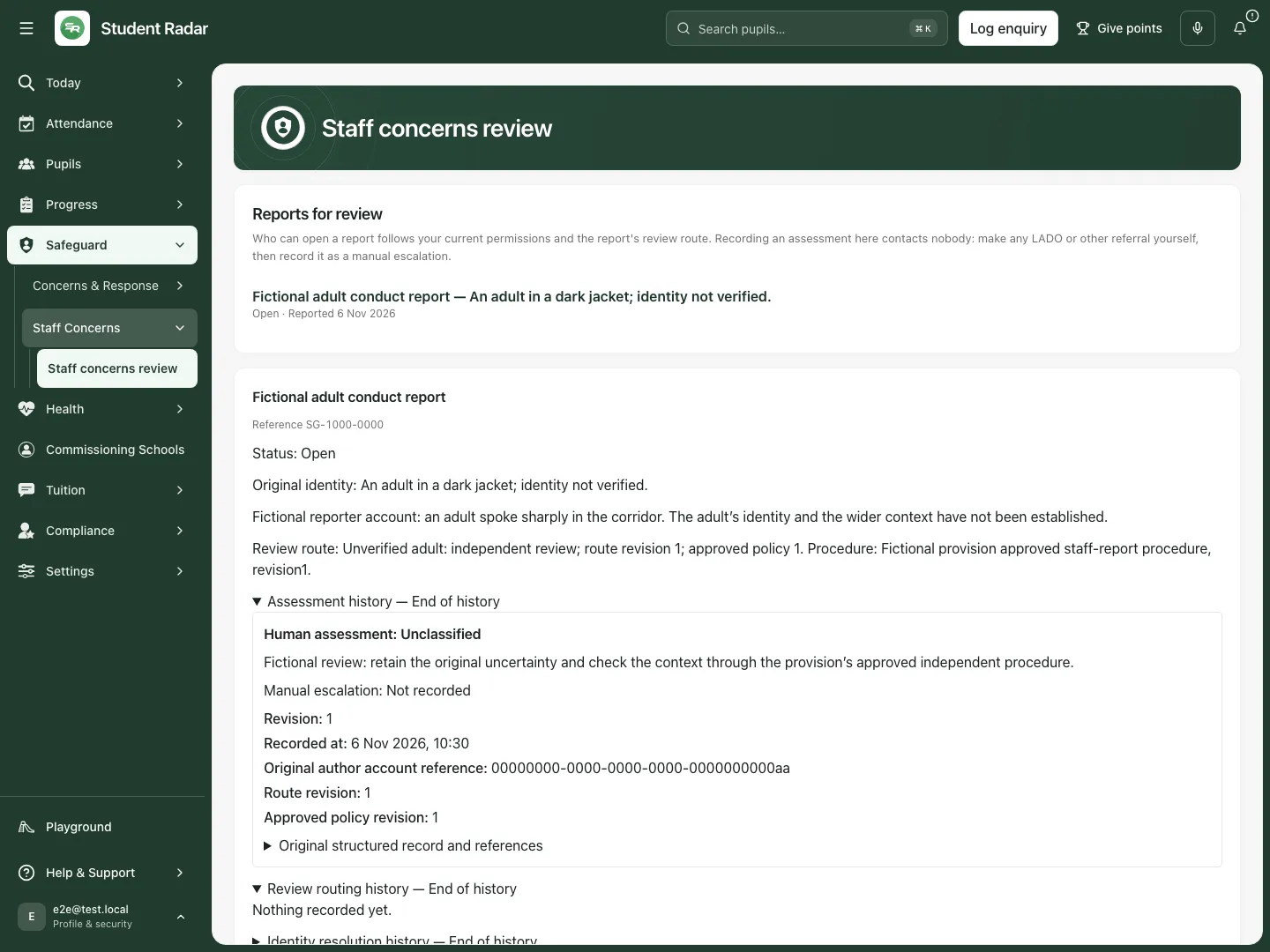
Fictional example: route and policy revision 1 remain attached to the original report.
F. Publish explicitly approved routing configuration
Section titled “F. Publish explicitly approved routing configuration”This is a permission-manager workflow, not a routine assessment step.
- Open Approved independent review configuration (revision …) and read the current policy.
- Prepare the explicitly approved policy in Proposed routing policy JSON. Enabled routing requires the unverified-adult, DSL-subject and head-subject routes, each with verified reviewer and cover account IDs and its approved procedure reference. Use 1–20 accounts per reviewer/cover list; do not paste names instead of account IDs.
- Enter Approval reason, using 5–1,000 characters. The policy field accepts up to 16,000 characters; correct any validation message before publication.
- Select Publish explicitly approved routing, then check the displayed revision and approved policy.
- Reassign individual existing reports separately where explicitly authorised. Configuration does not grant missing safeguarding permissions or directory access.
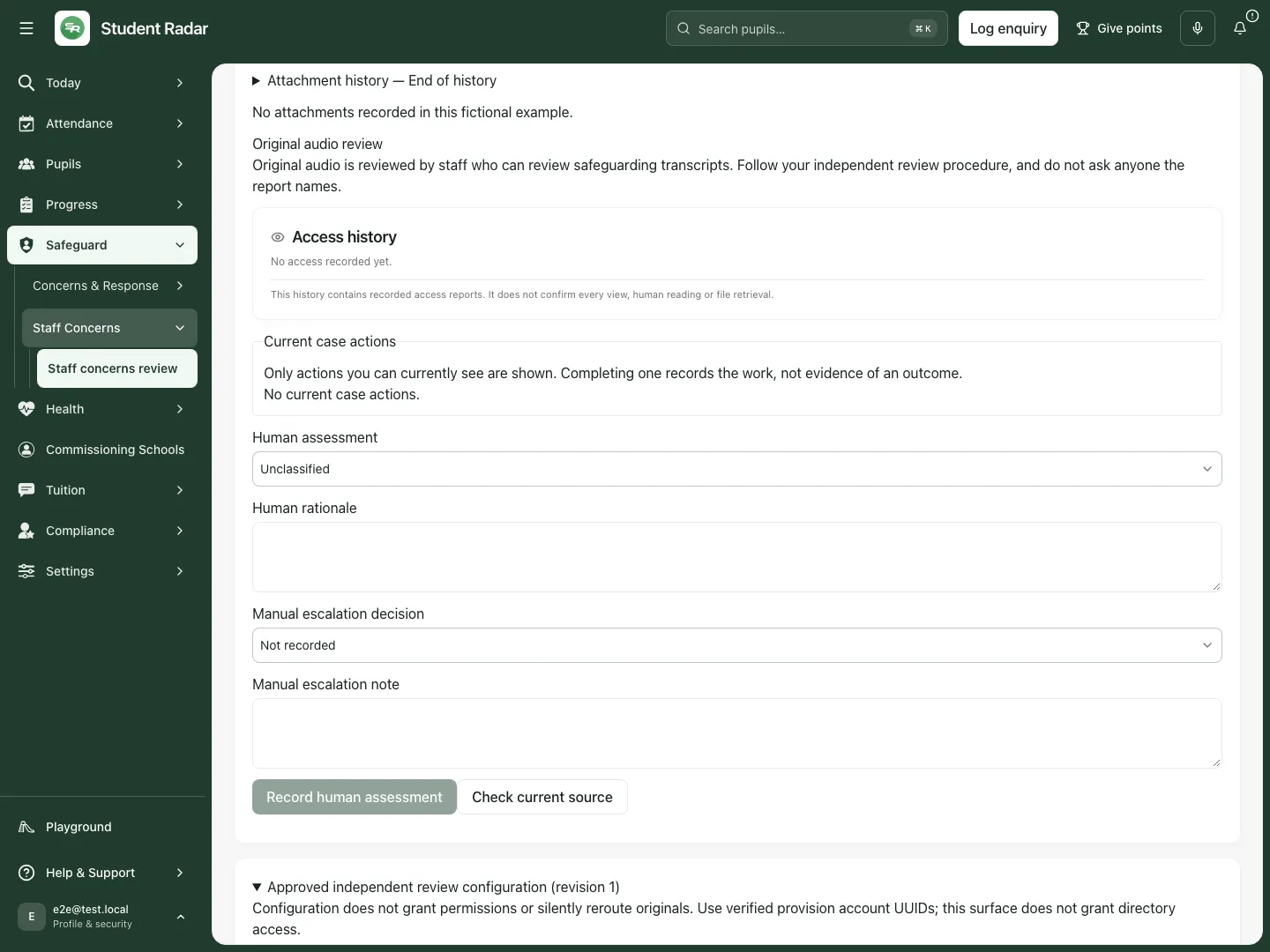
Fictional example: the current policy is available for inspection; publishing a replacement is a separate deliberate action.
G. Recover an exhausted original route
Section titled “G. Recover an exhausted original route”- An authorised permission manager opens Permission-manager recovery of an exhausted original route.
- Enter Original case UUID and select Check exhausted route. This check does not reveal the original report body before an authorised transition.
- If recovery is permitted, enter Explicit route recovery reason using 5–2,000 characters.
- Select Recover to newly approved independent route.
- Wait for Route recovered to the approved reviewers. and review the resulting queue/route through your current authorised account.
A refusal deliberately does not establish whether a report exists. Do not use this surface to search for restricted reports.
H. Check work, audio and access records without assuming completion
Section titled “H. Check work, audio and access records without assuming completion”- Review the report’s connected work and its actual status. If work cannot load, nothing is assumed complete.
- Use Original audio review only where your independent reviewer access permits it. Follow the approved procedure for listening and any separately authorised transcription; the named subject must not become the reviewer through a workaround.
- Inspect Access history for the events actually recorded. A record of access is not proof that somebody read every part of the report, listened to audio or completed the resulting action.
- Recheck the original report when adding another assessment, rather than relying on a stale open tab.
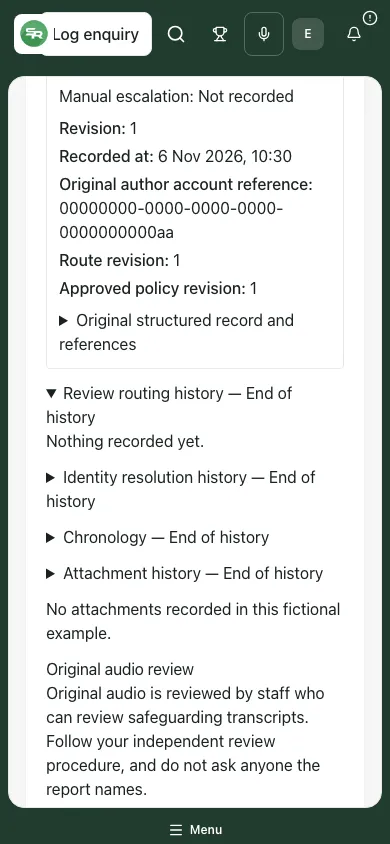
Fictional example: original uncertainty and the human review remain available at phone width.
If an action or read is uncertain
Section titled “If an action or read is uncertain”- Confirm your last action checks the original unconfirmed action. Use it before attempting a different assessment, identity resolution or routing command; do not create a duplicate to resolve uncertainty.
- If an action was saved but the latest version could not load, refresh the record and inspect history. The refresh failure does not mean the saved action failed.
- If the case, route, policy or your access changed, reload and review the current record before deciding again. Do not copy the old revision into another account’s session.
- Treat partial, bounded or unavailable history as incomplete. Use the appropriate next page or approved support route; do not describe the current screen as the entire audit record.
- Use the urgent safeguarding procedure when needed. A browser error is not a reason to delay a required human response.
Questions staff ask
Section titled “Questions staff ask”Does Record human assessment alert an outside organisation? No. It records the assessment and manual escalation information; any external contact is a separate human action.
Can I overwrite the uncertain adult description? Identity resolution is additive. Keep what was originally reported and the later verified identity distinct.
Why can I read but not assess or reroute? Those actions have separate authority and depend on the current report and routing state.
Does an empty queue mean the provision has no staff concerns? No. It is the current reviewer’s permitted queue, subject to paging and availability.