Record staff supervision
Written for: Alternative provision leaders, safeguarding leads and staff who supervise colleagues or volunteers.
Staff Supervision keeps a record of who supervised whom, when, what you covered and when the next supervision is due. It covers your staff and the other adults on your single central record, such as volunteers and agency staff. When a supervision is due, the supervisor gets a reminder in My Actions.
Who can do what
Section titled “Who can do what”- Managers: provision leaders, senior leaders, administrators, safeguarding leads and their deputies, and service leads. They see everyone who may need supervision and can record a supervision for anyone.
- Supervisors: any member of staff whose name is on someone’s latest supervision. They see the people they supervise and record the next supervision for them.
- Everyone else: sees their own supervision under Your supervision.
Notes and agreed actions are restricted. Only the supervisor, the person supervised and senior leads can read them. Other managers see when supervision happened, but not what was said.
A manager always records someone’s first supervision and so chooses their supervisor. To see supervision you hold or receive, your Student Radar account must be linked to your staff record.
Open Staff Supervision
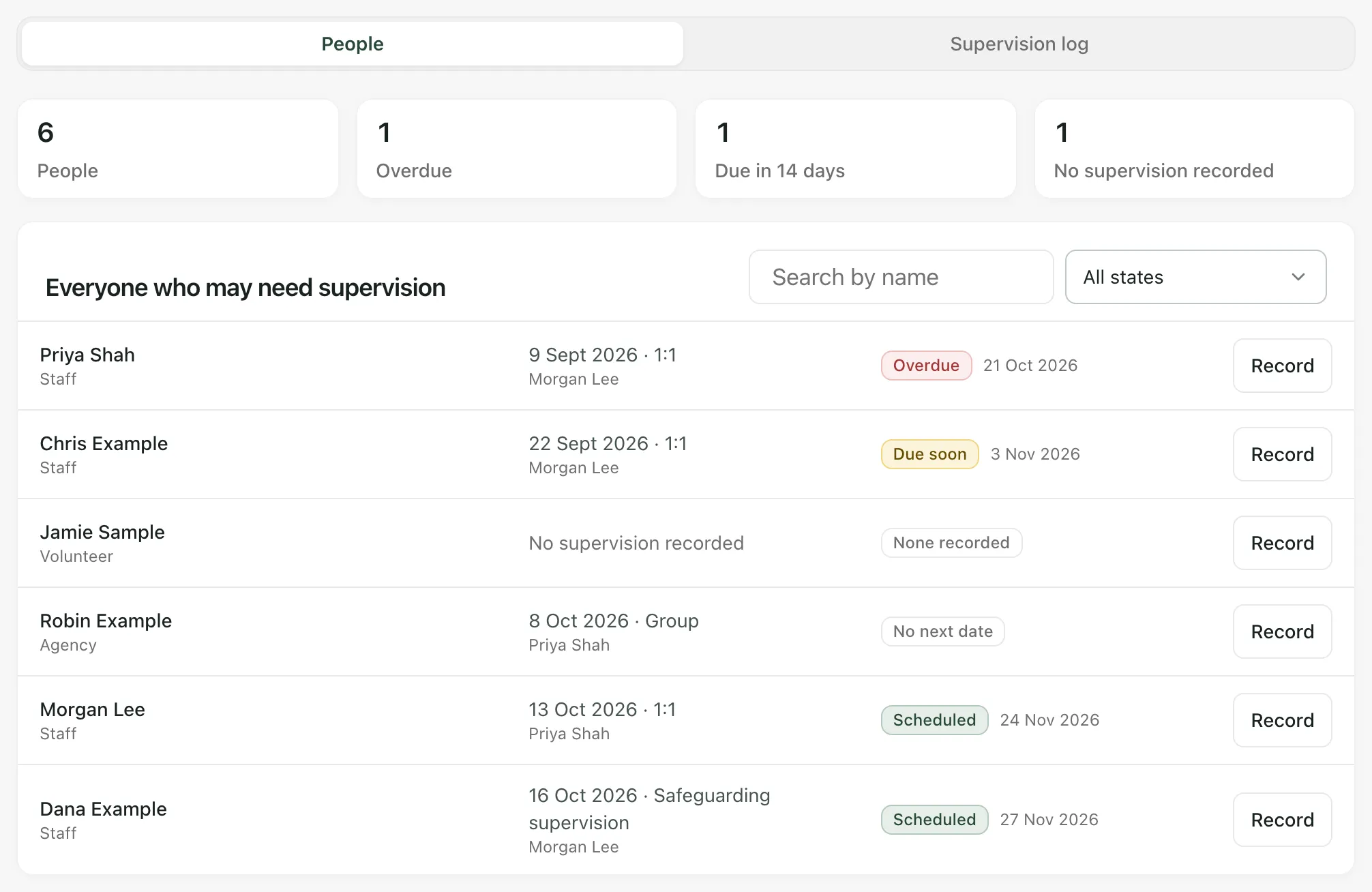
Section titled “Open Staff Supervision”In the sidebar, open Compliance and choose Staff Supervision. The page has two sections: People and Supervision log.
At the top of People:
- People (or People you supervise) counts the people listed.
- Overdue counts people whose next supervision date has passed.
- Due in 14 days counts people due in the next two weeks.
- No supervision recorded counts people with no supervision on record yet.
Below that, managers see Everyone who may need supervision, and supervisors see Supervision you hold. Each person shows the date and type of their last supervision, who held it and one of these states:
| State | What it means |
|---|---|
| Overdue | The next supervision date has passed. |
| Due soon | The next supervision is due within 14 days. |
| Scheduled | The next supervision is more than 14 days away. |
| No next date | A supervision is recorded, but no next date was set. |
| None recorded | Nobody has recorded a supervision for this person yet. |
Overdue people come first. Use Search by name or the state filter to narrow the list. Someone with no supervision recorded shows as None recorded, not as overdue.
Record a supervision
Section titled “Record a supervision”-
Click Record next to the person, or click Record supervision at the top of the page.
-
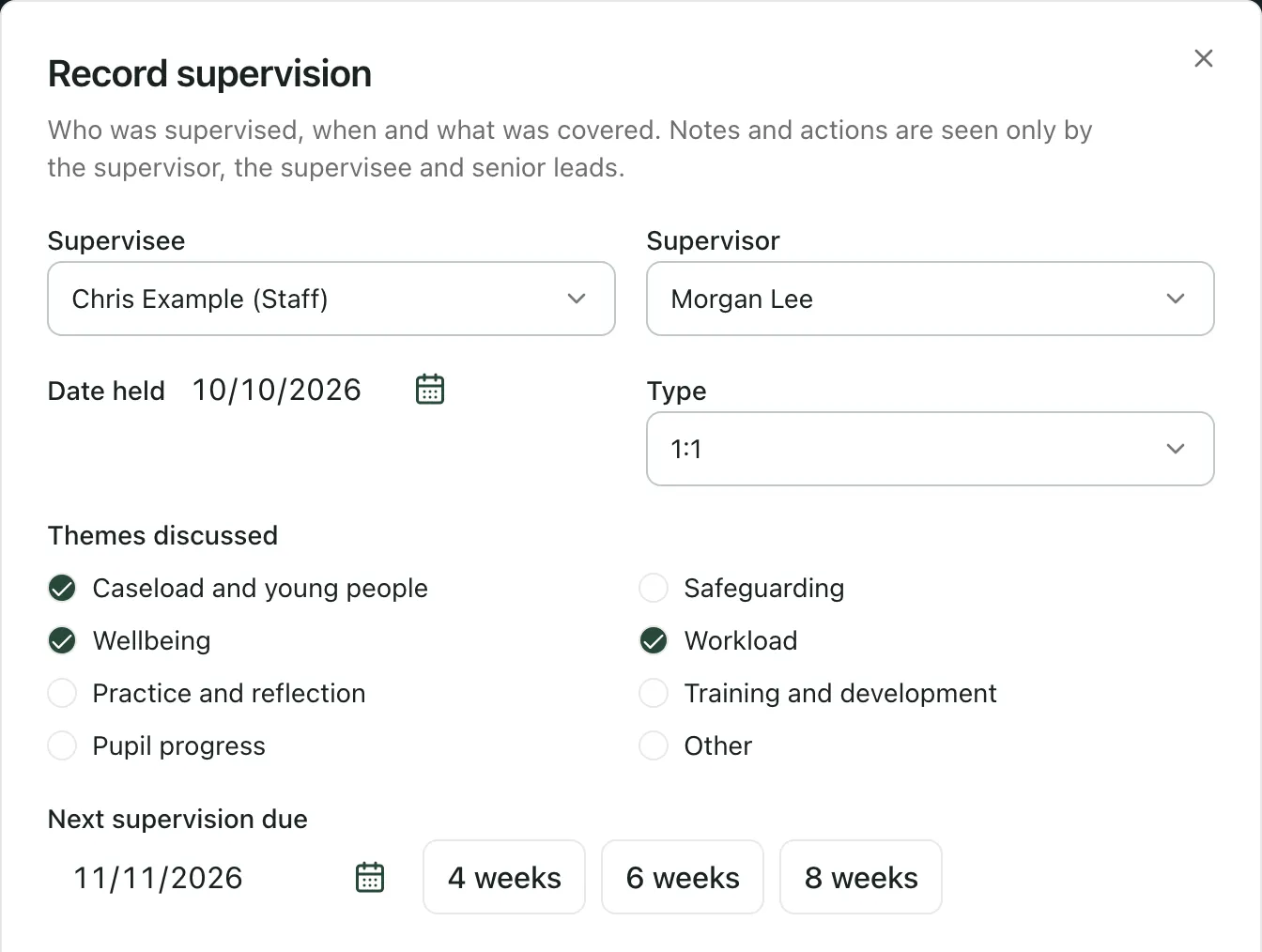
Check the Supervisee and the Supervisor. Nobody can supervise themselves.
-
Enter the Date held. It can’t be in the future.
-
Choose the Type: 1:1, Group or Safeguarding supervision.
-
Under Themes discussed, tick what you covered, such as Caseload and young people, Safeguarding, Wellbeing or Workload.
-
Set Next supervision due. It starts six weeks after the date held. Use the buttons beside it to pick four, six or eight weeks, or choose a date. Without a next date, no reminder is set.
-
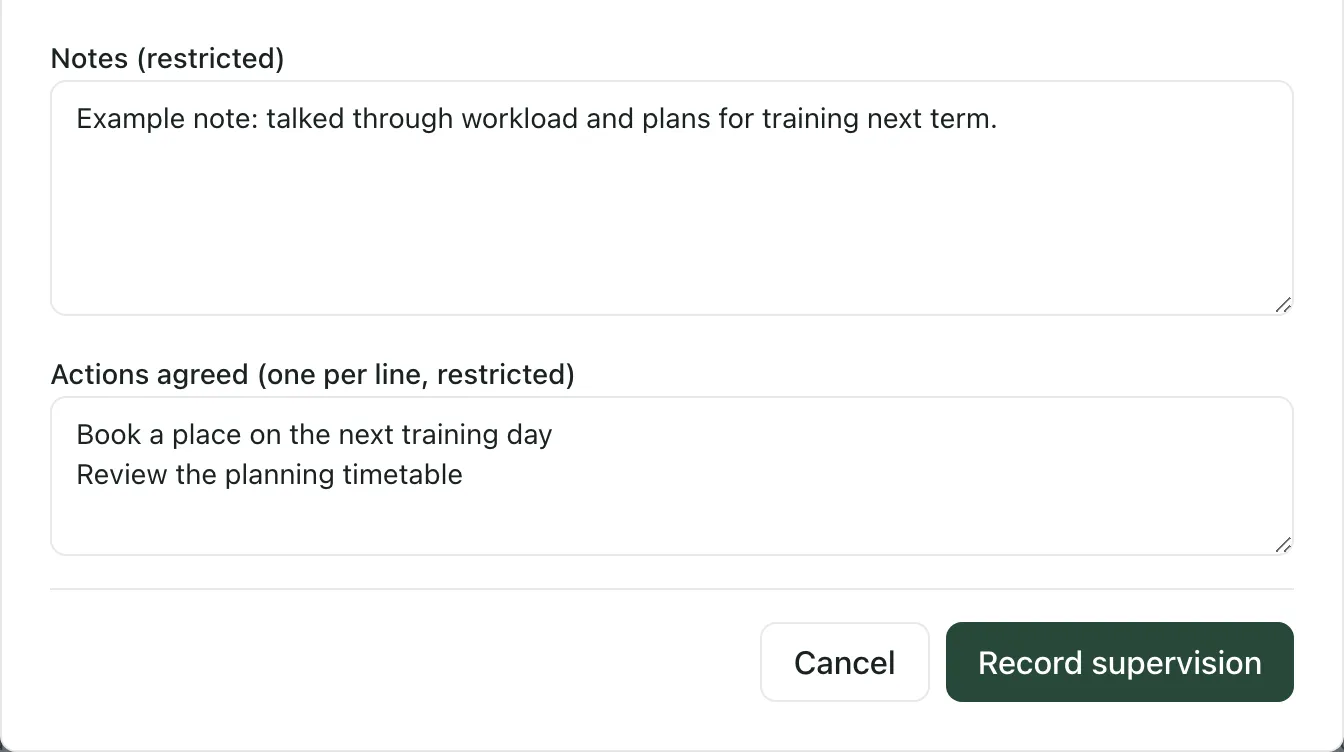
If you’re the supervisor or a senior lead, write the Notes (restricted) and the Actions agreed (one per line, restricted). You can add up to 12 actions.
-
Click Record supervision.
You’ll see “Supervision saved”. The person’s state updates, and the next date goes to the supervisor’s My Actions.
If you’re a supervisor but not a manager, you can only record supervision for people whose latest supervision you held, with yourself as the supervisor. To hand someone’s supervision to a colleague, ask a manager to record it.
Read past supervision
Section titled “Read past supervision”Open Supervision log to see recorded supervision, newest first, with its themes. Click Details to read the notes and agreed actions. If you can’t read them, you’ll see “Notes and actions are restricted to the supervisor, the supervisee and senior leads.”
Correct or void a supervision
Section titled “Correct or void a supervision”Managers, and the supervisor who held it, can change a supervision.
- To correct the details: click Edit in Supervision log, make the change and click Save changes. You can’t change who was supervised.
- To remove a record made in error: click Void, enter a Reason and click Void supervision. The record stays in the log as Voided, and the previous supervision’s next due date applies again.
If a supervision was recorded for the wrong person, void it and record it again for the right person.
Supervision due in My Actions
Section titled “Supervision due in My Actions”When you supervise someone, open Today and choose My Actions. A card lists the people you supervise, with the date each supervision is due, or the date it has been overdue since. Click Record supervision to open Staff Supervision, then click Record next to the person.
Each reminder clears when the next supervision is recorded. Clearing it shows that supervision took place, not how good it was.
- Volunteers and other adults: people on the single central record without a staff record, such as volunteers, agency staff and contractors, appear in the list for managers. Add them on the record first. See Keep your Single Central Record.
- Leavers: when someone leaves the staff list or the single central record, they drop off the list and their reminder is cancelled.
- The AP menu: this page is in the alternative provision sidebar, and only once AP operations are active.
- Your tasks: to work through your other reminders, see Manage your tasks in My Actions.
If something doesn’t work
Section titled “If something doesn’t work”| What you see | What to do |
|---|---|
| “You do not have access to supervision records.” | Ask your Provision Lead to check your access to Staff Supervision. |
| “Supervision could not be loaded. Counts and missing supervision cannot be confirmed.” | Click Retry supervision. Until it loads, don’t rely on the counts. |
| “You do not hold supervision for anyone yet. A manager records the first supervision.” | Ask a manager to record the first supervision with you as the supervisor. If you have, check your account is linked to your staff record. |
| “You cannot record this supervision. Ask a manager to record it.” | You can only record the next supervision for people you supervise, with yourself as the supervisor. Ask a manager. |
| “Only the supervisor or a senior lead can write supervision notes.” | Save the supervision without notes. The supervisor can add them with Edit. |
| “Check the dates and details. A supervision cannot be in the future, and the next one must come after it.” | Check the Date held and Next supervision due. The next date must be within a year of the date held. |
| “The next supervision must come after this one.” | Choose a next date after the date held. |
| “Choose a current member of staff or a person on the single central record.” | The person may have left. Check the staff list or the single central record. |
| “Someone else changed this supervision. Reload and try again.” | Reload the page, check the record and make your change again. |
| “This supervision has been voided.” | A voided supervision can’t be changed. Record a new one if you need to. |
| “Supervision due could not be checked.” | On My Actions, click Try again. |