Export a cohort summary
Written for: Attendance leads, SENCos, senior leaders and office staff.
The Cohort Summary shows, for each year group, how many pupils are in each group, such as Pupil Premium, SEND or EHCP, and their attendance. You can export it as a PDF to share with senior leaders or governors, or to keep for reporting.
Open the Cohort Summary
Section titled “Open the Cohort Summary”In the sidebar, open Attendance and choose Cohort Summary.
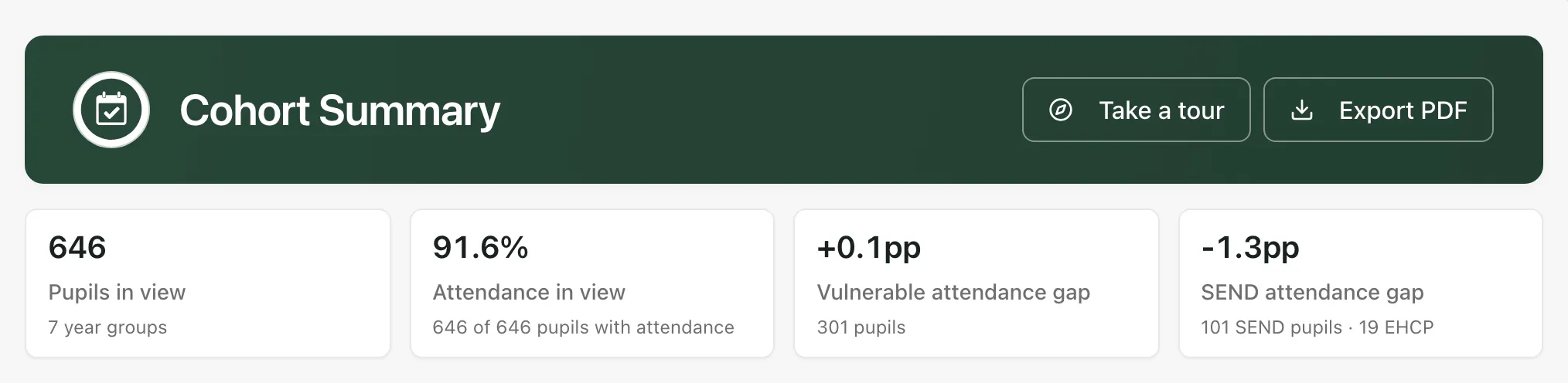
The cards along the top sum up the pupils in view:
- Pupils in view: how many pupils are included, and across how many year groups.
- Attendance in view: their attendance, and how many of them have attendance recorded.
- Vulnerable attendance gap and SEND attendance gap: how far attendance for these pupils is above or below everyone’s, in percentage points. A gap is only shown when every pupil in the group has attendance recorded.
Choose what to include
Section titled “Choose what to include”Before you export, set up the summary the way you want it in the PDF.
- Choose a view from the tabs under the cards:
- Attendance focus (the default): the cohort and inclusion groups.
- Inclusion groups: adds risk and support columns, such as Behaviour support plan and Top-up funding.
- Custom columns: groups your school has set up itself.
- All columns: everything you have access to.
- Choose the Pupil scope:
- All pupils: every current pupil, with attendance from your school’s summary for this academic year.
- DfE methodology (current pupils): only the pupils and sessions the DfE counts in its published attendance figures.
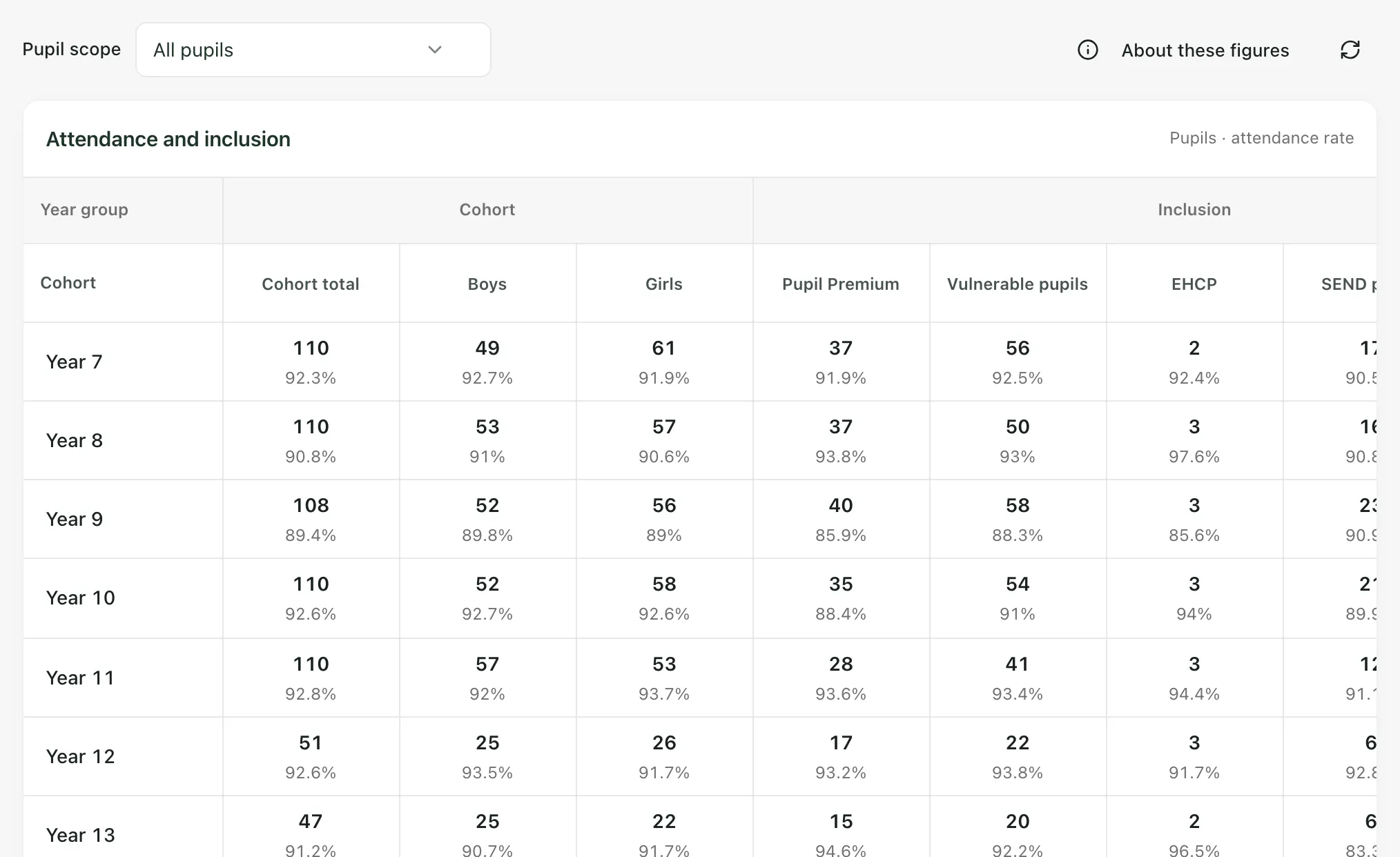
In the Attendance and inclusion table, each row is a year group, with a total row at the bottom. Each cell shows the number of pupils and their attendance rate. Click a number to see the pupils behind it, or click a column heading to see how pupils are included in that group.
Click About these figures to see where the figures come from, the dates the attendance covers and when it was last updated.
Export the PDF
Section titled “Export the PDF”- Click Export PDF at the top of the page.
- The button shows Preparing… while the PDF is built. It then downloads to your device.
The PDF is named after your school and the date, for example
your-school-cohort-summary-2026-10-22.pdf. It has your school’s name and logo, the date it
was created, the pupil scope, the dates the attendance covers, and a table for each group of
columns in the view you chose. Custom columns are included when you’ve chosen Custom
columns or All columns.
The PDF shows counts and percentages, not pupil names. It can still be sensitive, especially for small groups, so share it only with people who should see it and store it securely.
- Who can open it: teaching assistants can’t open the Cohort Summary. Schools can change who has access.
- Safeguarding groups: staff with access to safeguarding information also see a Safeguarding groups view. Any figures your account can’t see are left out of the page and the PDF.
- Schools outside England: the DfE methodology (current pupils) scope isn’t offered, and some England-only columns, such as Top-up funding, may not appear. The EHCP column may use your country’s name for the plan.
- Tour: click Take a tour for a step-by-step guide to the page.
If something doesn’t work
Section titled “If something doesn’t work”| What you see | What to do |
|---|---|
| “PDF not downloaded” with “The cohort summary could not be prepared. Please try again.” | Click Export PDF again. If it keeps happening, reload the page and try again. |
| “Cohort summary unavailable” | Click Retry. If it keeps happening, ask your school’s Student Radar administrator. |
| “DfE attendance could not be loaded. Pupil counts remain available.” | Click Retry, or choose All pupils in Pupil scope. |
| “No pupils match this scope. Adjust your pupil filters to see a cohort.” | No pupils are in the scope you’ve chosen. Choose All pupils in Pupil scope. |
| “Some data could not be loaded.” | Some figures are missing. Click the refresh button next to About these figures, then export again. |
| “Incomplete attendance coverage” | Some pupils in the group have no attendance recorded, so no gap is calculated. |