Compare your attendance with similar schools
Written for: Teachers, senior leaders and administrators in schools in England.
Benchmarking puts your school’s attendance next to published attendance for other schools in England. It picks the schools closest to yours on one measure, such as the share of pupils on free school meals, and shows where you sit among them. Use it to prompt questions about attendance, not as a target or a verdict.
Open the comparison
Section titled “Open the comparison”In the sidebar, click Attendance, then Benchmarking.
Choose what to compare along the top:
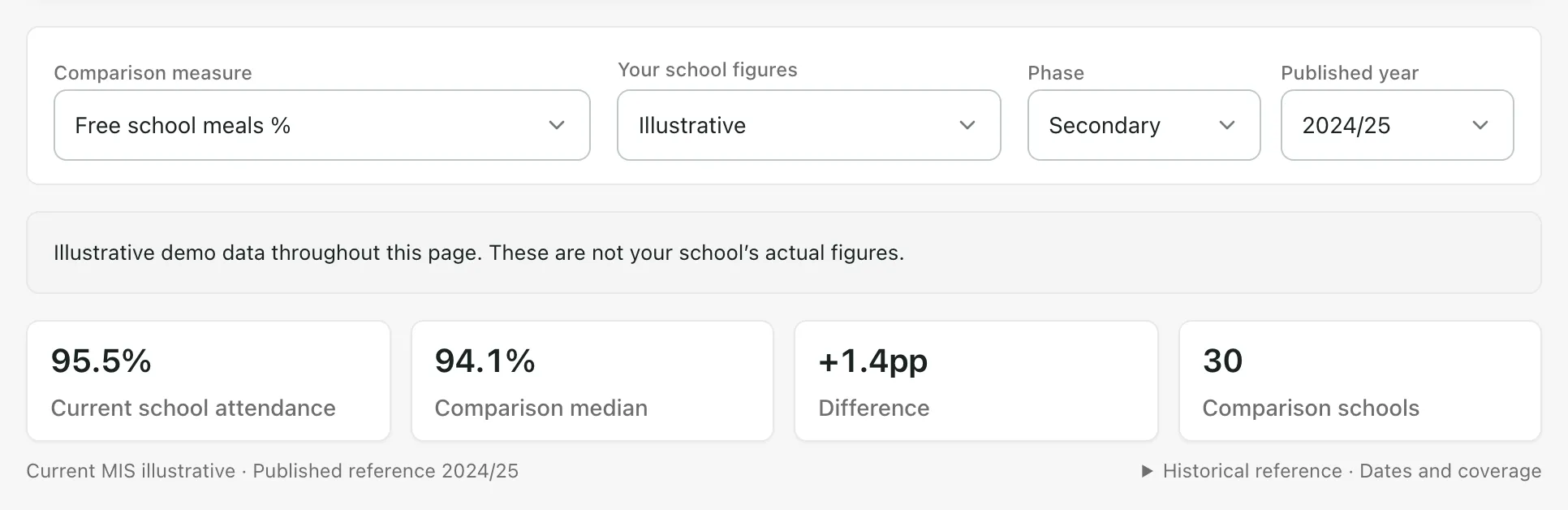
- Comparison measure: the measure used to find similar schools. Choose from Free school meals %, Deprivation (IDACI), School size (pupils on roll), SEN support %, EHCP % or EAL %. A measure marked pending data isn’t available yet.
- Your school figures: Current MIS attendance uses this year’s registers so far. Published attendance uses your school’s published figure for the same year as the comparison schools.
- Phase: Primary, Secondary or Special. The page starts on your school’s phase. Only schools in the chosen phase are compared.
- Published year: the year of published attendance to compare with.
Read the summary
Section titled “Read the summary”The four cards show:
- Current school attendance (or Published school attendance): your school’s figure.
- Comparison median: the middle attendance figure of the comparison schools.
- Difference: how far your school is above or below the median, in percentage points (pp).
- Comparison schools: how many schools are in the comparison group, up to 30.
Under the cards, click Historical reference · Dates and coverage to see the dates your figures cover and when they were last updated. Current MIS attendance covers part of this year, while published figures cover a whole past year, so treat the comparison as context rather than like for like. To compare the same year, choose Published attendance.
Read the chart
Section titled “Read the chart”Attendance in context plots attendance against the comparison measure.
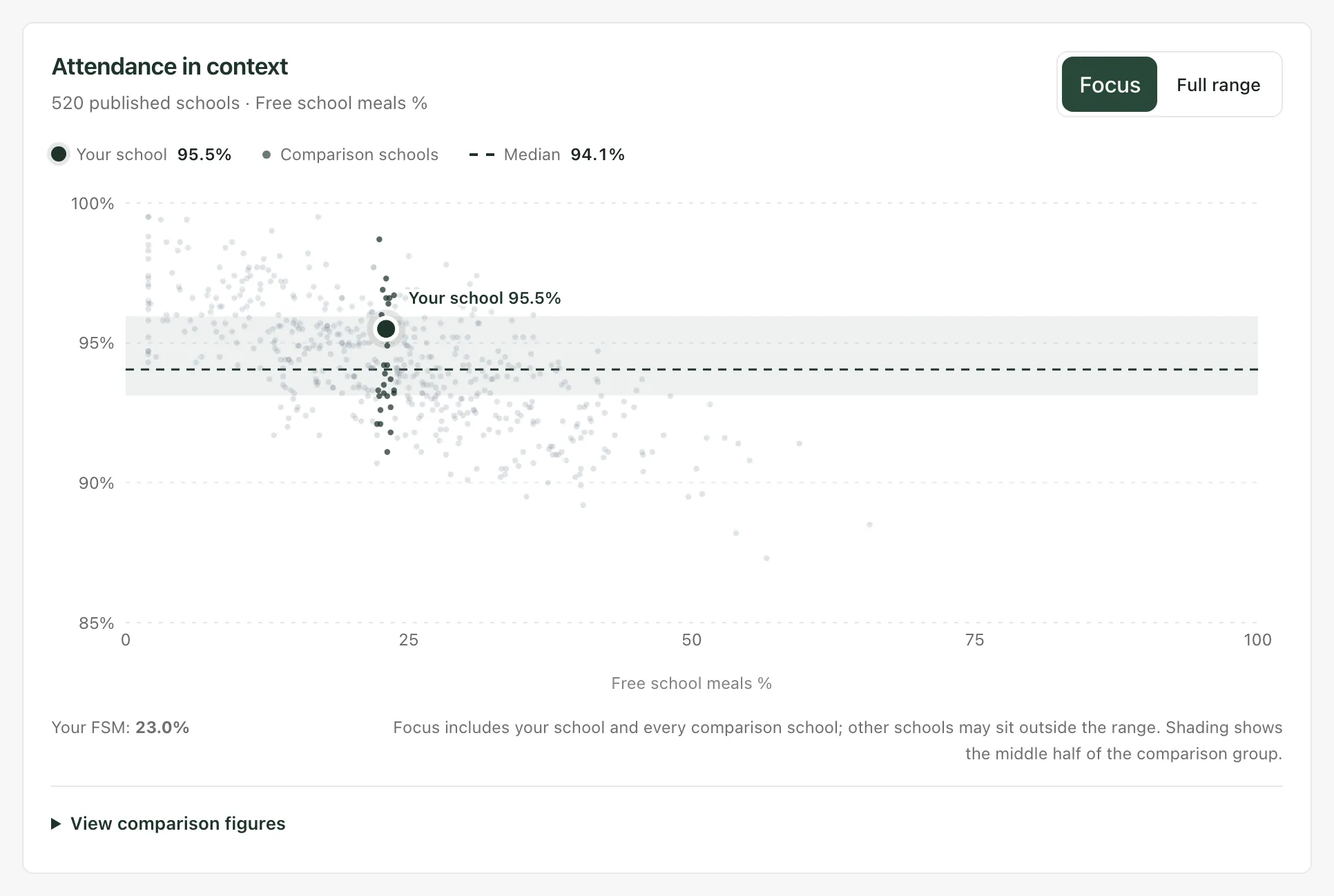
- The large marker is your school.
- The darker points are the comparison schools. The pale points are other published schools, for background.
- The dashed line is the comparison median. The shaded band is the middle half of the comparison group.
- Focus zooms in on your school and the comparison schools. Full range shows the whole attendance range.
- Click View comparison figures for the same figures as a table.
Further down:
- Comparison group spread shows how many comparison schools fall in each one-point attendance band.
- Selected comparison schools lists five of the comparison schools as examples. They’re shown as School A, School B and so on, not by name.
- Local published benchmark compares you with schools of the same phase near you. It shows only the middle figure and range for those schools, never the schools themselves.
- Within your school breaks your current attendance down by pupil group and year group. Click Explore attendance to open your attendance analytics. Open Attendance by weekday · recent 30 days to see which days are lowest.
Where the comparison data comes from
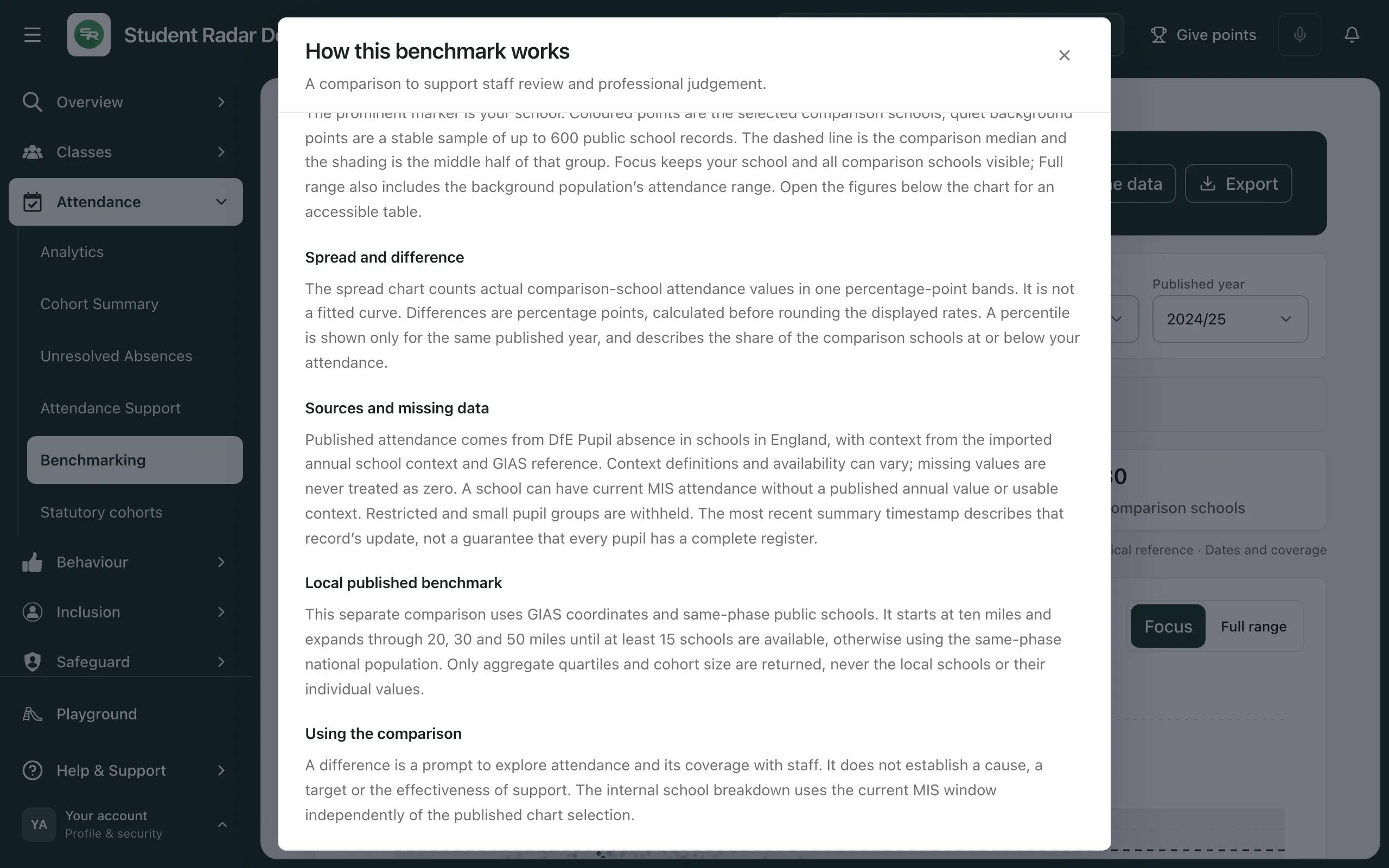
Section titled “Where the comparison data comes from”Click About the data at the top of the page for the full explanation.
In short:
- Published attendance comes from the DfE’s Pupil absence in schools in England statistics. School context, such as free school meals, comes from the annual school context data and the GIAS register of schools.
- The comparison schools are up to 30 schools in your phase that are nearest to yours on the measure you chose. Attendance plays no part in choosing them. At least 10 are needed for a median.
- The local benchmark uses school locations from GIAS. It starts with same-phase schools within 10 miles and widens to 20, 30 and then 50 miles until there are at least 15. If there still aren’t enough, it uses same-phase schools nationally.
- Your current figures come from your school’s own registers this year. Pupils without usable attendance are left out, and small or restricted groups are withheld.
Missing values are never counted as zero. A difference from the median doesn’t explain why attendance differs, and it isn’t a target.
Export the comparison
Section titled “Export the comparison”Click Export, then:
- Download CSV to save the figures as a spreadsheet file.
- Copy summary to copy a short text summary you can paste elsewhere.
- England only: the comparison uses published data for schools in England, so the page isn’t available to schools in other countries.
- Who can use it: teachers, senior leaders, headteachers and administrators can open it by default. Teaching assistants and governors can’t.
- Demo school: in the demo, the page shows illustrative figures, and a notice says so.
If something doesn’t work
Section titled “If something doesn’t work”| What you see | What to do |
|---|---|
| “Benchmarking could not be loaded” | Click Retry. If it keeps happening, try again later. |
| “There are not enough comparable schools for this selection.” | Try a different Comparison measure, Phase or Published year. |
| “School attendance is not available for this observation period.” | Your school has no figure for this choice. Switch Your school figures or the Published year. |
| “Your school has no usable published context for this measure and phase. The chart shows the selected school population; it cannot select comparison schools or position your school.” | Choose another Comparison measure, or check that Phase matches your school. |
| “Whole-school MIS figures are unavailable within your pupil access. Published school comparisons remain available.” | Your account can’t see every pupil, so your school’s current figure isn’t shown. The published comparison still works. |
| “The local comparison could not be loaded.” | Click Retry local comparison. |
| “A local comparison needs a usable school location in the GIAS reference.” | Your school’s location isn’t available, so there’s no local benchmark. The rest of the page still works. |
| “Group figures are unavailable within the current coverage and permissions.” | There isn’t enough data, or your access is too limited, to show groups. The other figures still apply. |
| “Could not copy the summary” | Use Download CSV instead. |