Export priorities for governors
Written for: Headteachers and senior leaders who report school improvement to governors.
School Priorities can produce a school-branded document of your improvement work whenever you need one: a full priorities report for a governors’ meeting, a one-page summary, or a spreadsheet for your own analysis. Every export is built from the live board at the moment you download it, so it’s always up to date.
Choose which priorities to include
Section titled “Choose which priorities to include”The priorities report, Excel and CSV exports include only the priorities currently shown on the board. Narrow the board first if you want to report on part of your plan:
- In the sidebar, open Leadership, then Strategy & assurance, and choose School Priorities.
- Click Filters and choose an evaluation area, owner, status or pupil group. Tick Needs attention to show only the priorities that need attention.
- Click the button at the bottom of the window to show the matching priorities.
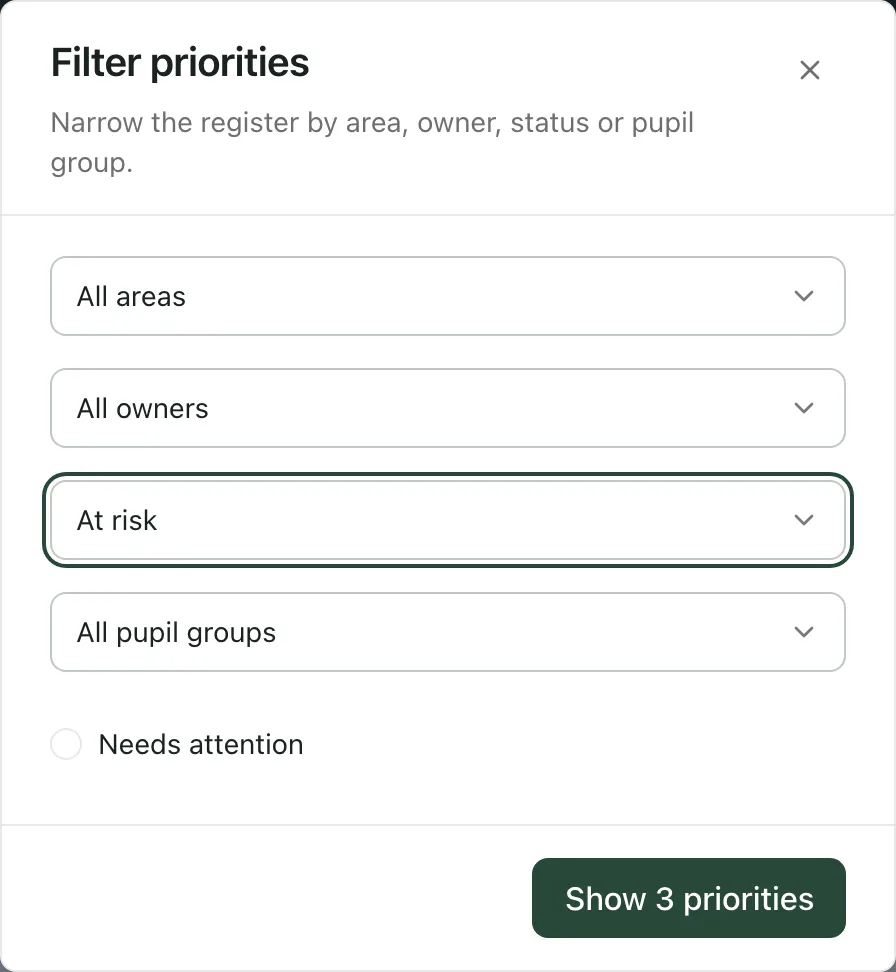
To report on everything, click Clear filters under the search box, or leave the filters as they are. Group by framework and area also controls whether the priorities report is grouped by evaluation area.
Download the export
Section titled “Download the export”- Click Export at the top of the page.
- To hide staff names, tick Anonymise names first. Owner and observer names are replaced with Withheld in the priorities report, Excel and CSV exports.
- Choose an export. The file downloads to your computer.
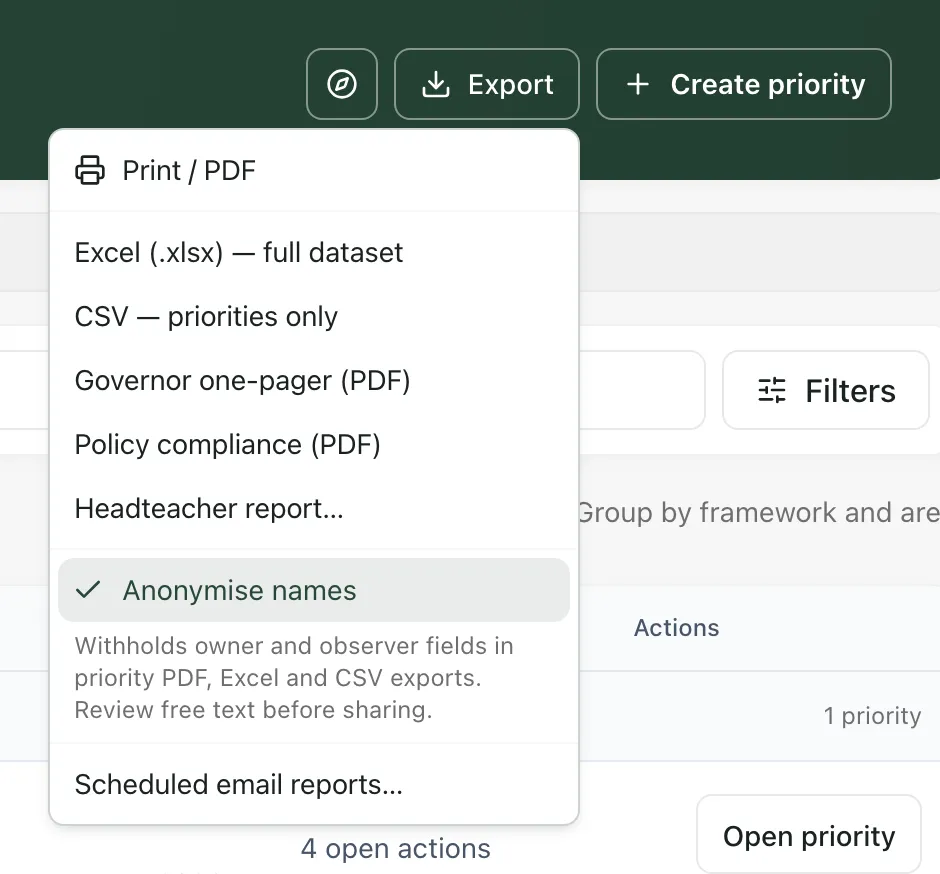
| Export | What you get |
|---|---|
| Print / PDF | A school-branded PDF of the priorities on the board, with your filters and grouping. Use it as the main priorities paper for governors. |
| Governor one-pager (PDF) | A one-page summary of the whole plan: how many priorities are on track, at risk and off track, overdue actions, the priorities needing attention, the next reviews and your self-evaluation judgements. It always covers every priority on the board, whatever your filters. |
| Excel (.xlsx) — full dataset | A spreadsheet with a sheet each for the priorities, actions, KPIs, milestones, observations, self-evaluation and evaluation context. |
| CSV — priorities only | The priorities sheet on its own, for use in another system. |
| Policy compliance (PDF) | A summary of the school’s policies and their review dates. You need document-manager access to build it. |
| Headteacher report… | Opens the headteacher’s reports. See Prepare the headteacher’s report for governors. |
Before you share it
Section titled “Before you share it”- Anonymise names covers owner and observer fields only. Read the titles, descriptions and other free text before you share an export, and remove anything that could identify a pupil or a member of staff.
- The Governor one-pager (PDF) shows owner names even when Anonymise names is ticked.
- Share exports through your school’s usual secure route for governor papers.
Tip: To report on one priority in depth, open it and click Progress report. It drafts a report with AI from that priority’s actions, measures and evidence. Read and edit the draft before you download it. The button appears for leaders who can manage the self-evaluation, on priorities linked to your school’s current inspection framework.
Who can export
Section titled “Who can export”Anyone who can open School Priorities can download Print / PDF. The Excel, CSV and governor one-pager exports include self-evaluation information, so they need permission to export the self-evaluation. By default, headteachers, senior leaders, DSLs, SENCos and administrators have it. Schools can change who has access.
Scheduled email reports
Section titled “Scheduled email reports”Scheduled email reports… lists any leadership report schedules your school already has, so they can be reviewed or deleted. New schedules can’t be created here.
If something doesn’t work
Section titled “If something doesn’t work”| What you see | What to do |
|---|---|
| Export is greyed out | No priorities match your filters, or the board hasn’t loaded. Click Clear filters, or wait for the board. |
| “No priorities match the current filters.” | Change or clear the filters, then export again. |
| “Export permission is required.” | Your account can’t export the self-evaluation. Use Print / PDF, or ask your headteacher or administrator. |
| “Policy compliance needs document-manager access.” | Ask a colleague who manages school documents to build the policy compliance report. |
| “School or account changed. Reopen the priority report.” | You switched school or account while the export was being prepared. Reload the page and export again. |
| “Unable to prepare the priority PDF.” | Try again. If it keeps happening, reload the page. |
| “Unable to build the governor one-pager.” | Try again. If it keeps happening, reload the page. |