Read your child's attendance and behaviour
Written for: Parents and carers.
The parent portal shows your child’s attendance this school year and the behaviour updates the school has chosen to share with you. This guide explains where to find them and what the figures mean.
Check attendance on Home
Section titled “Check attendance on Home”Each child has a card on Home under Your children.
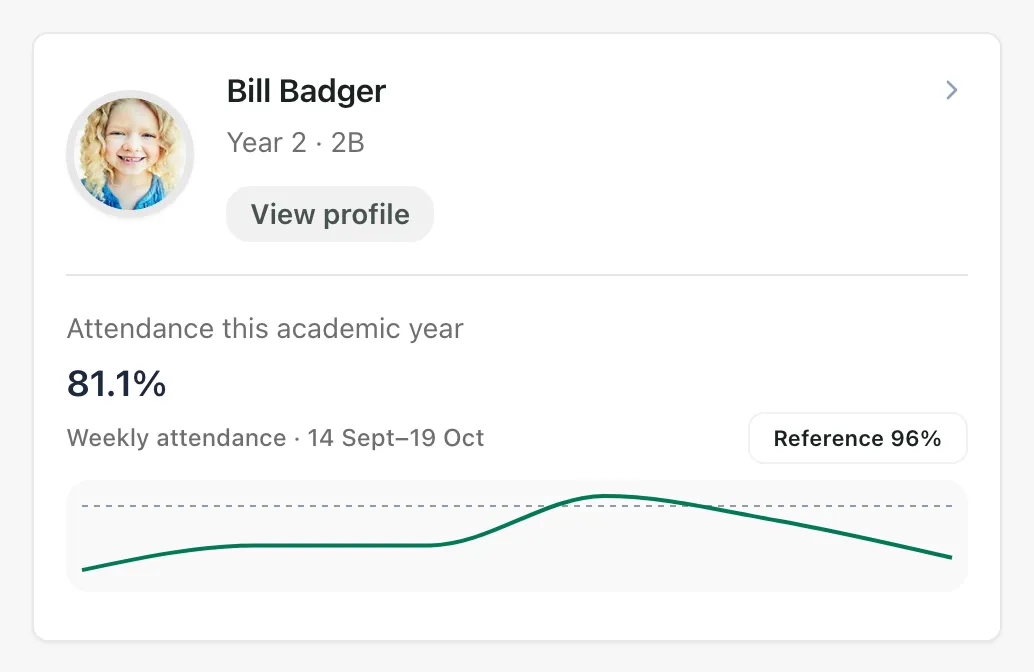
- Attendance this academic year is the percentage of school sessions your child has attended since the start of the school year. Each school day has two sessions, morning and afternoon.
- The chart shows how attendance has changed week by week, with the dates it covers above it.
- The dashed line marks a reference of 96%, so you can see how your child’s attendance compares.
A small change in the percentage can mean several missed sessions, so it’s worth looking at the pattern over a few weeks rather than at one day.
If you see Not shared, the school hasn’t shared an attendance figure yet. If you see Attendance unavailable, it couldn’t be loaded: try again later.
If you have a question about your child’s attendance, or need to explain an absence, see Report or explain an absence.
Open your child’s page
Section titled “Open your child’s page”Click View profile on your child’s card. At the top, Attendance summary shows the attendance percentage, the academic year and when it was last updated.
Below that are sections for the information the school has published to you:
- Attendance
- Achievements
- Behaviour
- Reports
- SEND and ISP: summaries of your child’s special educational needs support and their Individual Support Plan (ISP), if they have one
- Health and IHCP: the essentials of your child’s Individual Healthcare Plan (IHCP), if they have one
- Documents
- Trips, clubs and appointments
Click a section name at the top of the page to jump to it. If a section is empty, the school hasn’t published anything there for you. Schools only publish summaries they’ve checked: internal notes and safeguarding information aren’t shown in the portal.
Click Back to dashboard to go back to Home.
See behaviour updates
Section titled “See behaviour updates”In the menu, click Behaviour. If you have more than one child at the school, choose a child under Child.
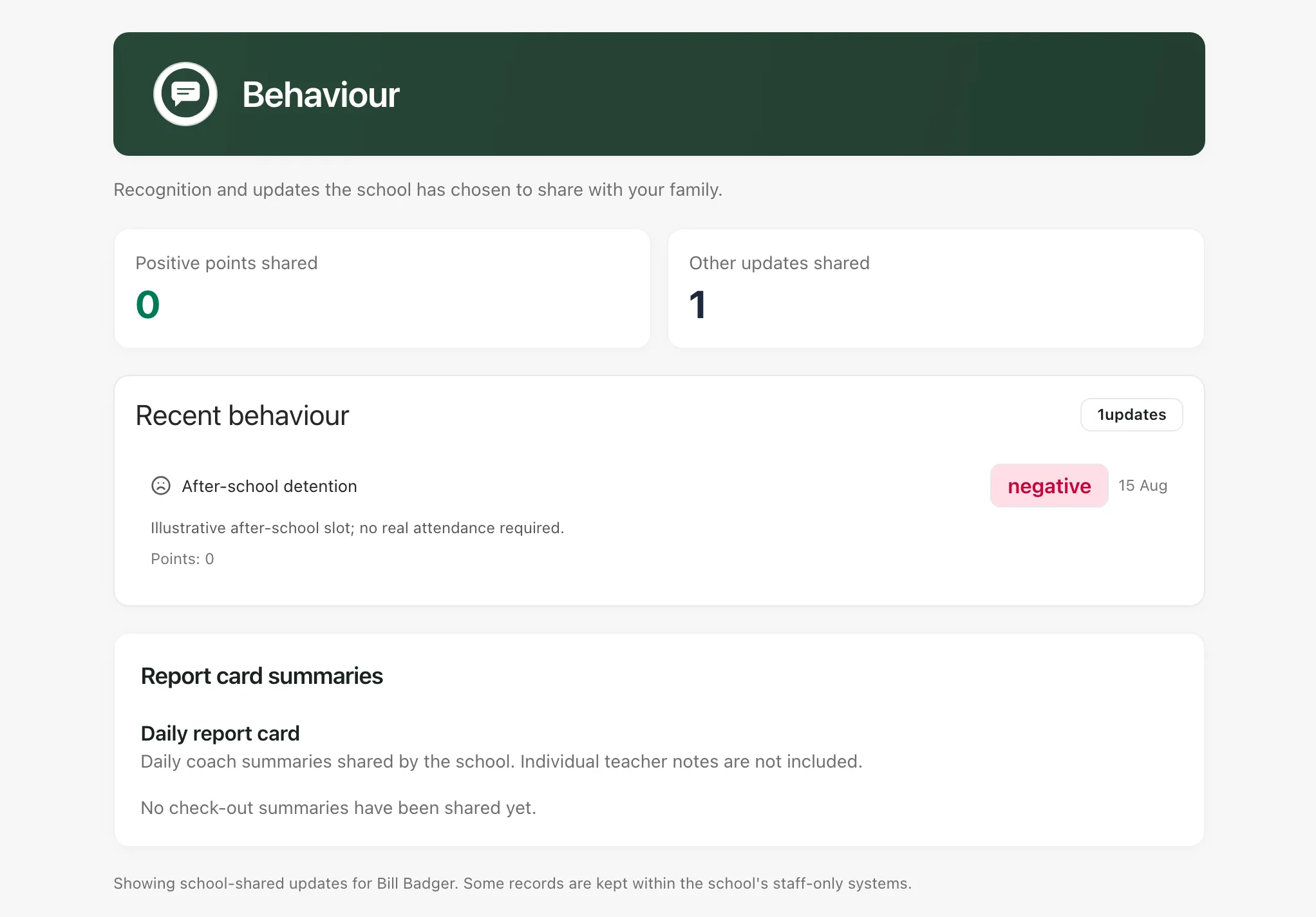
- Positive points shared: the total positive points the school has shared with you.
- Other updates shared: the number of other behaviour updates, such as a detention.
- Recent behaviour: each update with its type, whether it was positive or negative, the date, any comment or lesson, and the points.
Each school decides which behaviour records families can see, so some records stay in the school’s own systems. If you’d like to talk about a behaviour update, contact the school office.
Report card summaries
Section titled “Report card summaries”If your child is on a daily report card, Report card summaries shows a short summary for each day, how many lesson periods were scored and, sometimes, your child’s own reflection. These are summaries from the member of staff overseeing the report card. Individual teachers’ notes aren’t included.
To reply to the school about a day, type in Reply to the school (optional) and click Send reply.
If something doesn’t work
Section titled “If something doesn’t work”| What you see | What to do |
|---|---|
| “No behaviour events” | The school hasn’t shared any behaviour updates with you yet. |
| “Some child information could not be loaded.” | Click Try again. |
| “Attendance information could not be loaded.” | Go back to Home and open the page again in a few minutes. |
| “Attendance information has not been provided.” | The school hasn’t shared an attendance figure yet. |
| “This information is not shared with this adult account.” | The school hasn’t given your account access to this information. Contact the school office. |
| “Child information is unavailable” | Click Try again. If it keeps happening, contact the school office to check your account’s link to your child. |
| “We couldn’t verify access to this child” | Click Back to dashboard and open your child’s card from there. |