Choose an attendance strategy for a pupil
Written for: Teachers, pastoral and attendance leads.
Attendance Support groups pupils into four waves by their attendance this year, and suggests ready-made strategies for each wave. Each strategy explains when to use it, the actions involved, who usually leads it and the evidence behind it. Use it to pick a sensible starting point, then agree the response with the pupil and their family.
Open the strategies
Section titled “Open the strategies”- In the sidebar, click Attendance, then Attendance Support.
- If your school uses Student Radar’s support plans, the page opens on Support plans. Click the Strategies tab. Otherwise, the strategies are the first thing you see.
The cards at the top count the pupils in view: Pupils analysed, Need monitoring (waves 2 to 4) and Urgent support (waves 3 and 4). The pupils in view follow the filters in the top bar.
Look at the pupil’s pattern first
Section titled “Look at the pupil’s pattern first”Before choosing a strategy, use Start with the barrier to look at one pupil’s recent pattern.
- Under Review a pupil, click Choose a pupil and pick the pupil.
- Read the summary. It shows attendance so far this year, attendance over the last six weeks and how that compares with the six weeks before, late marks, unauthorised sessions and whether an attendance contact has been logged recently.
These are prompts for a conversation with the pupil and family, not conclusions. They don’t assign support or move the pupil to a different wave.
Choose the wave
Section titled “Choose the wave”Under Attendance wave triage, each card shows how many pupils are in that wave. Click a card to see the strategies for it. The page starts on the most serious wave that has pupils in it.
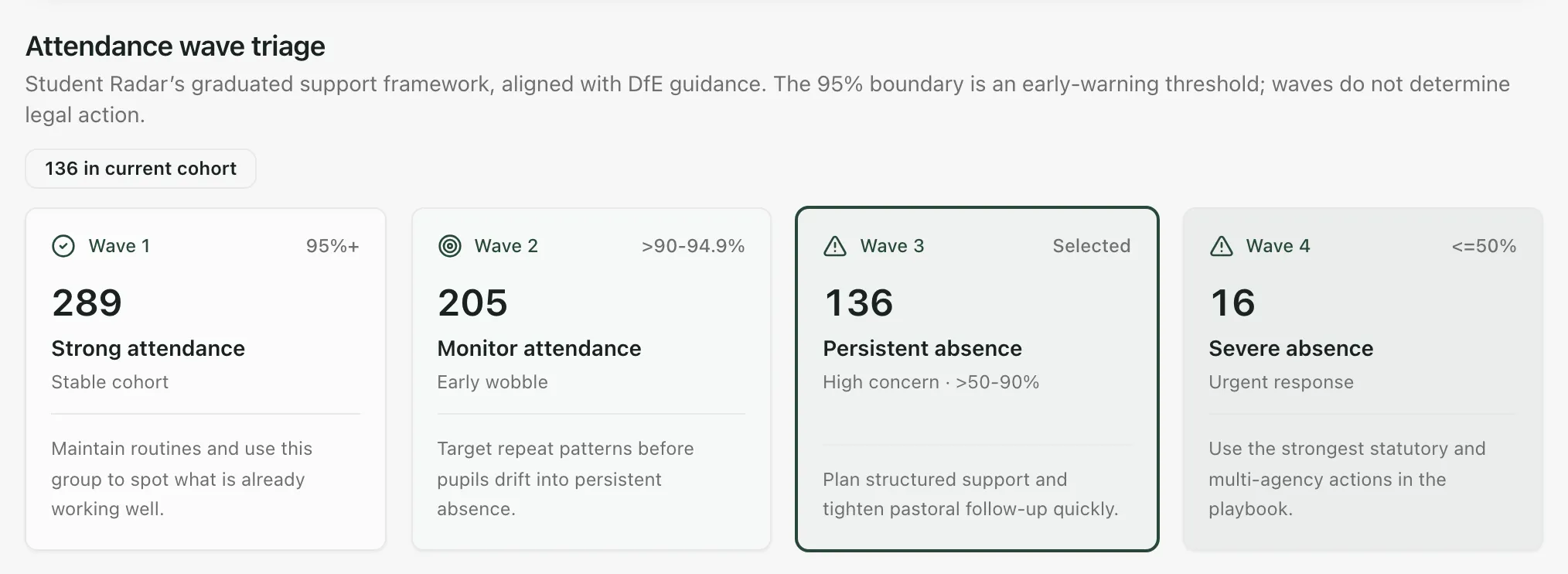
| Wave | Card | Attendance this year |
|---|---|---|
| Wave 1 | Strong attendance | 95% or more |
| Wave 2 | Monitor attendance | Above 90%, below 95% |
| Wave 3 | Persistent absence | Above 50%, up to 90% |
| Wave 4 | Severe absence | 50% or less |
The 95% line is an early-warning threshold, and a wave never decides legal action. Pupils without a usable attendance figure aren’t put in any wave, and a message says how many there are. Check their records before you decide on support.
Choose a strategy
Section titled “Choose a strategy”Below the cards, Attendance response plan describes the wave and its strategies.
-
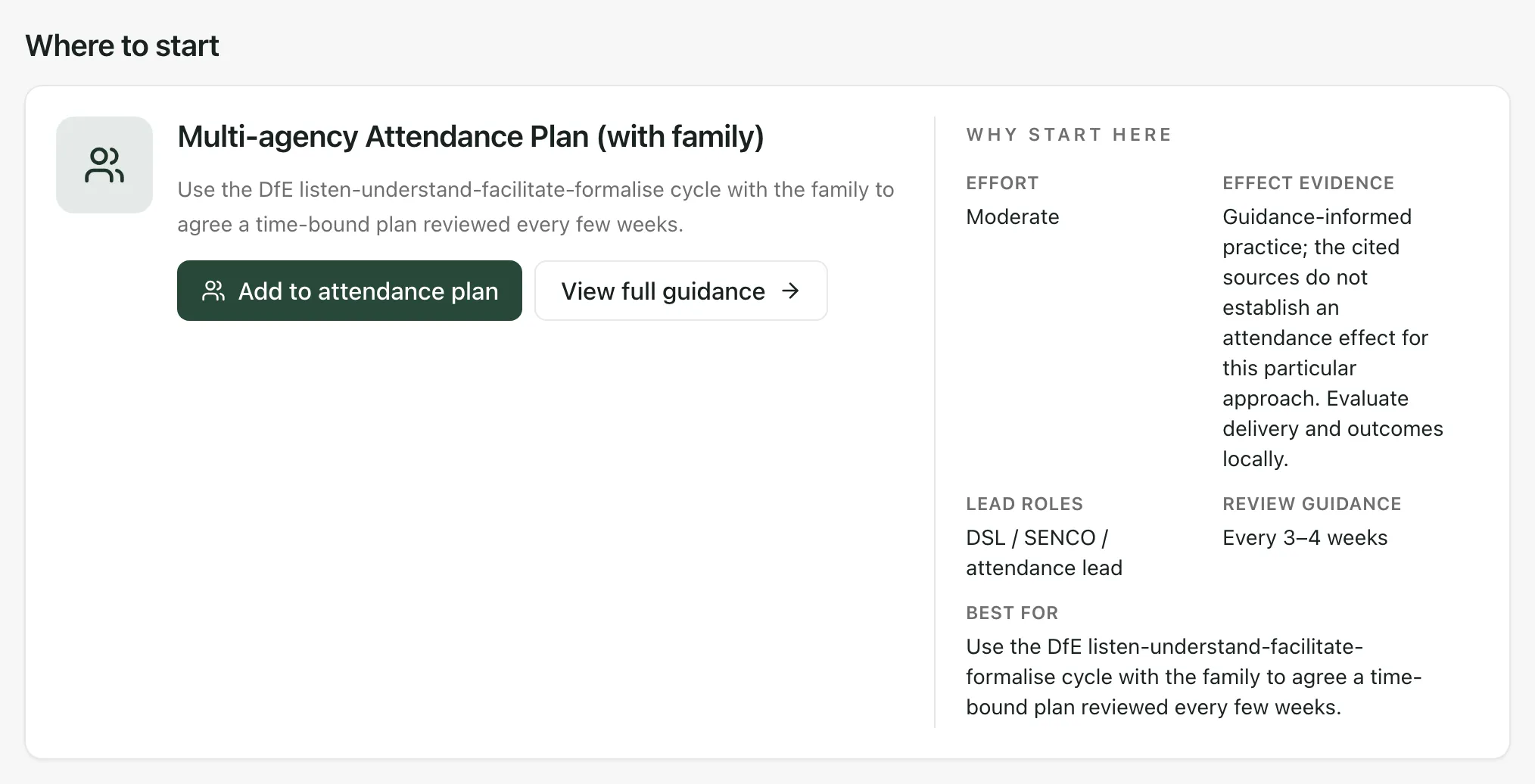
Read Where to start. This is the recommended first strategy for the wave. Why start here shows the Effort, the Effect evidence, the Lead roles, the Review guidance and what it’s Best for.
-
Under Then consider, look through the other strategies for the wave. Each card shows its effort, evidence, review guidance and lead. Cards marked School were added by your school. Cards marked Playbook come with Student Radar.
-
Click View full guidance on the recommended strategy, or View details on any other card.
-
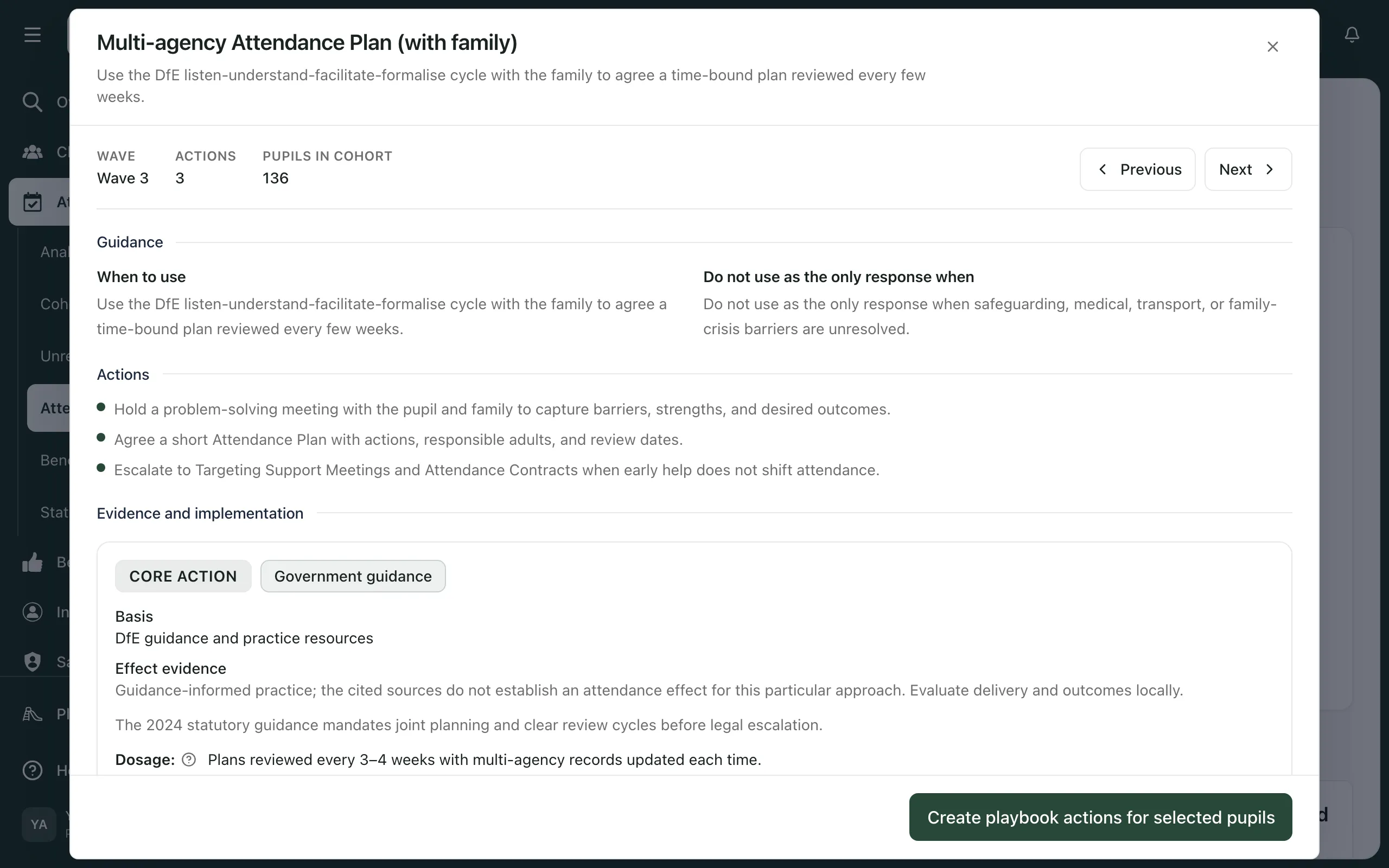
Read the strategy:
- Guidance: When to use it, and when it shouldn’t be the only response.
- Actions: the steps involved.
- Evidence and implementation: the basis for the strategy, how often to deliver and review it, what to do and avoid, how to monitor it, and the sources.
-
Click Previous or Next to move through the wave’s other strategies.
Effect evidence describes how strong the cited basis is. It isn’t a prediction of how much a pupil’s attendance will improve. Use it alongside what you know about the pupil.
Use the strategy with a pupil
Section titled “Use the strategy with a pupil”At the bottom of the strategy, under Assign pupils, you can start the strategy for one or more pupils. Add to attendance plan on the recommended strategy takes you straight there.
- Tick the pupil. The list shows pupils in the current wave. Click Show all to see everyone, or use Find pupils and Targeting filters to narrow the list.
- Under Agree the support plan, fill in the Barrier / hypothesis you’ve agreed, the Agreed action, the Responsible person, the Start date and the Agreed review date.
- Click Create playbook actions for selected pupils.
Student Radar starts the strategy for each pupil you chose and creates its actions. The review date sets a reminder for the responsible member of staff.
- Take a tour: when the page opens straight on the strategies, click Take a tour at the top for a step-by-step guide.
- Your school’s own strategies: click Add school intervention to add a strategy that works in your school. Once saved, it appears in the wave you chose for everyone at your school.
- Formal and legal steps (England only): at the bottom of the page, Formal support and legal consideration is a separate pathway for an authorised lead. Severe absence alone doesn’t make a pupil eligible for legal action. Follow your school’s attendance policy and your local authority’s procedures. Open statutory attendance consideration goes to Record a penalty notice decision. Schools outside England don’t see this section.
- About the figures: click About this data to see the dates the attendance figures cover and when they were last loaded.
If something doesn’t work
Section titled “If something doesn’t work”| What you see | What to do |
|---|---|
| “No pupils in view” | No pupils are loaded. Change the filters in the top bar, then open Attendance Support again. |
| “Select a pupil” | Tick at least one pupil under Assign pupils before you click Create playbook actions for selected pupils. |
| “Unable to save attendance plan” | Check the barrier, action, responsible person and dates are filled in. The pupil may already have an active plan, or your access may have changed. |
| “No pupils are available in this scope.” | No pupils match your search or targeting filters. Clear them, or click Show all. |