Log home reading
Written for: Parents and carers.
The reading diary in the parent portal lets you record the reading your child does at home. Their teacher can see what they’ve read, how long for and how it went, and you can flag anything you’d like the teacher to look at.
See your child’s reading diary
Section titled “See your child’s reading diary”In the menu, click Reading. If you have more than one child at the school, choose a child in the list at the top of the page.
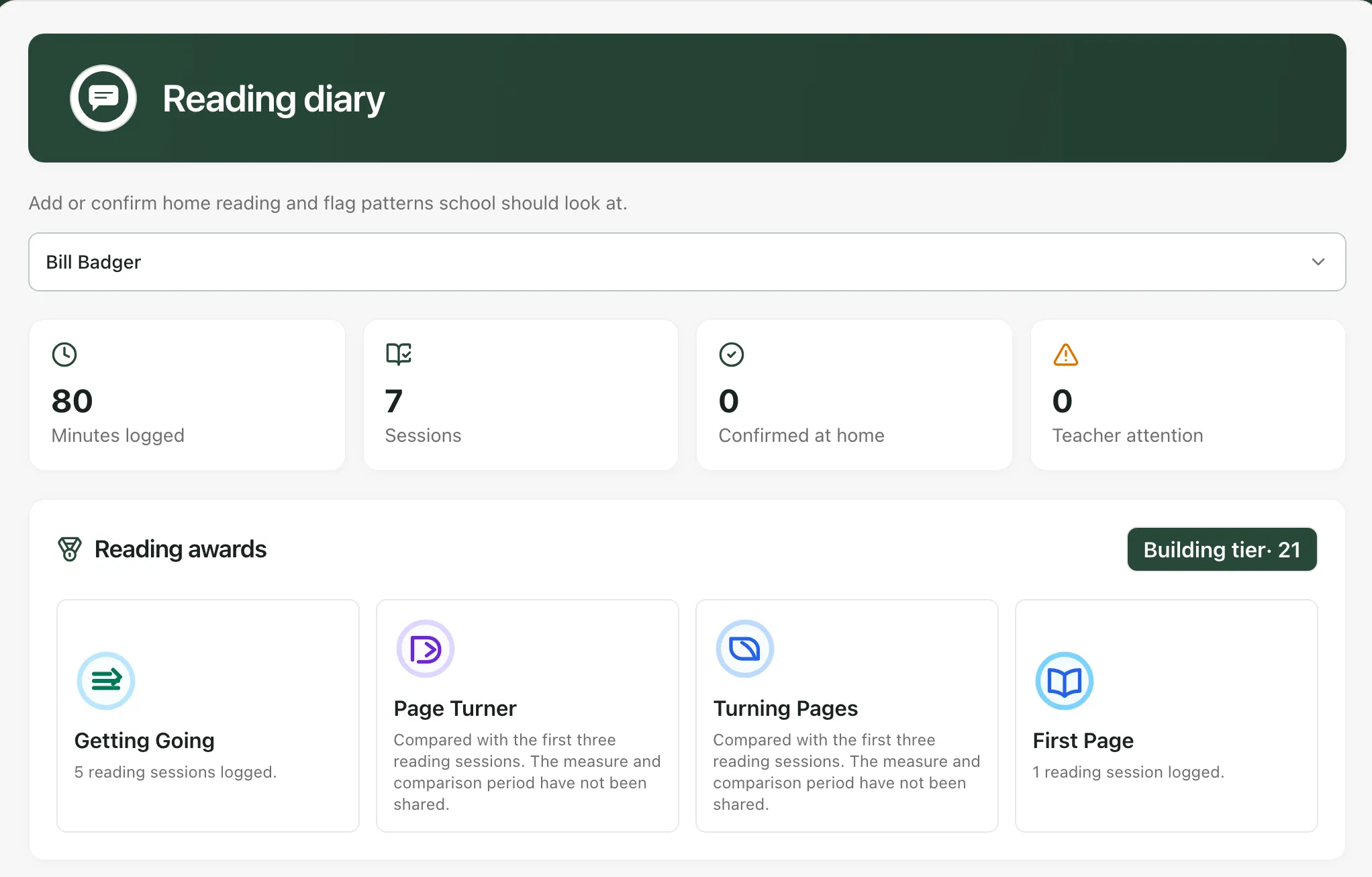
Across the top are four totals:
- Minutes logged: the total minutes of reading recorded.
- Sessions: the number of reading sessions recorded.
- Confirmed at home: sessions a parent or carer has recorded. Every session you save here counts.
- Teacher attention: sessions where someone has asked the teacher to take a look.
Reading awards shows the awards your child has earned from their reading. Click an award to see what it was given for. Until your child has earned some, you’ll see “Reading awards will appear as school can verify them from logs.”
Add a reading session
Section titled “Add a reading session”- Under Add home reading, start typing the book’s name in Book title. If the book appears in the list under the box, click it to fill in the title and author for you. If it doesn’t, just type the title yourself.
- Fill in the Author if it’s empty. This is optional.
- Check the Date. It starts as today.
- Enter how many Minutes your child read for, and the number of Pages if you’d like.
- Under Enjoyment and Confidence, click a number from 1 to 5. 1 is the lowest and 5 the highest.
- In Comment, add anything you noticed, such as how fluently they read, words they found tricky, or whether they enjoyed it.
- If you’d like the teacher to look at how your child’s reading is going, tick Request teacher attention for this reading pattern.
- Click Save reading.
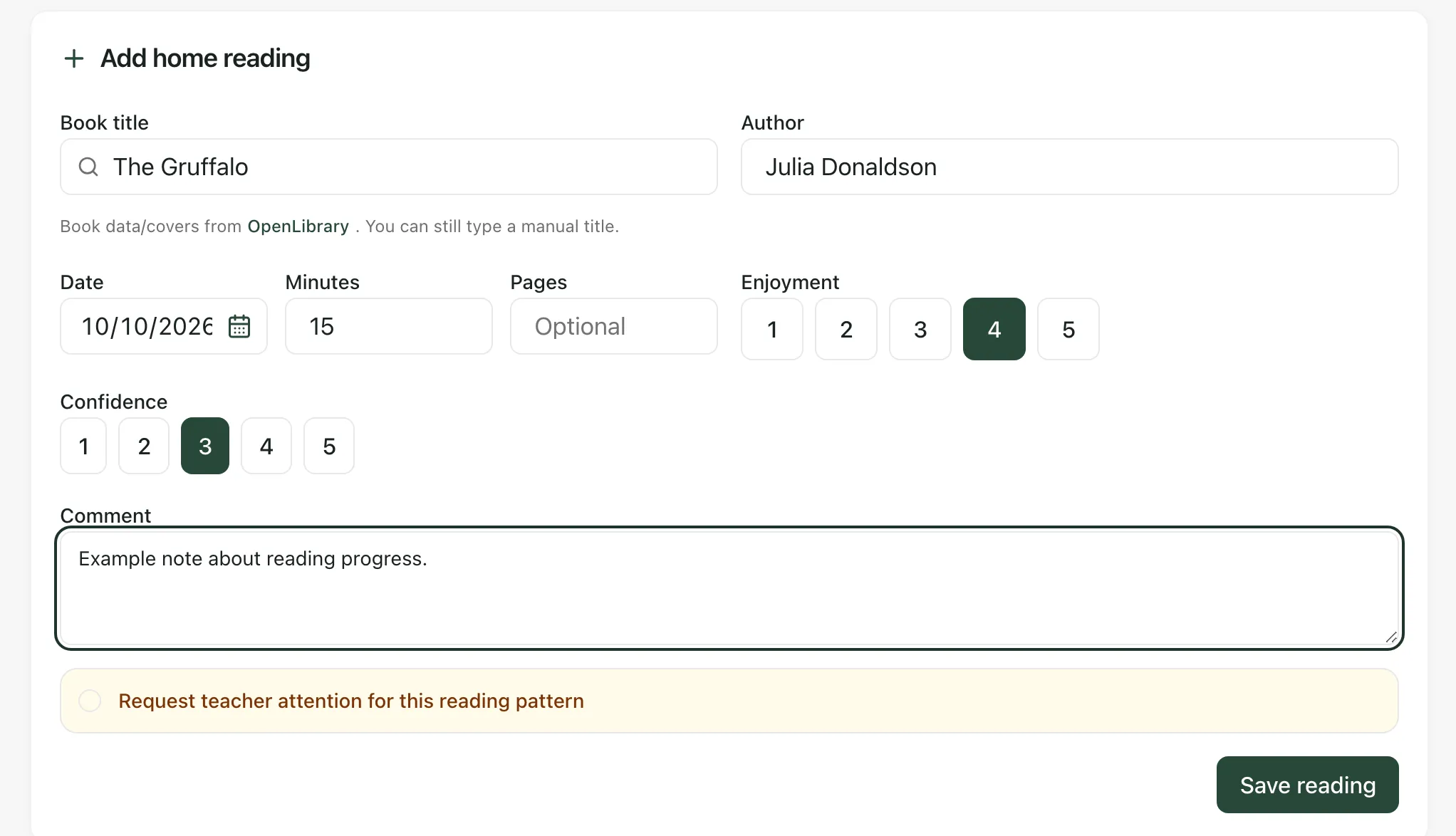
The form clears and the session appears under Recent reading.
See recent reading
Section titled “See recent reading”Recent reading lists the sessions recorded for your child, with the book, author, minutes and date. Some books also show a reading level, such as an AR (Accelerated Reader) book level and points, if your school uses them. Sessions where teacher attention was requested are marked Teacher attention. Click Refresh to see the latest list.
Book details and covers come from OpenLibrary, a free online library catalogue.
If something doesn’t work
Section titled “If something doesn’t work”| What you see | What to do |
|---|---|
| “Add the book title.” | Type at least two letters of the book’s title in Book title. |
| “Choose a child first.” | Choose your child in the list at the top of the page. |
| “Book suggestions are unavailable. You can still type the title manually.” | Type the title and author yourself, then carry on as normal. |
| “No reading has been logged yet.” | Nothing has been recorded for this child yet. Add a session to get started. |
| Save reading is greyed out | Choose your child at the top of the page first. |