Check whether your provision can suspend or exclude
Written for: Alternative provision leaders and staff who deal with serious behaviour.
Only a registered provision, such as a pupil referral unit, an AP academy or an independent school, can suspend or permanently exclude a pupil. If your provision isn’t registered, it can’t: for a pupil placed with you, the commissioning school decides on and records any suspension or exclusion. Student Radar follows your provision’s recorded registration status, so you can only record suspensions and exclusions once your provision is recorded as registered.
See whether your provision can
Section titled “See whether your provision can”- If your provision is registered: Exclusions appears in the sidebar under Pupils, in the Behaviour menu. It works as it does in a school. See View the exclusions log.
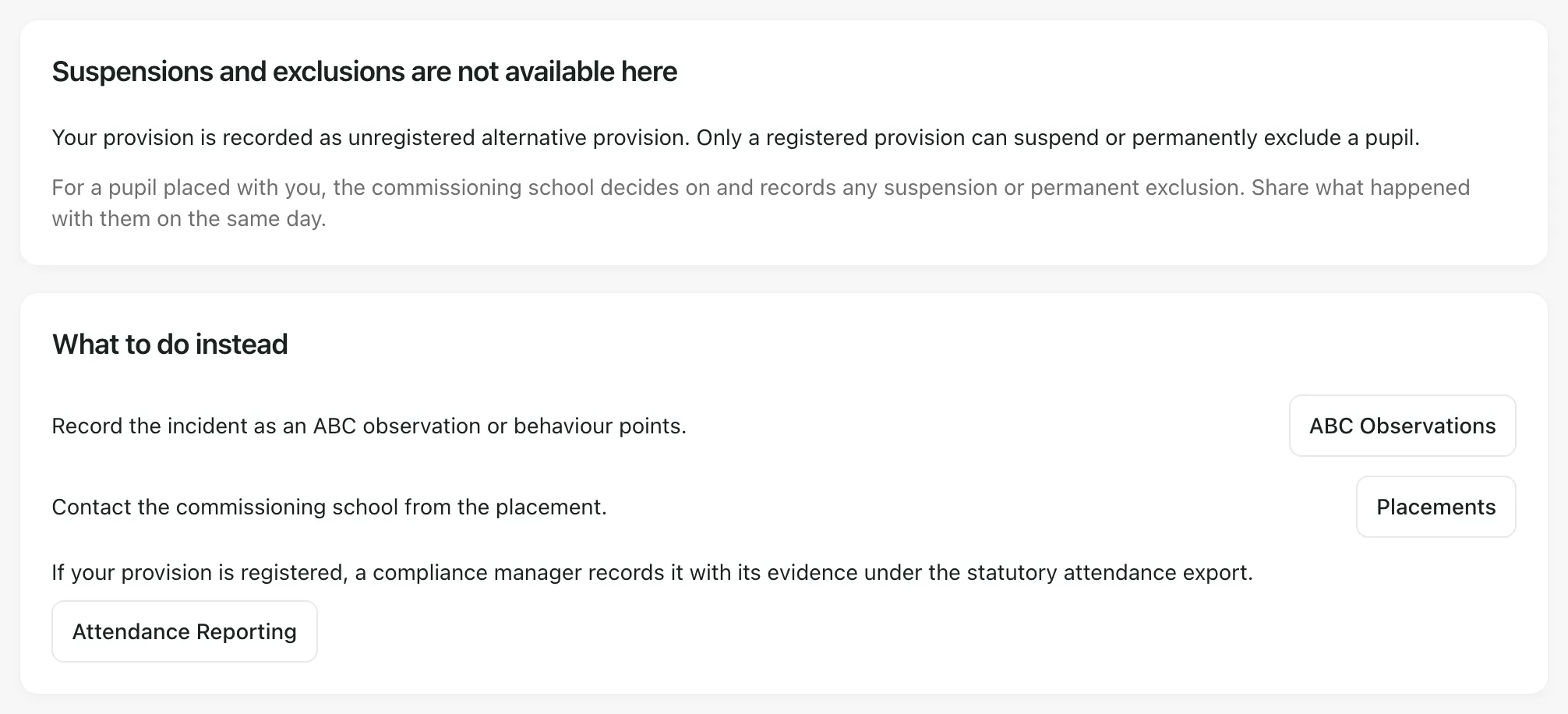
- If it isn’t, or its registration hasn’t been recorded: Exclusions doesn’t appear in the sidebar. If you reach the page another way, for example from a saved link, it says Suspensions and exclusions are not available here and explains why.
| The page says | What it means |
|---|---|
| “Your provision is recorded as unregistered alternative provision. Only a registered provision can suspend or permanently exclude a pupil.” | Your provision is recorded as unregistered. The commissioning school decides on any suspension or exclusion. |
| “Your provision’s registration has not been reviewed with evidence yet, so suspensions and exclusions stay closed.” | Nobody has recorded your provision’s registration status yet. See Record your registration status. |
| “Suspensions and exclusions open on that date.” | Your provision is recorded as registered from a date that hasn’t arrived yet. Exclusions appears on that date. |
Student Radar refuses a suspension or exclusion from a provision that isn’t recorded as registered, however you reach the page.
If your provision can’t suspend or exclude
Section titled “If your provision can’t suspend or exclude”The commissioning school decides on and records any suspension or permanent exclusion of a pupil placed with you. When something happens that might lead to one:
- Record what happened, for example as an incident in the Incident Log or as an ABC Observations record. The page’s ABC Observations button opens that page.
- Tell the commissioning school on the same day. Click Placements to find the pupil’s placement and who to contact.
- If you logged an incident, mark it significant and record who you told. See Log a behaviour incident and report it to the commissioning school.
If a placement isn’t working, talk to the commissioning school about what happens next.
Record your registration status
Section titled “Record your registration status”A provision compliance manager records whether your provision is registered, with evidence, in the statutory attendance export:
- In the sidebar, open Attendance and choose Attendance Reporting. On the Exclusions page, you can click Attendance Reporting instead.
- Under Attendance exports, click Attendance exports. Statutory attendance evidence opens.
- Under Reviewed regulatory status, choose the Provider registration status, the Effective from date, an Evidence reference and an Evidence document from Document Control.
- Click Save reviewed status.
For the full steps, see Export statutory attendance evidence. Once the status is Registered and the effective date has arrived, Exclusions appears under Pupils.
- Who can open Exclusions: even in a registered provision, the page is only for staff with access to exclusion records.
- The statutory exclusion workflow: working through each exclusion case in Student Radar is a separate switch. If it isn’t on for your provision, the page shows the exclusions log only.
- Your provision’s words: your Setting profile may use other words for pupils and commissioning schools, so some labels may differ.
If something doesn’t work
Section titled “If something doesn’t work”| What you see | What to do |
|---|---|
| Registration status is unavailable | Click Try again. Suspensions and exclusions stay closed until the status loads. |
| “Checking your provision’s registration…” doesn’t go away | Refresh the page. If it keeps happening, ask a provision leader. |
| Exclusions isn’t under Pupils, in the Behaviour menu, but your provision is registered | Check with your compliance manager that the registered status and its effective date are recorded. |