Choose and use a maths manipulative in class
Written for: Teachers and classroom staff.
Find a maths tool, model a concept with visual representations and check how its controls work on your device.
The page is titled Maths Resources. Choose a tool for the concept, model it and ask pupils to explain the representation rather than treating a finished arrangement as evidence of understanding.
The screenshots show actual tools with fictional teaching arrangements. These are classroom workspaces, not pupil assessment records. Opening a tool does not create a mark, send a message or record a child’s learning outcome.
Open and find a tool
Section titled “Open and find a tool”- Open the permitted Maths manipulatives entry, including from the class tools where offered.
- Check the Key stage selection: EYFS and KS1, KS2, KS3 and KS4 or Everything.
- Use the search field to find a name or topic, such as fractions, number lines or time.
- Read the tool’s name, description and stage hint.
- Select the tool card to open it inside the page.
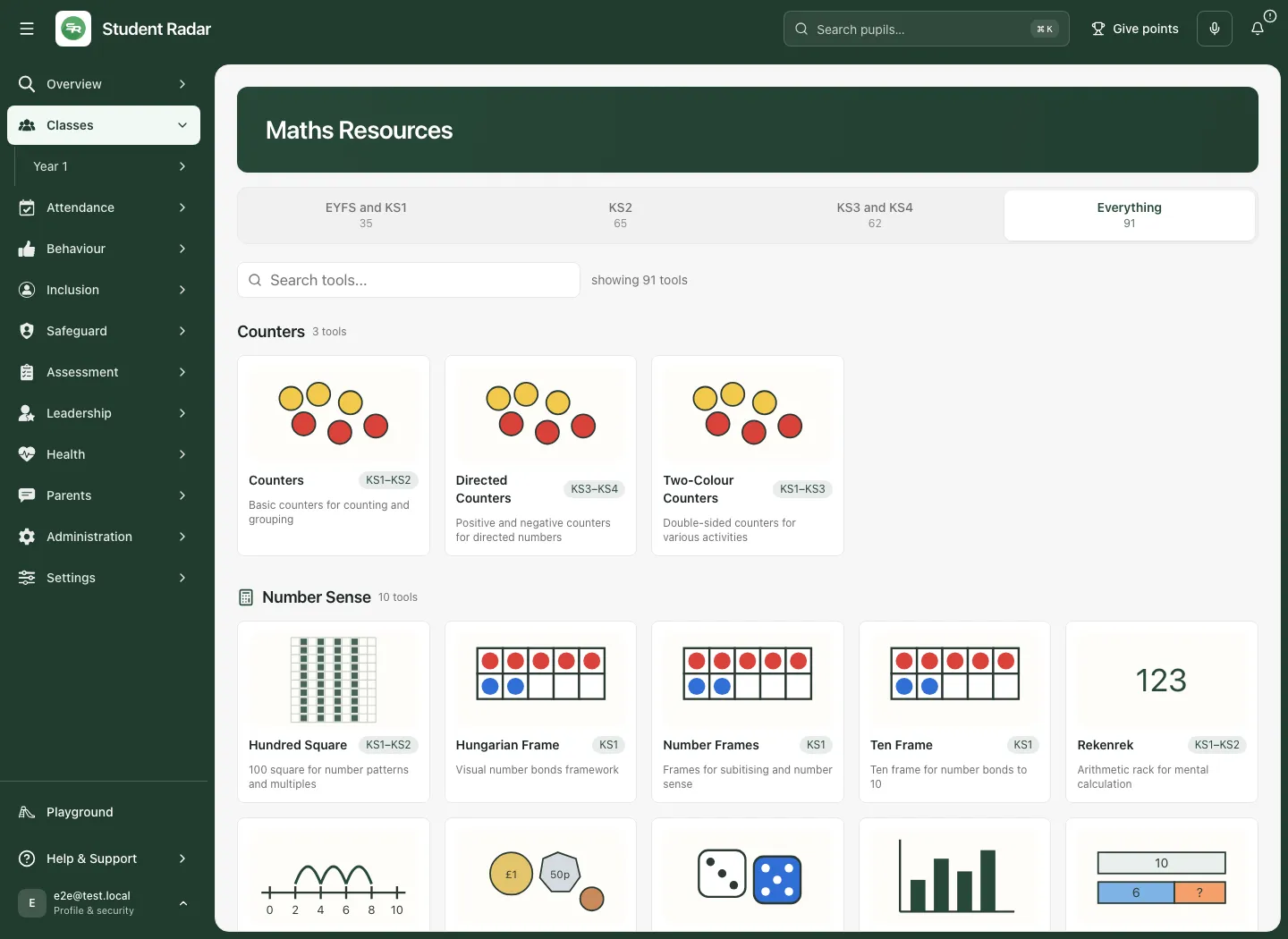
A class link can choose an initial phase based on the class year. That is a convenience, not a professional judgement about individual pupils. Change the phase when another representation is more suitable. Everything restores the wider catalogue. Clear a search that hides the tool you need.
Used recently is a browser convenience for the viewer/class context. It is not a shared lesson history or proof that a tool’s arrangement has been saved. If a card says a tool is being converted, treat it as unavailable rather than assuming the preview is a working manipulative.
Understand the common tool frame
Section titled “Understand the common tool frame”The toolbar above an open tool provides:
- All tools to return to the catalogue.
- Undo only when that particular tool supplies a supported undo history.
- Reset to restart that tool’s current workspace. Check that you intend to lose the arrangement first.
- Present to enlarge the tool into a focused presentation view, then Exit to return.
Tools have their own controls inside that frame. A second Reset inside a tool can have a more specific action. Read the tool’s name and current status after any reset. Returning to the catalogue, closing or refreshing can reset an arrangement; do not assume automatic saved-board persistence across tools.
Explore equivalent fractions with Fraction Wall
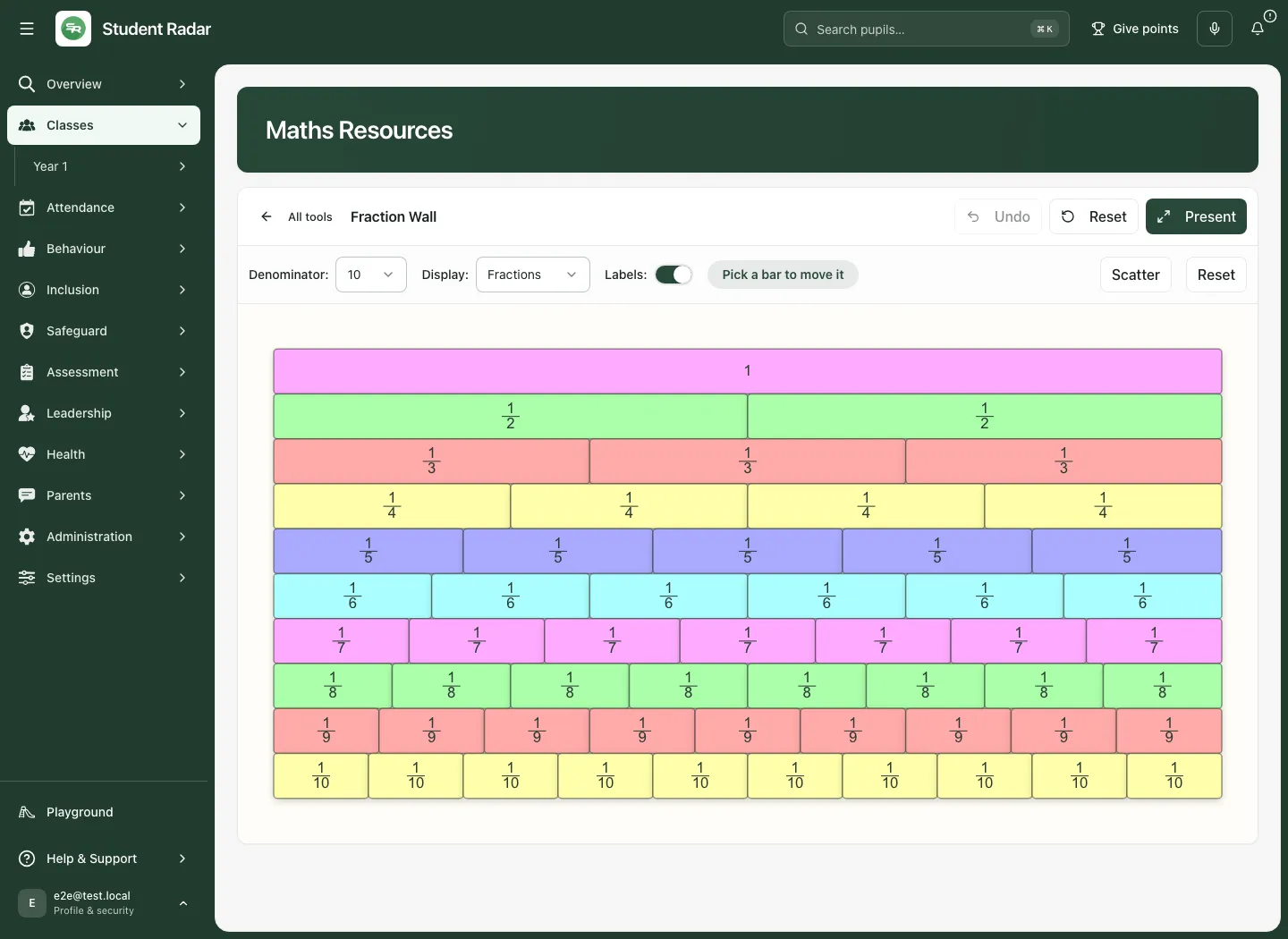
Section titled “Explore equivalent fractions with Fraction Wall”- Open Fraction Wall.
- Read the whole and the equal-sized fractional bars. Keep the same whole when comparing fractions.
- Choose the display mode: Fractions, Decimals or Percentages.
- Leave Labels on while introducing the relationship, or turn them off deliberately when pupils should identify it themselves.
- Click a bar to pick it, or focus the wall and press Enter for the next bar (Shift+Enter for the previous one). Use the arrow keys to move the picked bar and Escape to clear the pick. The wall does not offer Delete as a remove action.
- Ask pupils to align equivalent lengths and explain why they represent the same amount.
- Use Scatter for a sorting/rebuilding activity, Undo where available, or the wall’s Reset to restore its starting arrangement.
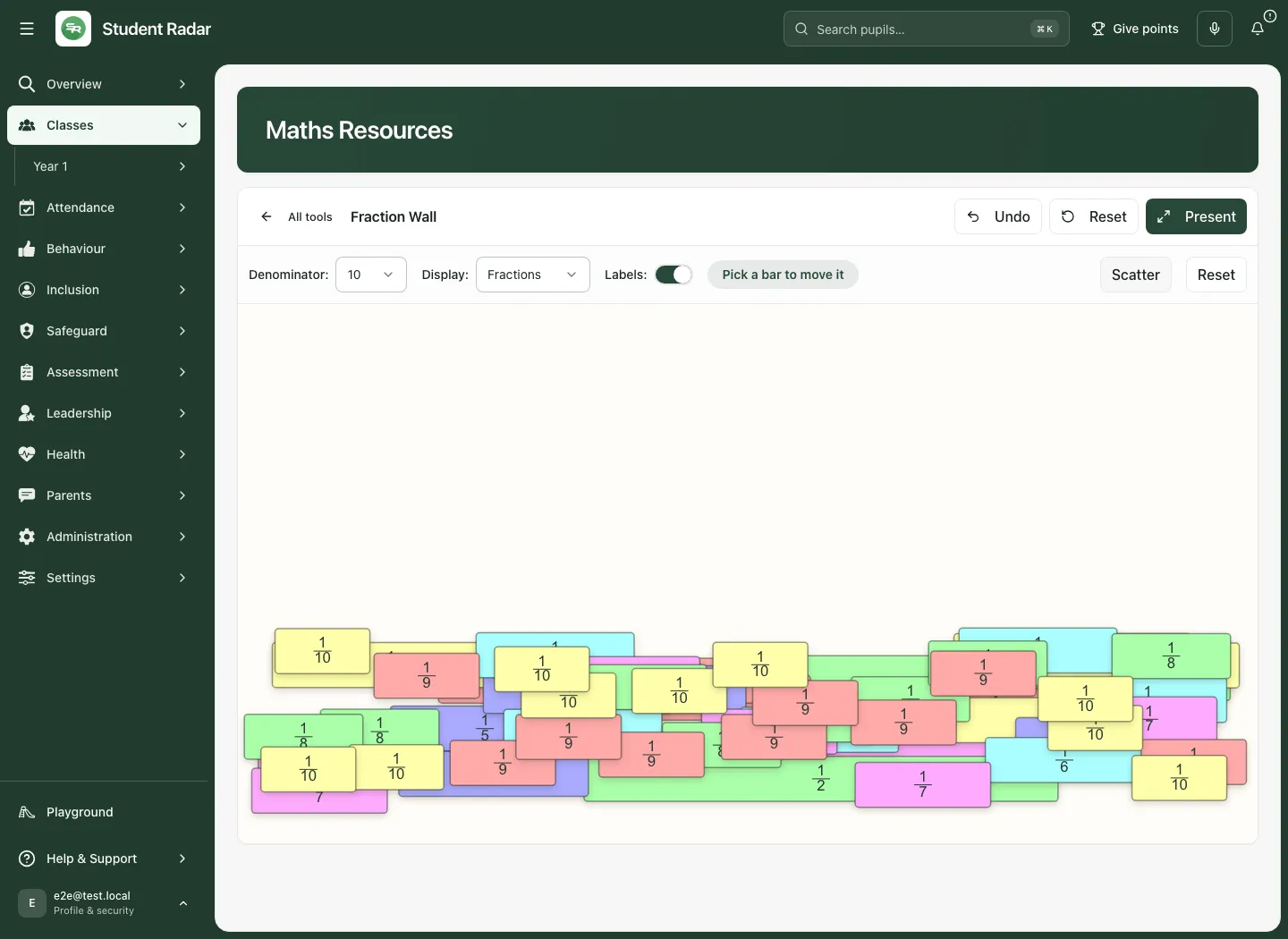
A display-mode change alters how the same quantities are labelled; it does not change the mathematical whole. Check rounding or decimal representations before asking pupils to compare labels alone. A pupil dragging bars together has not necessarily explained the equivalence; listen to the reasoning and record assessment separately when needed.
Use Present
Section titled “Use Present”- Select Present in the tool frame.
- Check the tool and controls fit the classroom screen.
- Model the intended relationship without exposing unrelated staff pages.
- Select Exit when finished. Use the tool’s supported keyboard exit action if needed.
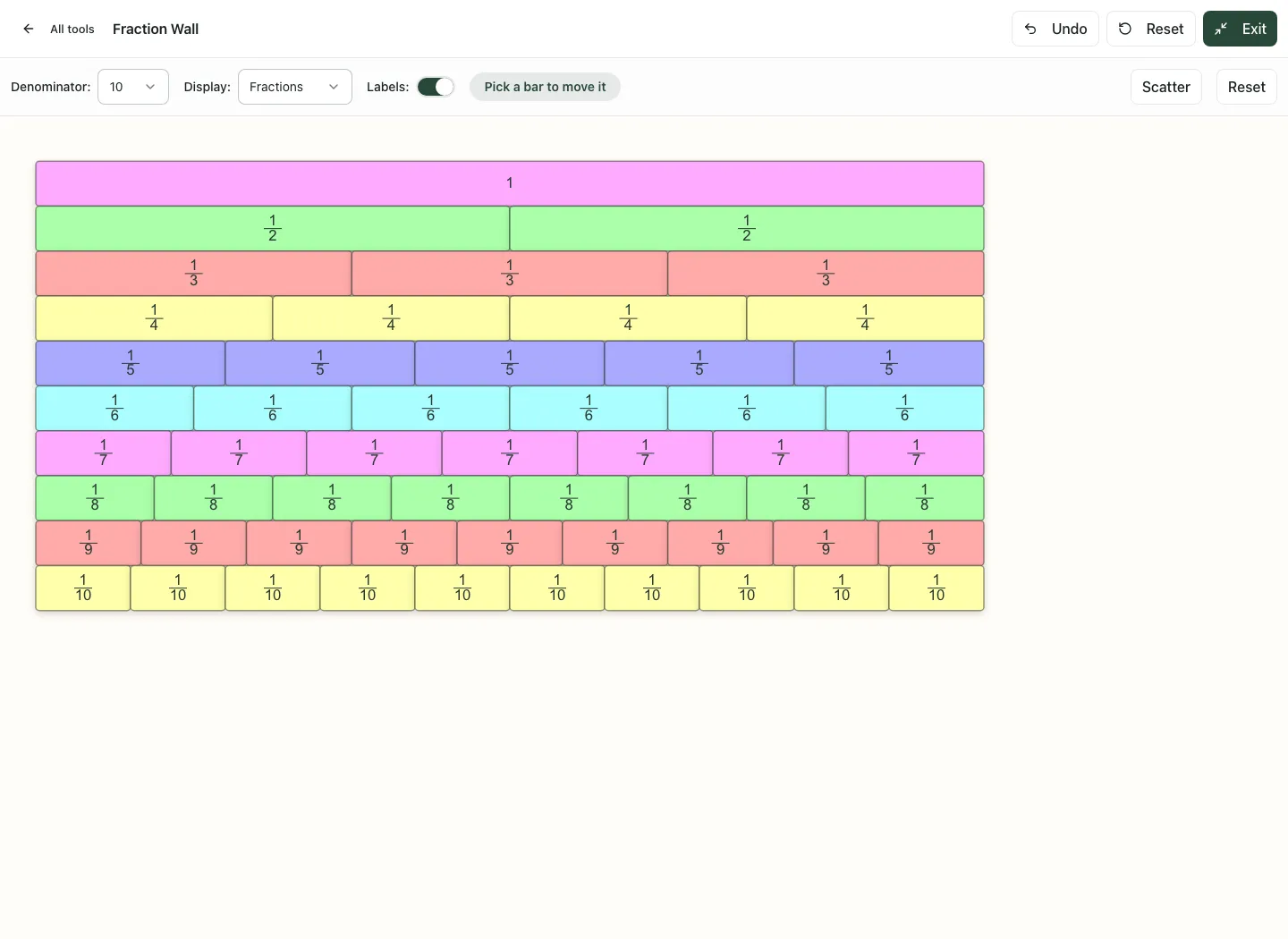
Presentation is a display mode, not an instruction to distribute the arrangement to pupil accounts. There is no pupil join-code workflow on this page.
Model quantities with Counters
Section titled “Model quantities with Counters”- Return through All tools, then open Counters.
- Choose the available Shape, Colour and Value settings for the representation.
- Start with the counters already on the mat. Click a counter to pick it, or focus the mat and press Enter to pick the next counter (Shift+Enter for the previous one). Check the status line before changing the selection.
- Drag or use the supported keyboard controls to place counters. On the focused mat, arrow keys move the picked counter, Delete removes it and Escape clears the pick.
- Use Tidy to organise the current counters, Scatter for a sorting activity, or Delete to remove the intended selection.
- The copy/move controls support repeated arrangements; check the current mode before applying a directional action.
- Use Smaller and Larger for the representation size where appropriate. Changing a visual size is not a change in the configured value.
- Ask pupils to describe the quantity, grouping or operation and then reset only when ready to move on.
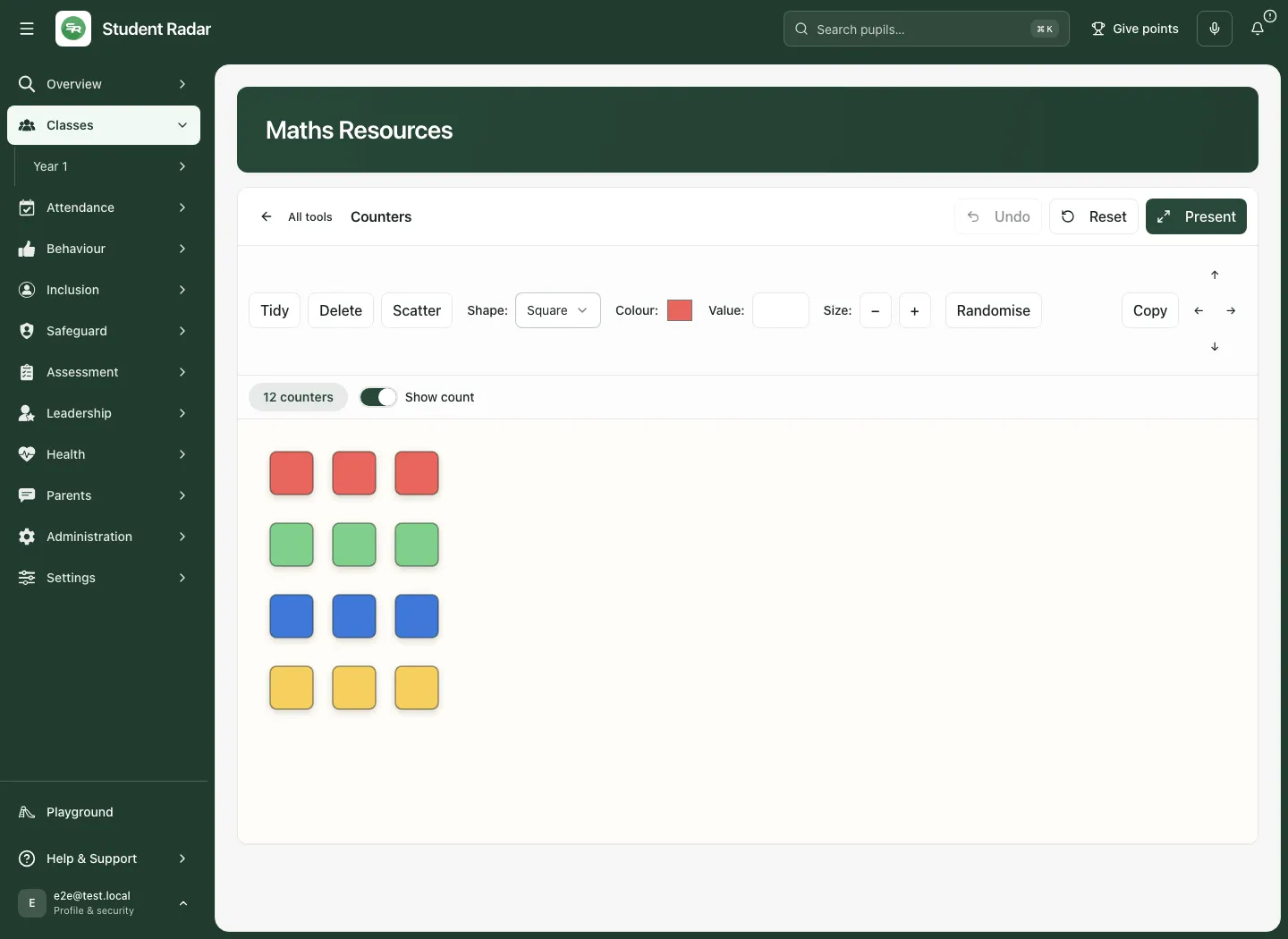
Counter colour, icon and size are representational choices. State what each means in the activity rather than letting pupils assume colour always represents a fixed value. Use appropriate contrast and a second cue when colour alone would be unclear.
Choose another representation
Section titled “Choose another representation”Use the catalogue appendix below to locate the supported mathematical idea. Practical examples include:
- Place value: Dienes Blocks, Place Value Counters, Cards or Dice can represent partitioning and exchange. Keep the selected value scale explicit.
- Number sense: Ten Frame, Rekenrek, Hundred Square and Number Bonds support grouping and relationships. Ask how the representation connects to the written number.
- Fractions: Fraction Wall, Bar Modelling and Cuisenaire Rods offer different models. Keep the unit whole and comparison context clear.
- Algebra: Algebra Tiles, Discs, balance/equation tools and Function Machines can represent expressions or transformations. Explain the symbol/value convention before manipulating.
- Geometry: Geoboard, Pattern Blocks, Tangrams, coordinates and angle tools support construction and explanation. Check the intended units, grid and constraints.
- Probability and number theory: Dice, spinners, factors and related tools support examples and conjectures. A small random sample does not prove a theoretical probability or general rule.
Each tool has its own permitted actions, limits and controls. A thumbnail is a preview, not a substitute for opening and checking the actual tool. Availability is described below without claiming every tool was exercised in these screenshots.
Use the tools on a phone
Section titled “Use the tools on a phone”Choose the phase through the Key stage control, search and open a card. The tool frame remains available while its internal controls may wrap or scroll. Check the mat’s available space and focus before dragging or typing. Present can enlarge a tool, but a small screen may still be better suited to a single representation than a complex whole-class demonstration.
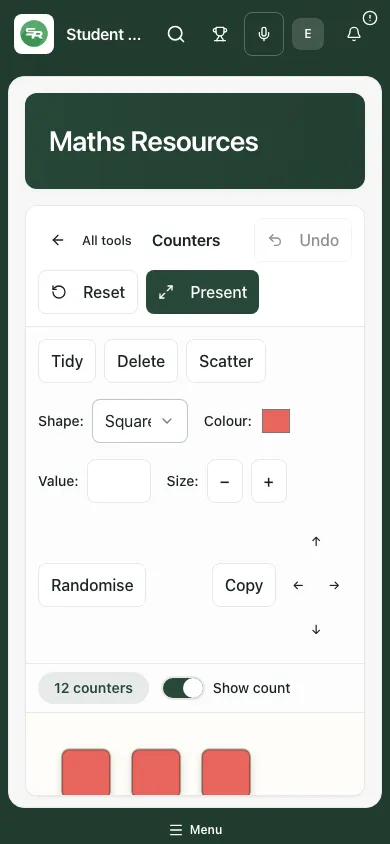
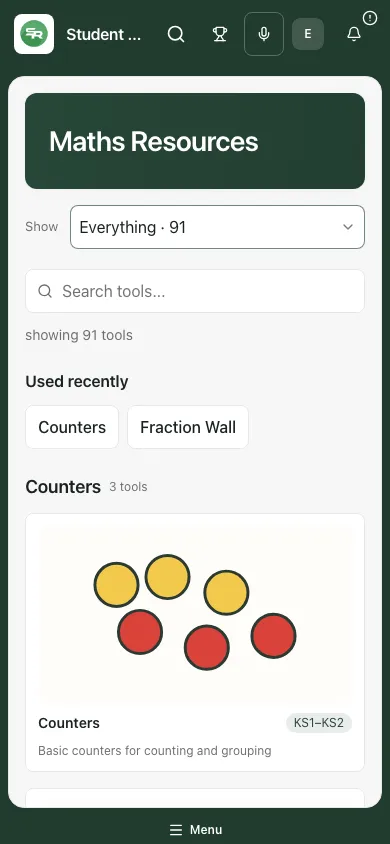
Use touch targets and keyboard instructions supplied by the tool. Do not assume a desktop mouse shortcut has an identical phone gesture. Reset/All tools can discard the arrangement; take your school’s permitted record separately if the model needs to be reviewed later.
Troubleshooting
Section titled “Troubleshooting”| What you see | What to do |
|---|---|
| No tools match the search | Clear it or try a mathematical topic. Check Key stage/Everything. |
| Tool being converted to a native component | It is not a working tool yet. Choose an available representation. |
| No Undo control | That tool may not provide a history; use its own controls or reset deliberately. |
| Wrong items change or disappear | Check the picked selection and copy/move mode. Use Undo when available. |
| Arrangement gone after returning/reloading | Tool workspace state is not a shared saved board. Rebuild the intended model and avoid relying on persistence. |
| Presentation occupies the screen | Use Exit or the supported escape action to return. |
| A control seems off-screen | Check the tool frame, scroll its workspace and use an appropriate viewport or presentation mode. |
Frequently asked questions
Section titled “Frequently asked questions”Does this save pupil answers? No. These are teaching tools. Record evidence or assessment in its appropriate workflow.
Does a class link restrict which tool is pedagogically suitable? No. Its initial phase is a convenience; staff choose the representation.
Are recent tools a saved lesson? No. They are browser convenience entries, not saved arrangements or a shared history.
Does Present share to pupil devices? No. It enlarges the tool on the current screen.
Does every card represent an available component? No. The page marks tools still being converted. Check before relying on one.
Catalogue: tools and purposes
Section titled “Catalogue: tools and purposes”The availability below reflects the inspected application version. Open the actual tool to check its current controls; stage hints are guides to the resource, not judgements about a child.
| Tool | Purpose | Availability |
|---|---|---|
| Algebra Discs | Visual representation of algebraic expressions using discs | Available in app |
| Algebra Tiles | Area model for algebraic expressions and equations | Available in app |
| Equation Solver | Visual balance for solving equations | Available in app |
| Dienes Blocks | Base-10 blocks for place value understanding | Available in app |
| Place Value Cards | Overlapping cards showing place value | Available in app |
| Place Value Counters | Coloured counters representing place values | Available in app |
| Place Value Dice | Dice for generating place value numbers | Available in app |
| Fraction Wall | Visual comparison of fractions with draggable bars | Available in app |
| Bar Modelling | Bar models for problem solving | Available in app |
| Cuisenaire Rods | Coloured rods for exploring number relationships | Available in app |
| Counters | Basic counters for counting and grouping | Available in app |
| Directed Counters | Positive and negative counters for directed numbers | Available in app |
| Two-Colour Counters | Double-sided counters for various activities | Available in app |
| Hundred Square | 100 square for number patterns and multiples | Available in app |
| Hungarian Frame | Visual number bonds framework | Available in app |
| Number Frames | Frames for subitising and number sense | Available in app |
| Ten Frame | Ten frame for number bonds to 10 | Available in app |
| Rekenrek | Arithmetic rack for mental calculation | Available in app |
| Counting Stick | Number line stick for counting sequences | Available in app |
| Geoboard | Pegs and bands for exploring shapes and area | Available in app |
| Coordinate Pegboard | Coordinate grid with pegs | Available in app |
| Pattern Blocks | Geometric shapes for tessellation and fractions | Available in app |
| Pentominoes | 12 unique pentomino shapes for puzzles | Available in app |
| Tangrams | Classic tangram puzzle pieces | Available in app |
| Tak-Tiles | Interlocking tiles for area and perimeter | Available in app |
| Coins | UK coins for money activities | Available in app |
| Dice | Various dice for probability and games | Available in app |
| Dominoes | Domino tiles for number bonds | Available in app |
| Average and Range Tiles | Tiles for exploring averages | Available in app |
| Prime Factor Tiles | Tiles for exploring prime factorisation | Available in app |
| Unit Box | Unit cubes for volume exploration | Available in app |
| Number Line | Customisable number line with fractions and decimals | Available in app |
| Multi-Number Line | Multiple parallel number lines | Available in app |
| Fraction Number Line | Place fractions on a number line | Available in app |
| Multiplication Square | Times tables grid with highlighting | Available in app |
| Multiplication Facts | Visualise multiplication facts | Available in app |
| Grid Method | Grid method for multiplication | Available in app |
| Multiplication Areas | Area model for multiplication | Available in app |
| Scaled Times Tables | Visualise scaling in times tables | Available in app |
| Place Value Chart | Interactive place value columns | Available in app |
| Gattegno Tens Chart | Gattegno chart for place value | Available in app |
| Multi-base Counting | Counting in different number bases | Available in app |
| Decimal Square | Visualise decimals on a grid | Available in app |
| Percentage and Fraction Trails | Follow trails converting fractions and percentages | Available in app |
| Fraction Shading | Shade fractions, percentages, and ratios | Available in app |
| Fraction Circles | Shade parts of circles to explore fractions | Available in app |
| Fraction Decimal Converter | Convert between fractions, decimals, and percentages | Available in app |
| Percentage Bar | Bar model for percentages and fractions | Available in app |
| Part-Whole Model | Part-whole model for number relationships | Available in app |
| Sequence Generator | Generate and explore number sequences | Available in app |
| Prime Factors, HCF and LCM | Find prime factors, HCF and LCM | Available in app |
| LCM and HCF Chart | Visual chart for LCM and HCF | Available in app |
| Sieve of Eratosthenes | Find prime numbers using the sieve | Available in app |
| Ulam Spiral | Visualise prime numbers in a spiral | Available in app |
| Power Tables | Tables of powers and roots | Available in app |
| Primes and Squares | Explore primes and square numbers | Available in app |
| Function Machines | Input-output function machines | Available in app |
| Number Bonds | Visualise number bonds | Available in app |
| Angle Estimator | Estimate and measure angles | Available in app |
| Circles | Explore circle properties | Available in app |
| Coordinate Grid | Plot points on a coordinate grid | Available in app |
| Isometric Grid | Isometric grid for 3D drawing | Available in app |
| Mirror Line | Reflect shapes across a mirror line | Available in app |
| Ruler | Measure lengths with a ruler | Available in app |
| Protractor | Measure angles with a protractor | Available in app |
| Shape Properties | Explore properties of shapes | Available in app |
| Area and Perimeter | Draw shapes to explore area and perimeter | Available in app |
| Random Number Generator | Generate random numbers within a range | Available in app |
| Spinner | Probability spinner with custom sectors | Available in app |
| Bar Chart | Create bar charts from custom data | Available in app |
| Pictogram | Build pictograms from data | Available in app |
| Carroll Diagram | Sort objects in a Carroll diagram | Available in app |
| Mean, Median, Mode | Calculate mean, median, mode and range | Available in app |
| Sample Space Race | Probability race game | Available in app |
| Venn Diagrams | Interactive Venn diagrams | Available in app |
| Monty the Number Snake | Number sequence snake game | Available in app |
| Directed Number Patterns | Patterns with negative numbers | Available in app |
| Subitising | Quick recognition of quantities | Available in app |
| Blackboard | Digital blackboard for writing | Available in app |
| Camera | Document camera for demonstrations | Available in app |
| Clock | Interactive clock for telling the time | Available in app |
| Timer | Countdown timer and stopwatch | Available in app |
| Time Converter | Convert times and durations | Available in app |
| Test Timer | Countdown timer for tests | Available in app |
| Sports Day Timer | Timer for sports events | Available in app |
| Distance Charts | UK distance charts | Available in app |
| Numbers and Numerals | Number representations | Available in app |
| Counting to 100 | Interactive counting tool | Available in app |
| Directed MCQ | Multiple choice questions for directed numbers | Available in app |
| Surds | Multiplying and dividing surds | Available in app |
| Pascal Triangle | Explore Pascal’s Triangle patterns | Available in app |