Record progress towards a pupil's EHCP outcomes
Written for: Alternative provision staff who work with pupils who have an EHCP.
When a pupil placed with you has an Education, Health and Care plan (EHCP), the local authority and the commissioning school own the plan and lead its annual review. Your provision contributes: you work towards the plan’s outcomes and record the pupil’s progress, so you can bring the evidence to the review. Student Radar shows the plan’s outcomes beside the progress you record.
Find the pupil’s EHCP
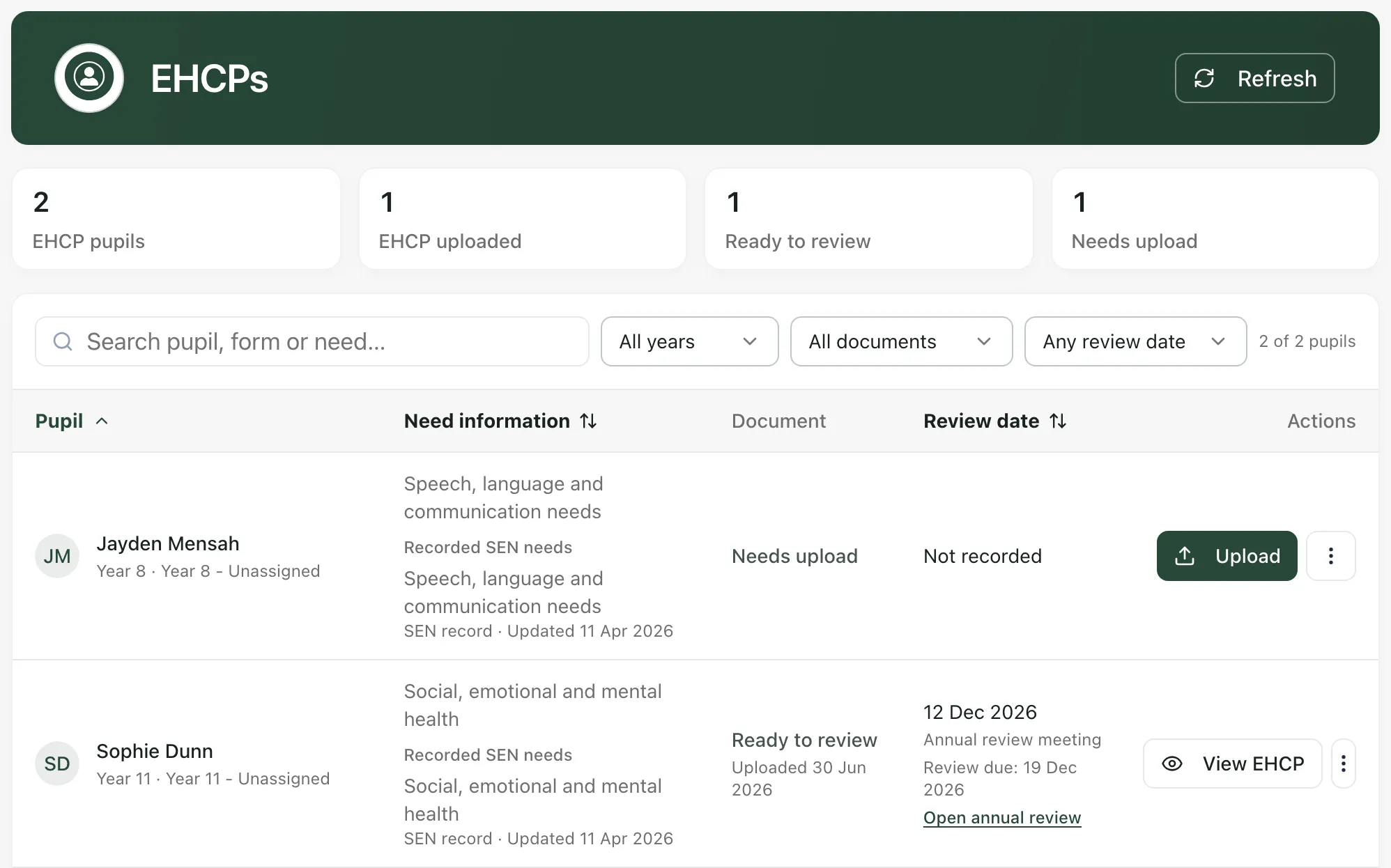
Section titled “Find the pupil’s EHCP”In the sidebar, open Progress and choose EHCPs. The page works as it does in a school: you can search for a pupil, and view or download the plan if one has been uploaded. See Upload a pupil’s EHCP.
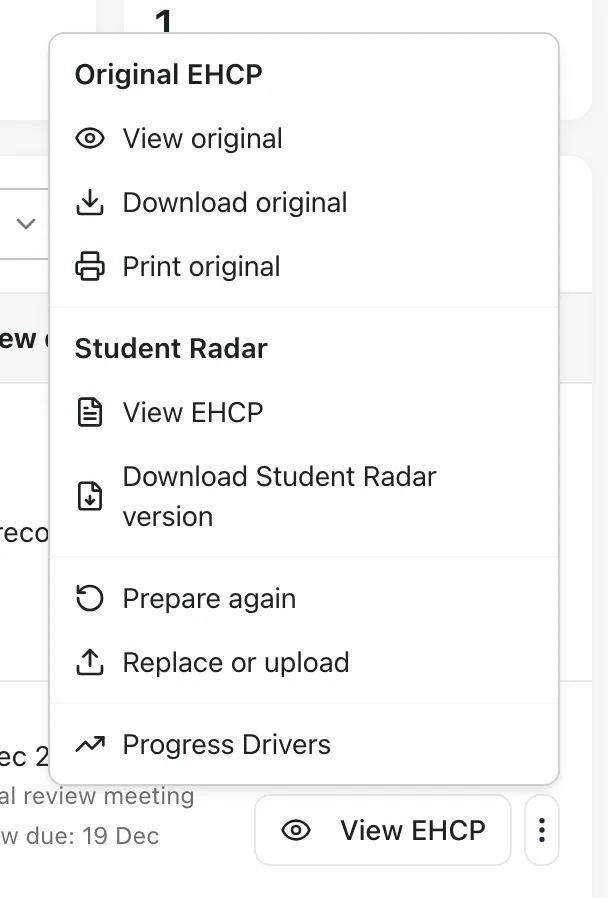
To go from a pupil’s EHCP to their progress, click the menu button (⋮) on the pupil’s row and choose Progress Drivers. Their progress record opens.
Read the outcomes beside their progress
Section titled “Read the outcomes beside their progress”On the pupil’s progress record, the EHCP outcomes card lists the outcomes from their plan, under the progress drivers and targets. Each outcome shows its area and the version of the plan it came from. Outcomes typed in by staff, rather than taken from an uploaded plan, say Entered by staff.
You can’t change the outcomes here. They come from the plan the local authority issued.
The card only appears when there are outcomes your role can see.
Record progress
Section titled “Record progress”Record the pupil’s progress with their progress drivers and targets in the usual way. See Track progress drivers. Keep your evidence specific to what the pupil did, so it’s useful at the review.
Your records show the progress you observed. They don’t show what caused it, so describe the support you gave and let the review draw its conclusions.
Contribute to the annual review
Section titled “Contribute to the annual review”In the sidebar, open Progress and choose Annual Review. The page works as it does in a school. Use it for the reviews your provision is asked to contribute to, and bring the pupil’s progress evidence. See Set up an annual review and Run the annual review meeting and send the report.
- England only: EHCPs and annual reviews are only available in England.
- Who can see the plan: EHCPs are sensitive. Whether you can see a pupil’s plan, upload one or edit its sections depends on your EHCP permissions. Ask a provision leader if you need access.
- Your provision’s words: your Setting profile may use other words for pupils and commissioning schools, so some labels may differ.
If something doesn’t work
Section titled “If something doesn’t work”| What you see | What to do |
|---|---|
| “EHCP information could not be loaded” | Click Try again. Your records haven’t been treated as missing. |
| Progress Drivers isn’t in the pupil’s menu | Open Progress, choose Progress Drivers and find the pupil there. |
| No EHCP outcomes card on the progress record | No outcomes are recorded that your role can see. Ask whoever manages EHCPs in your provision. |