Keep a price list for placement rates
Keep dated standard prices, then apply the agreed price to each placement deliberately. A new price or retirement date does not automatically change existing placement rates or issued invoices.
1. Open and check the current list
Section titled “1. Open and check the current list”Open Commissioning Schools → Credit control → Price list. Check Offered rates, Placements on the price list, Overrides, Own placement rates and Placements without a rate alongside each section’s actual load state. A failed placement read is different from an unavailable standard-price list.
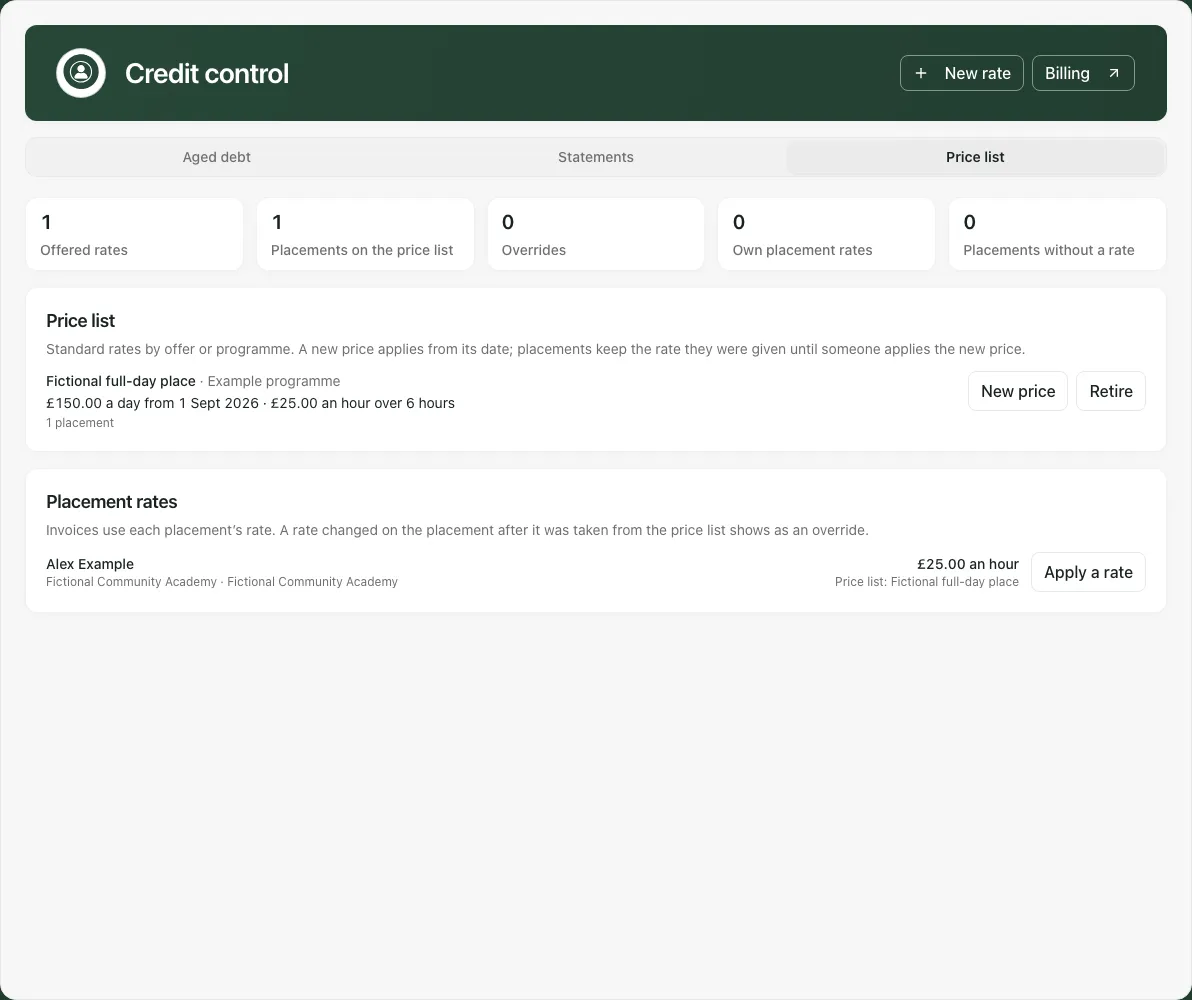
Read current price, charging unit/hours, next dated price and retirement state. A rate with its first price in the future is not available today.
2. Add a standard rate
Section titled “2. Add a standard rate”Use New rate and enter Rate name, optional Offer or programme (optional), Charged Per hour/Per day/Per session, Price (£) and Price applies from. Day/session rates also need Hours one day covers or Hours one session covers.
Check the hourly equivalent before Add rate. The form bounds a price to £10,000 and day/session hours to 12; these are input limits, not recommended terms. A fictional £150 day over six hours is £25 an hour, charged pro rata for the actual charged minutes.
Check the saved rate/date. The list permits up to 200 offered rates and 100 dated prices per rate. Names/offers cannot duplicate an existing rate.
3. Add a new effective price
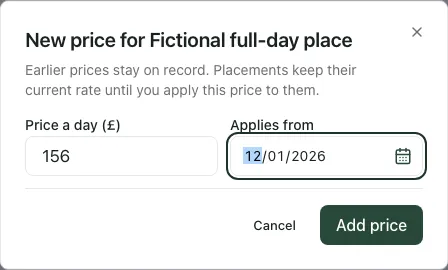
Section titled “3. Add a new effective price”Choose the intended rate’s New price. Enter its unit-labelled price, such as Price a day (£), and Applies from, then Add price. Earlier prices stay on record.
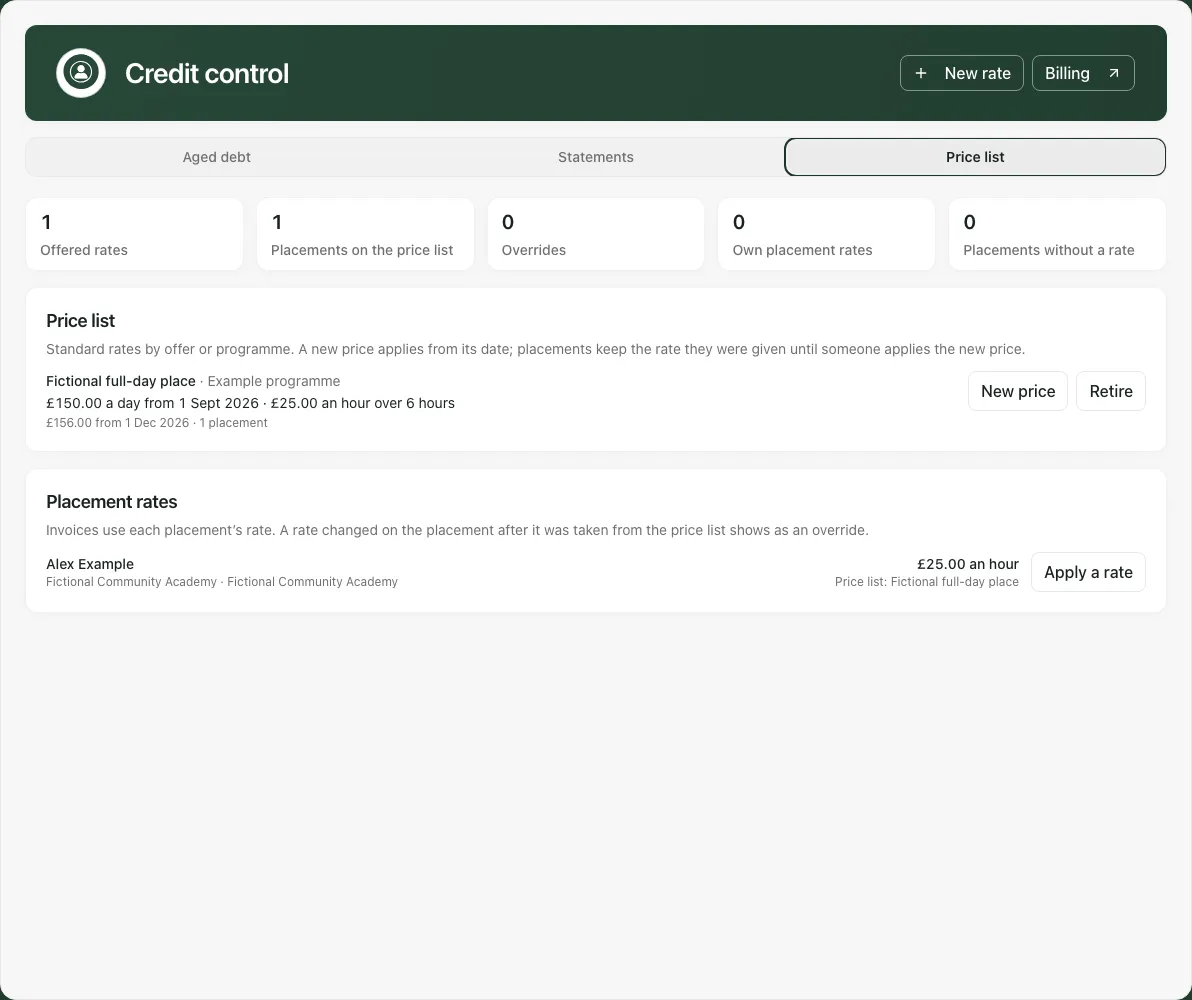
Reopen/reload and check the future price beside the current price. It is not the price in force before its date, and placements retain their previously applied price.
4. Apply it to the intended placement
Section titled “4. Apply it to the intended placement”In Placement rates, use Apply a rate for the right person. Check Price list rate, funder/email/reference, charge mode and shown hourly figure, then Apply rate. The picker starts from the placement’s current source where available.
The applied price is the one effective on the applicable current date. To move an existing placement to a later standard price, apply it deliberately once appropriate. Editing its hourly figure on Billing can create an override; check the returned source/amount rather than just the standard rate’s name.
5. Retire or offer again
Section titled “5. Retire or offer again”Use Retire → Retire from → Retire for the intended rate. From that date it cannot be newly applied; current placements keep their saved rate. Change retirement changes the date, while Offer again restores availability where allowed. These actions do not cancel placements or reverse invoices.
6. Recover an uncertain save
Section titled “6. Recover an uncertain save”An unknown result locks the exact submitted values. Check again checks that original request; a later refusal does not prove the first attempt failed. Close and check the price list rereads without submitting another change. Inspect the actual result before making a new decision.
A reload/school change does not retain that temporary held request. Check saved prices and placement rates first. Following a moved-price refusal in Billing, verify both choice and amount: the old typed figure can now be an own rate rather than the new standard price.
For aged debt, statements, permissions and other limitations, see Use AP Credit control. For placement charging and invoice lifecycle, see Use AP Billing.