Set AP capacity and review the referral waiting list
Written for: Alternative provision operational leaders and authorised office readers.
Check stated capacity and the dated forecast, then review waiting referrals, expected starts and queue order before a placement decision. A suggested fit supports a human decision: it does not accept a referral, reserve a place, create a placement or send an offer.
Screenshots use a fictional provision, two placements, one other accepted referral not yet placed, and Ada Lovelace on the waiting list. One placement has no agreed days recorded, so the forecast explicitly retains that assumption. Ada’s example needs Monday and Tuesday; changing her note does not confirm a place.
Before you begin
Section titled “Before you begin”Open Capacity & Waiting List for the intended provision. Whole-provision reads need the relevant referral/AP authority; operational leaders and office readers can have different capabilities. The displayed Add, edit, ordering and capacity controls follow the current server’s management decision. Do not infer permission from a job title, a visible link or another colleague’s screenshot.
Capacity currently applies to the whole provision, not an independently configurable site. Agree the counting basis and intended number with the provision lead before changing it.
A. Read Free places with its coverage
Section titled “A. Read Free places with its coverage”- Open Free places. Read the date on Free on …, Next free place, Placed today and Waiting for a place. The forecast is a bounded six-week window, not an indefinite promise.
- Inspect Free places by day and its displayed from/to dates. Each weekday’s cell distinguishes free, full, over-capacity, closed and capacity-not-set states.
- Read the cell detail/accessible description for capacity, placed learners, future starters and accepted referrals. Future starters are included within placed counts, not another group to add again.
- Read the coverage note below the grid. It states the counted placements, accepted referrals, assumption count and time worked out from the records.
- If Capacity has not been set appears, do not interpret an unavailable free count as zero. Placed learners can still be counted; an authorised lead uses Set capacity.
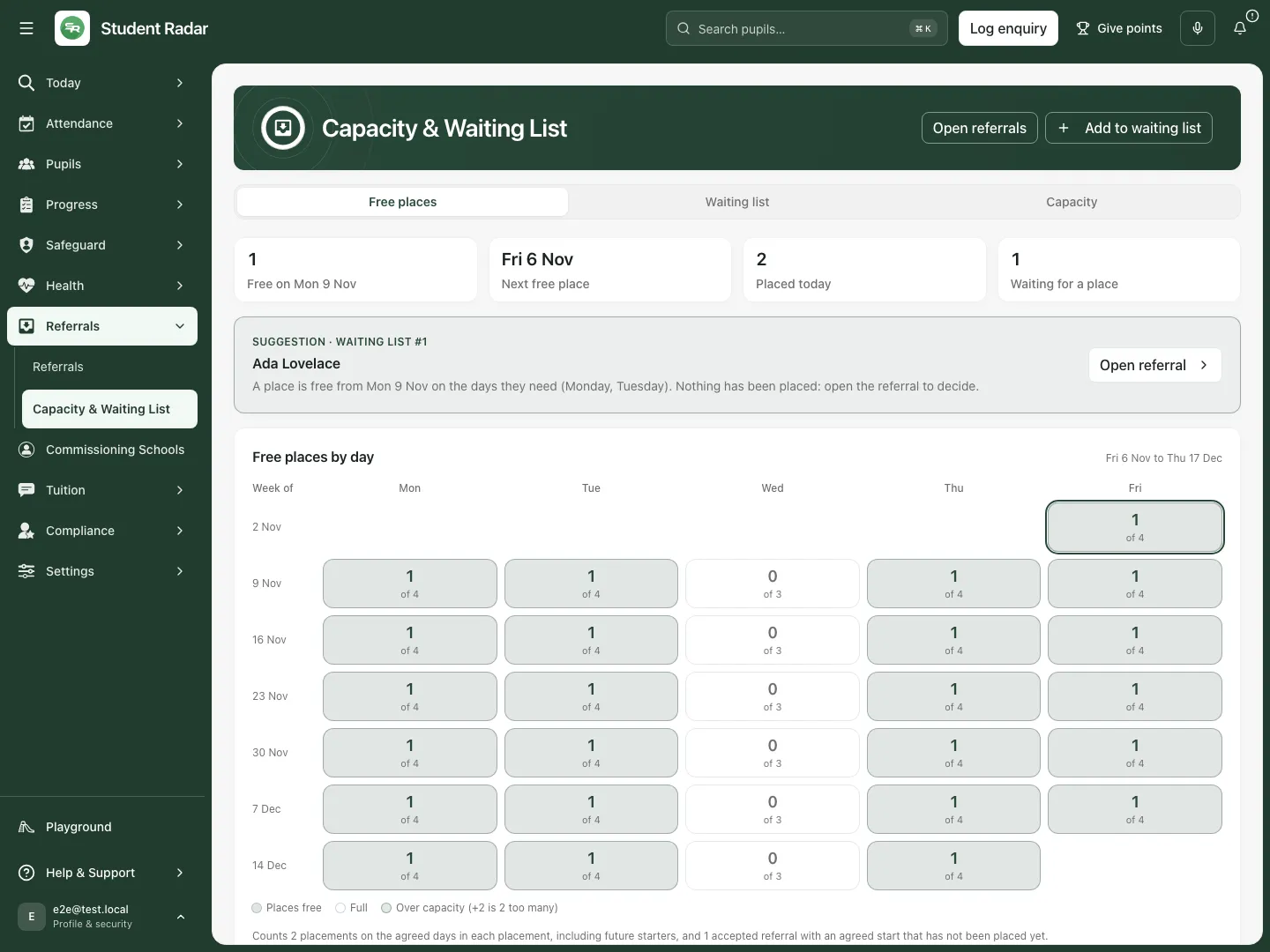
Fictional example: free places are shown alongside the explicit assumption that one placement has no agreed days recorded.
What the forecast includes
Section titled “What the forecast includes”- Planned/active placements count on their agreed days between their recorded start and expected end, including future starters. Cancelled-before-start placements are excluded. Distinct learners are counted for placements, rather than counting a duplicated name as another place.
- Accepted referrals with an agreed start that have not become placements also count, except those on the waiting list. The waiting list therefore is not simply added again to committed places.
- If agreed sessions/days are missing, that placement/agreement is counted across the days and shown as assumed. Actual free places may be higher; correct the agreed pattern at its source rather than removing the warning from your interpretation.
- Pauses and term closures are not subtracted from the forecast. A paused learner keeps their place. Outreach placements count like on-site placements.
- With session capacity, a morning counts an agreed time that starts before 12:00 and an afternoon counts one that ends after 13:00. Whole-day free places use the smaller AM/PM free count.
- Free places are floored at zero. An over-capacity warning still matters: zero free does not prove the provision is exactly at capacity. Closed-day warnings can retain placed learners rather than hide them behind “Closed”.
Check the recorded arrangements and practical suitability before offering a place. A free numeric place is not evidence that staffing, support or the proposed programme is suitable for a particular young person.
B. Set the provision’s capacity
Section titled “B. Set the provision’s capacity”- Select Capacity.
- Set Count places to Places per day or Places per session (morning and afternoon). Make sure the chosen basis matches how the provision intends to count places.
- Enter Places per day or Places per session. Use a whole number from 0 to 999.
- Under Different on some days (optional), enter a weekday override only when it differs from the usual number. Leave a weekday blank to use the usual capacity. Enter 0 to mark that weekday closed.
- Select Save capacity and wait for Capacity saved.. Check Last changed … by … when shown.
- Reload/reopen Capacity and verify the saved basis, usual number and overrides. Return to Free places and interpret the recalculated forecast with those settings.
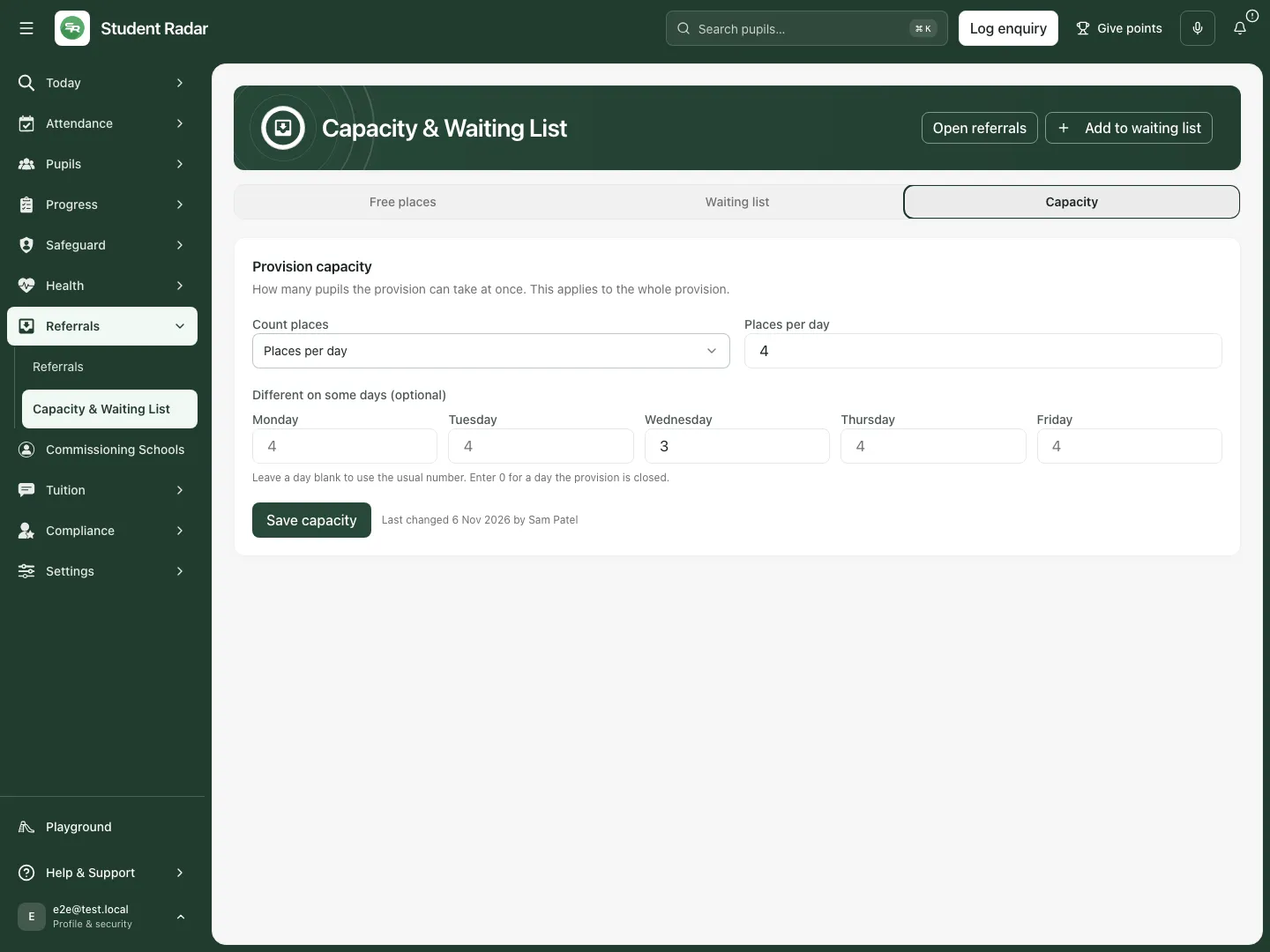
Fictional example: the usual capacity is four places per day, with a different Wednesday capacity.
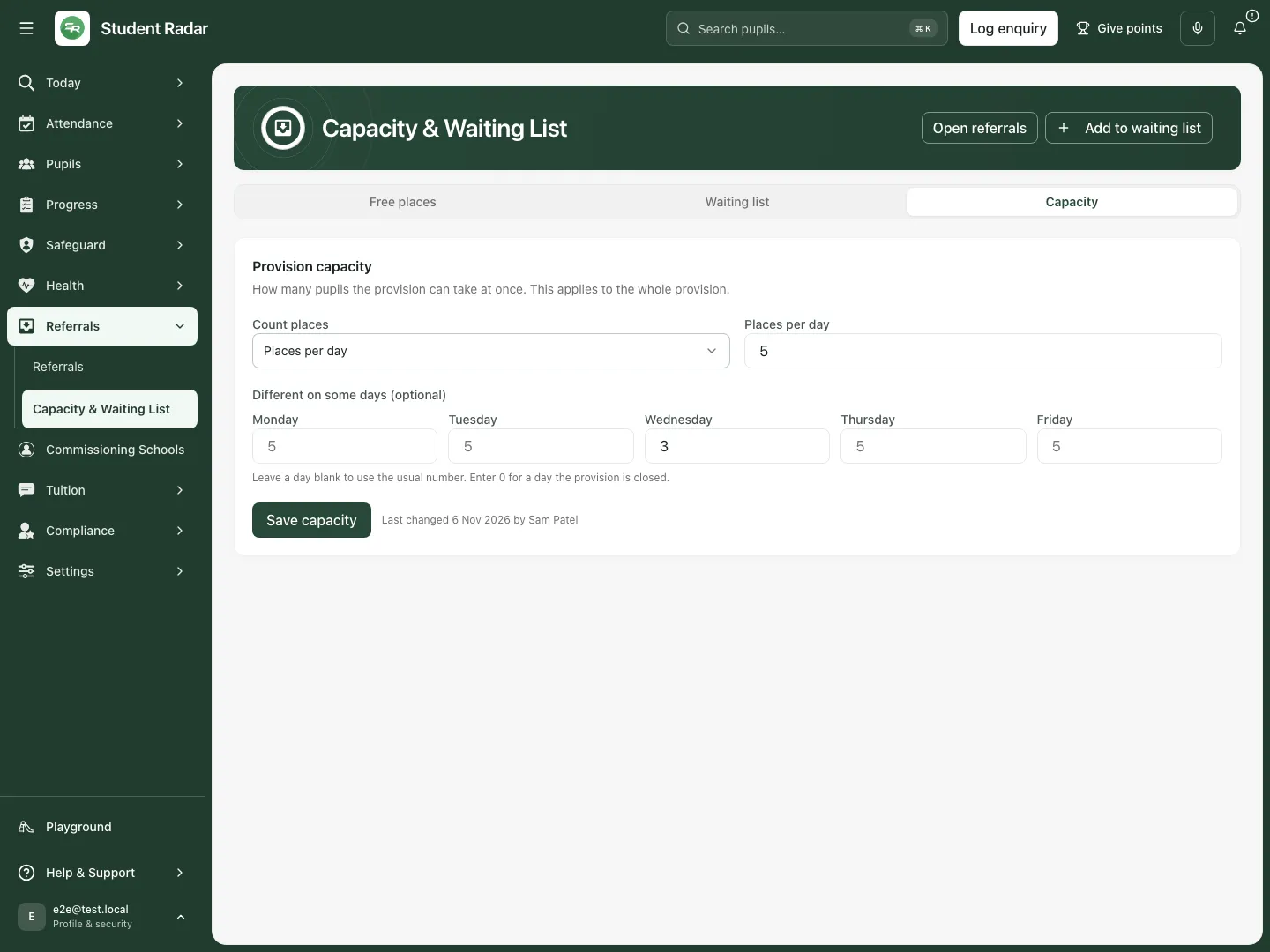
The reopened fictional settings retain five places per day after the separate save; the Wednesday override is unchanged.
Saving capacity changes the stated limit used by the forecast. It does not change existing placements, their sessions, referral acceptance or staffing arrangements. Do not increase the limit simply to remove an over-capacity warning.
C. Review the ordered waiting list
Section titled “C. Review the ordered waiting list”- Select Waiting list. Read the number waiting for a place, preserving any + indication that more entries exist beyond the loaded list.
- Read each referral’s queue position, added date, expected/agreed start, stage and note. It is the order in which places will be offered, not a completed placement schedule.
- Select the referral name or Open referral to inspect the actual referral, agreement and human decisions before making an offer.
- Read Left the list separately. These entries have been placed, declined or withdrawn through the referral workflow; they are not still waiting just because their retained entry is visible.
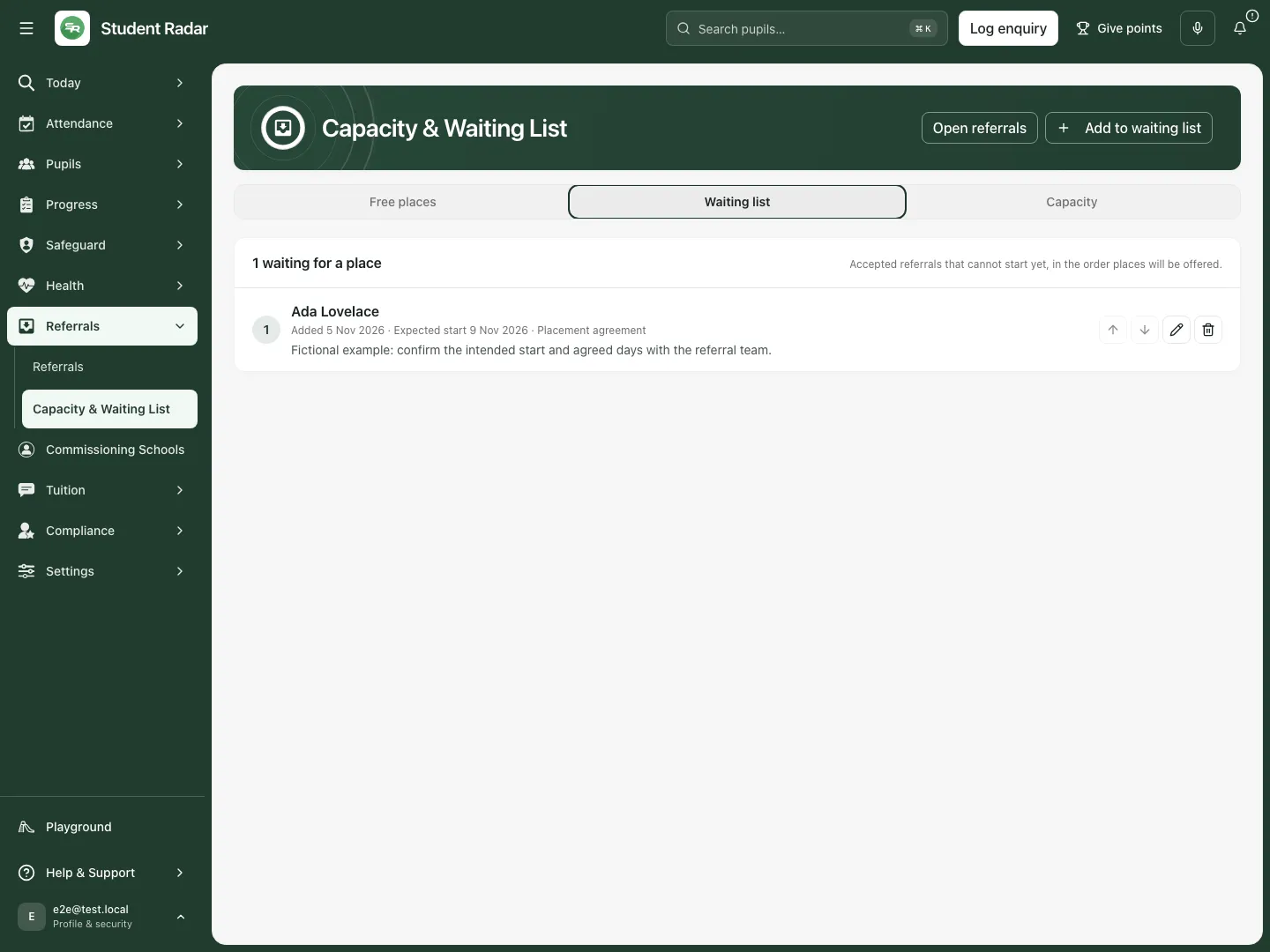
Fictional example: Ada’s accepted referral is waiting at position 1, with an expected start and an explicit follow-up note.
D. Add an eligible referral
Section titled “D. Add an eligible referral”- Select Add to waiting list.
- Choose Referral from the eligible list. The dialog shows at most the 100 newest eligible referrals; a missing name may require checking the referral’s state/authority rather than creating another referral.
- Enter Expected start (optional) and Note (optional) as useful context. Notes support up to 500 characters.
- Select the dialog’s Add to waiting list and wait for it to finish.
- Check the new entry at the end of the current waiting order, then reopen its referral to verify the intended record.
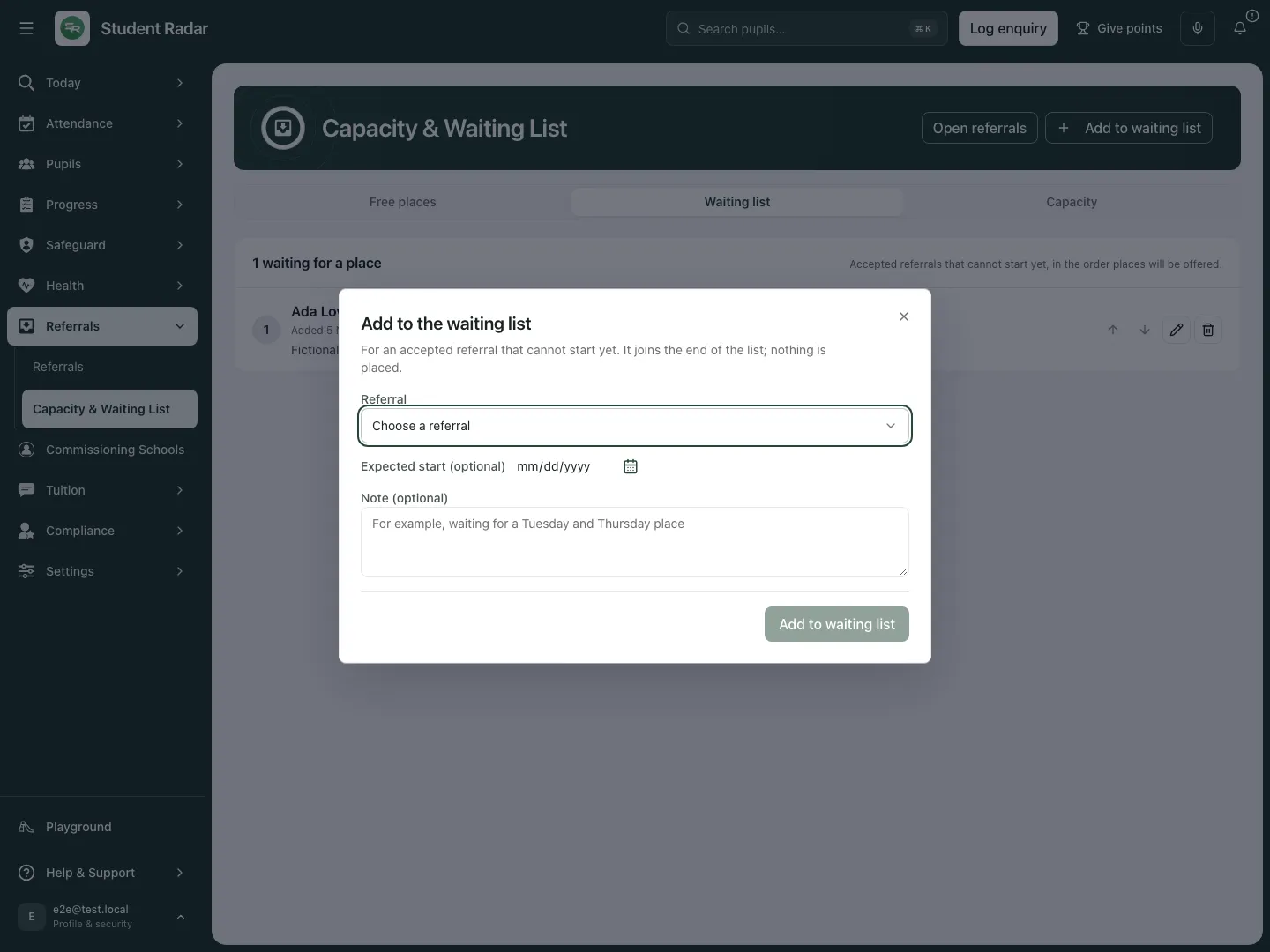
Fictional example: Alan is available as an eligible referral; this example opens the form and closes it without adding him.
A referral must be in an eligible active/on-hold workflow without a placement or closed/placed status and have reached the appropriate accepted/agreement point. The dialog explains when none are eligible. Joining the list does not change the referral’s own state or create a placement.
E. Edit expected start or a note, then reopen
Section titled “E. Edit expected start or a note, then reopen”- Select the pencil control Edit [name] for the intended entry.
- Review Expected start and Note, then change only the intended details. The entry keeps its order.
- If the placement agreement already supplies an agreed start, read the notice: that date is used instead of the expected date in this entry. Change agreed terms through the referral’s authorised agreement workflow.
- Select Save and wait for the dialog to close.
- Reload Waiting list, select Edit [name] again and check the saved note/date. Use Close dialog to leave without another change.
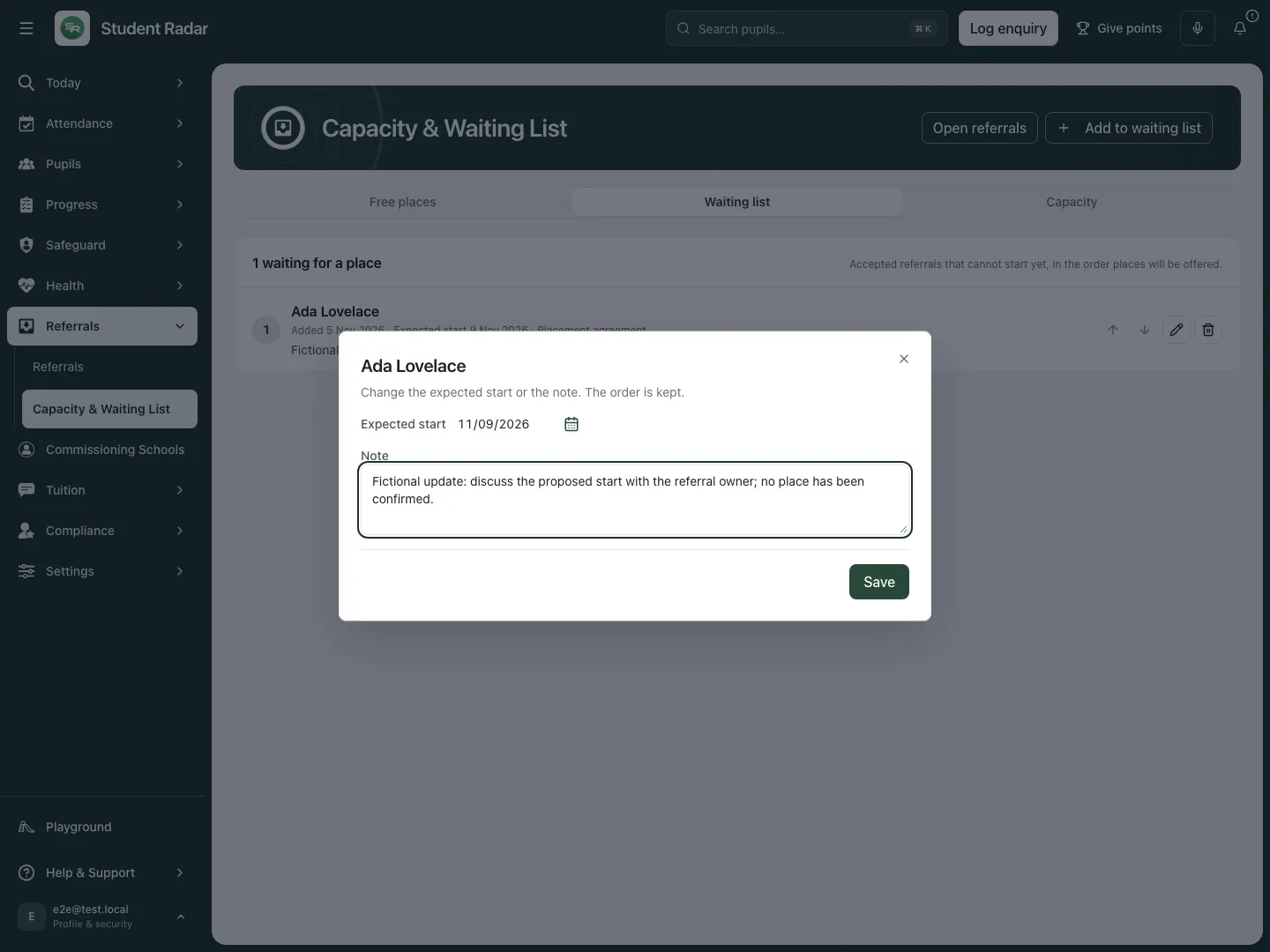
Fictional example: the revised note asks for a discussion with the referral owner and explicitly says no place has been confirmed.
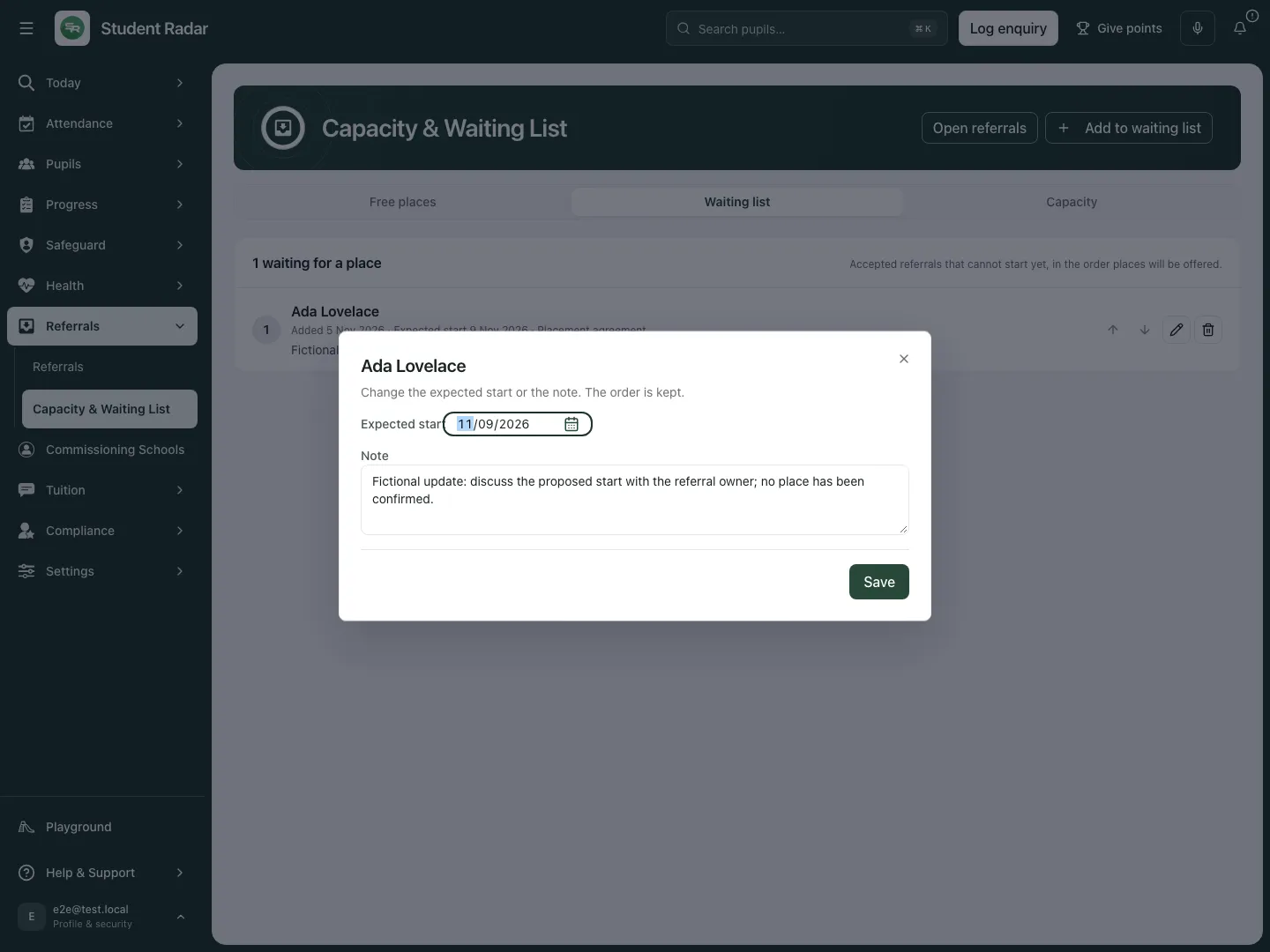
The reopened fictional entry retains the saved note; its order and placement decision are separate.
F. Change the queue order deliberately
Section titled “F. Change the queue order deliberately”- Find the intended referral and check its current position and surrounding entries.
- Select Move [name] up or Move [name] down. The first/last positions cannot move farther in that direction.
- Wait for the refreshed list and movement announcement, then verify the new position and affected neighbours.
- If another person changed the list first, read the stale-list message and review the refreshed order before moving again. Do not repeatedly apply an old position change without checking who is now adjacent.
Ordering changes the waiting list, not the underlying referral state, accepted terms or agreed start date. It is a human scheduling choice, not an automatic suitability decision.
G. Remove or clear an entry without changing its referral
Section titled “G. Remove or clear an entry without changing its referral”- Select Remove [name] from the waiting list. For a retained Left the list entry, use Clear.
- Read Remove from the waiting list and confirm the intended young person. The dialog states that the referral itself is not changed.
- Enter Reason, then select Remove. Wait for the refreshed list and check that the intended entry has left it.
- If the entry has already left the list or changed elsewhere, read that state and refresh rather than forcing the original action.
Removing a waiting-list entry does not withdraw/decline the referral, end a placement or erase the referral’s decisions/history. Make any such change in its owning referral/placement workflow with the required authority.
H. Use a suggested fit as a prompt for review
Section titled “H. Use a suggested fit as a prompt for review”- In Free places, read Suggestion · waiting list #[position], its name, proposed free-from date and needed weekdays.
- The suggestion examines the ordered waiting referrals for a fit from their intended start within the forecast window. It checks free places across the remaining occurrences of the needed weekdays; missing agreed days are treated as every weekday. It is not a promise beyond the window.
- Read any closed-day warning. The fit calculation skips closed days, so check a needed weekday that the provision has marked closed.
- Select Open referral and review actual information, suitability, agreed terms, evidence and readiness before deciding.
- Confirm any placement through the referral’s authorised placement action. The suggestion itself says Nothing has been placed: open the referral to decide.
The next-free-date metric and a particular referral’s fit answer different questions. A free day somewhere in the grid does not establish space across all the days that young person needs. The bounded suggestion examines up to 50 waiting referrals; absence of a suggestion is not proof that no future arrangement could work.
Troubleshooting and questions
Section titled “Troubleshooting and questions”The forecast is unavailable. Retry the read. A retained older forecast is accompanied by a stale-read notice; read its worked-out time and do not present it as a fresh calculation. A failed forecast does not necessarily remove separately authorised waiting-list controls.
There is no capacity setting. Free places cannot be worked out. Ask the authorised provision lead to set the intended basis and limit; do not interpret an unset count as full or empty.
A learner has no agreed days. The forecast counts that record across days and shows the assumption. Check the source placement/agreement pattern, then return for a fresh read.
Someone changed this entry first. The dialog shows the latest expected start/note and asks you to review it. A subsequent Save deliberately replaces those details with what is currently in your form; do that only after comparing the colleague’s change.
The same save outcome is uncertain. Retry the same intended change to check the original request rather than making an unrelated change to force a result. Review the refreshed record before moving on.
Does adding to the list accept the referral or send an offer? No. Eligibility comes from the referral; the list records waiting order. Acceptance, communication and placement are separate explicit workflows.
Does capacity mean on-site occupancy today? It is a forecast from recorded placement/agreement patterns, including outreach and the stated assumptions. It is not a live room register or an attendance count.
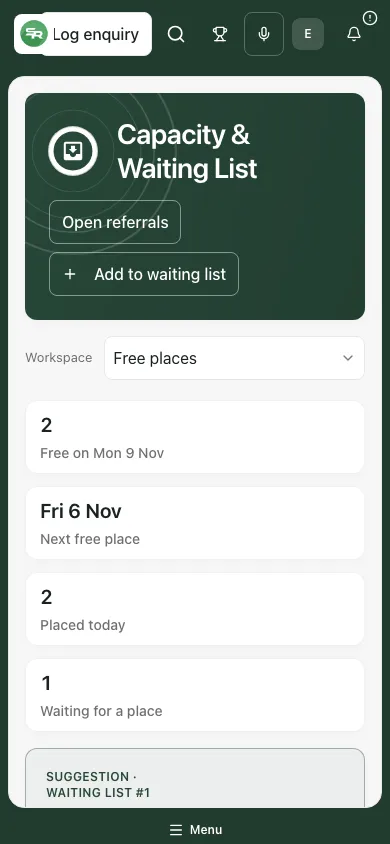
Fictional example: the forecast, suggested review and assumption notice remain visible at phone width.
Related guides
Section titled “Related guides”Manage AP referrals, review careers and destinations and manage your tasks in My Actions.