
SEND records should be kept by category and purpose, not under one invented blanket period. Identify the official or locally approved retention rule, keep the current record distinct from history, and record any legal hold.
When a pupil moves, transfer the required educational record securely and traceably. Keep child-protection transfer under the DSL's separate process, then record the recipient, method, date and confirmed receipt.
This guide is for schools in England. It is accurate on 1 August 2026 and is not legal advice. Schools should apply their own retention schedule and seek advice from their data protection officer where classification is unclear.
Why the category matters more than the SEND label
UK GDPR does not give every type of personal data a universal time limit. The storage-limitation principle requires schools to keep identifiable data only for as long as it is needed for the purpose, unless a valid archiving exception applies.
The Department for Education updated its school data-protection guidance on 9 July 2026. It tells schools to audit what they hold, create a retention schedule, review records, and document secure destruction.
A document about SEND may also be part of the educational record, a live plan, specialist advice, correspondence, a safeguarding file or evidence for a dispute. Those purposes do not become identical because the folder name says SEND. Folders have always been ambitious administrators.
Build a retention matrix before deleting or transferring anything
Start with the DfE categories, then map each local record to the approved schedule. Record the owner, trigger date, rule source, action at expiry and any exception. Do not copy a convenient period from another document type.
| Record category | Starting rule for England | workable action |
|---|---|---|
| Primary pupil record | Keep until the pupil leaves; keep MIS data for two terms after leaving for census needs | Transfer the required pupil record to the receiving school |
| Secondary pupil record | Keep until the pupil's 25th birthday | Transfer on a school move, then dispose securely at expiry |
| Child-protection file | Keep until age 25; DfE specifies age 75 where the file relates to child sexual abuse | DSL transfers it separately, securely and with receipt |
| SEND plan, advice or working evidence | Classify by its actual purpose and place in the educational record, then apply the approved schedule | Keep current work distinct from retained history |
| Record under challenge or legal hold | Pause routine disposal under the authorised hold process | Restrict access, preserve integrity and record the release decision |
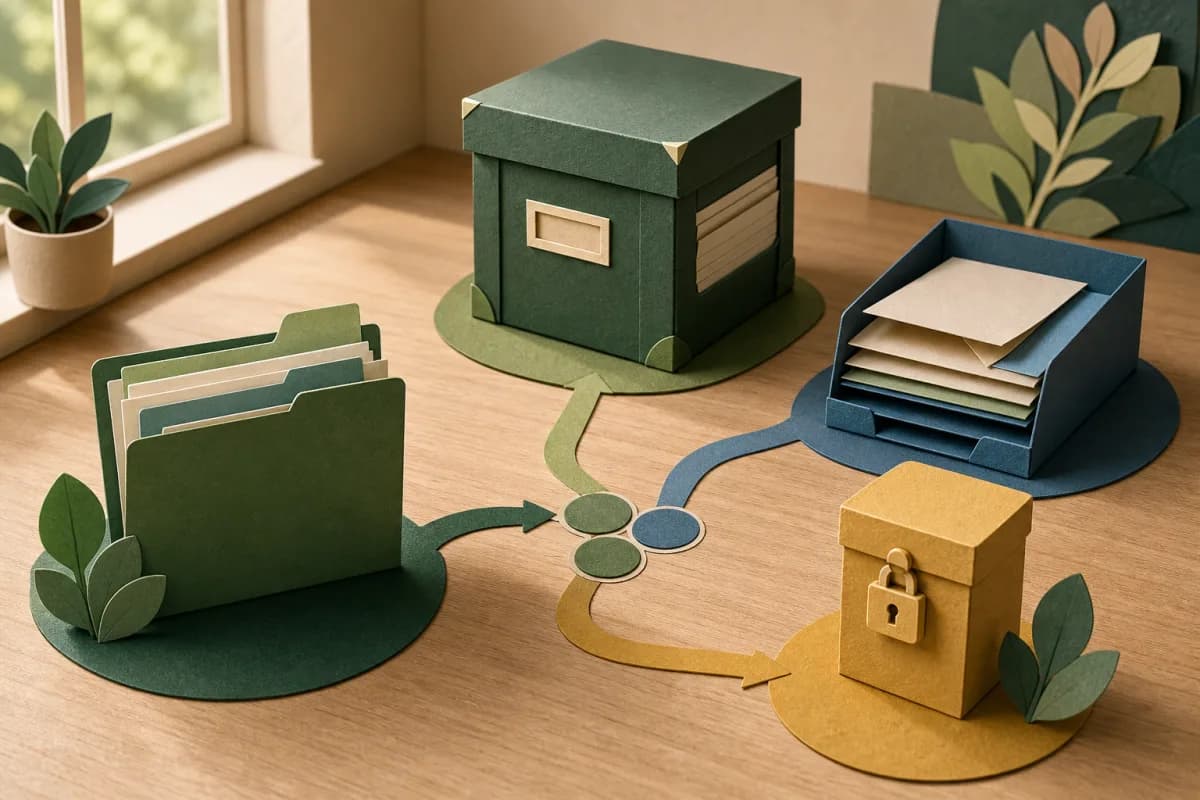
Use a six-step retention and transfer workflow
1. Inventory the record, not just the system
List the document type, pupil, owner, source, current location and copies. Include email attachments, shared drives, paper files and exported reports. A deletion button in one system does not tidy a copy living elsewhere.
2. Identify purpose, authority and access
State why the school holds the record, the lawful basis, who needs access and which schedule entry applies. Health and safeguarding information needs tighter access than a classroom adjustment summary.
Separate a concise teaching handover from the formal educational record. Staff need useful support information, but that does not justify giving every recipient the whole history.
3. Mark the trigger and calculate the review date
Retention usually depends on an event such as leaving school, closing a case or reaching a birthday. Record the trigger, rule and next review date. Avoid a vague label such as permanent unless a documented authority supports it.
4. Check holds and unresolved work
Before disposal, check for subject access requests, complaints, litigation, safeguarding enquiries, audits or other authorised holds. The DPO or senior owner should release the hold before routine deletion resumes.
5. Transfer through the correct route
Regulation 9 of the Education (Pupil Information) (England) Regulations 2005 requires maintained schools to transfer the common transfer file and educational record within 15 school days, subject to the regulation's exceptions. DfE guidance tells schools to transfer securely and traceably.
Use School to School, a named recipient with an approved encrypted method, the local authority route, or controlled physical delivery as appropriate. Verify the receiving school before sending and disclose only what the route and purpose require.
6. Close the loop
Record what was sent, by whom, to whom, when, how and under which authority. Obtain receipt, resolve failed transfers, and decide what the sending school must retain. Do not record sent as though it means received.
Keep safeguarding transfer separate
Keeping Children Safe in Education 2025 remains the operative statutory guidance until 31 August 2026. It says the DSL should transfer the child-protection file as soon as possible, within five days for an in-year transfer or the first five days of a new term.
The file should travel separately from the main pupil file, in secure transit, with receipt confirmed. The receiving DSL and SENCo should be aware as required, but need-to-know access still applies.
KCSIE 2026 was published on 7 July 2026 for preparation. It does not come into force until 1 September 2026, so this article does not present its new wording as today's duty.

When another record changes the question
Imagine a fictional composite pupil moving school. The SEND plan has been sent, but the receiving SENCo reports that specialist advice is missing. The transfer log shows the common transfer file arrived, while document control shows the advice was attached only to a superseded plan.
Attendance context also shows the pupil is due to start immediately. The professional question is not whether the new school can infer the missing adjustment. It is who can lawfully release the live advice, through which secure route, before the pupil needs it in class.
The action is to verify the latest version and recipient, send it securely, confirm receipt and give the receiving SENCo a review point. If a separate safeguarding file exists, the DSL owns that transfer and access decision.
These records do not prove that every relevant person has read or understood the information. They do not establish need, diagnose a condition or replace a professional conversation with the pupil, family and receiving staff.
Keeping the evidence reachable in Student Radar
Where the leadership modules are enabled, Student Radar's Evidence Store and Document Control can keep versions, review dates and read evidence beside the school's Audit, Retention, and Records Toolkit.
Student Radar Safeguard has a role-restricted Record Transfer workflow for sealed child-protection files, including receiving-school acceptance and an audit trail. That workflow is safeguarding-specific and does not replace the common transfer file or the school's broader educational-record process.
Software can make owners, versions, access and receipts visible. It cannot set a school's lawful retention period, decide disclosure or make a transfer compliant by itself.
The decisions to record before closing the file
- Ask the DPO for the live approved retention schedule.
- Map each SEND record type to its actual purpose and category.
- Separate live plans, retained history and safeguarding files.
- Check leavers for missing recipients, failed transfers and receipts.
- Give every exception an owner and resolution date.
- Sample access so staff can see what they need, and no more.
- Review the process against KCSIE 2026 before 1 September.
Use the SEND register history guide for live-versus-archived decisions, and keep the teaching handover distinct from formal transfer.
To review Student Radar's controls and live supplier documents, open the security overview and procurement resources.
Sources and further reading
- Data protection in schools: record keeping and management, Department for Education, published 3 February 2023; updated 9 July 2026.
- Data protection in schools: sharing personal data, Department for Education, published 3 February 2023; updated 9 July 2026.
- Education (Pupil Information) (England) Regulations 2005, regulation 9, UK Parliament, 2005; live text checked 1 August 2026.
- UK GDPR storage limitation principle, Information Commissioner's Office, update date not stated; accessed 1 August 2026.
- Keeping children safe in education 2025, Department for Education, September 2025; GOV.UK page updated 7 July 2026. The 2025 edition applies until 31 August 2026.